 NORA
NORA
No forced rebuild
Bring local scripts and command-line tools into the same workflow. Keep choosing the language and tools that fit each step.
From finding information to editing files and completing multi-step workflows, delegate the work instead of doing it manually. Start with a 30-day free trial, use free forever with pay-as-you-go AI nodes, or own it outright with a perpetual license today.
Drag your existing scripts and media onto the canvas, connect the steps, and keep the commands you already know. NORA provides the orchestration layer without requiring you to rebuild your work as APIs or cloud automations.
Use cron schedules, output-aware conditions, and per-node retries to define what happens next. Keep failure paths visible instead of burying them in batch files and Task Scheduler entries.
Watch execution state as it runs, inspect node output and logs, and manage long-running processes from the workflow that started them. Execution History preserves the operational record on your machine.
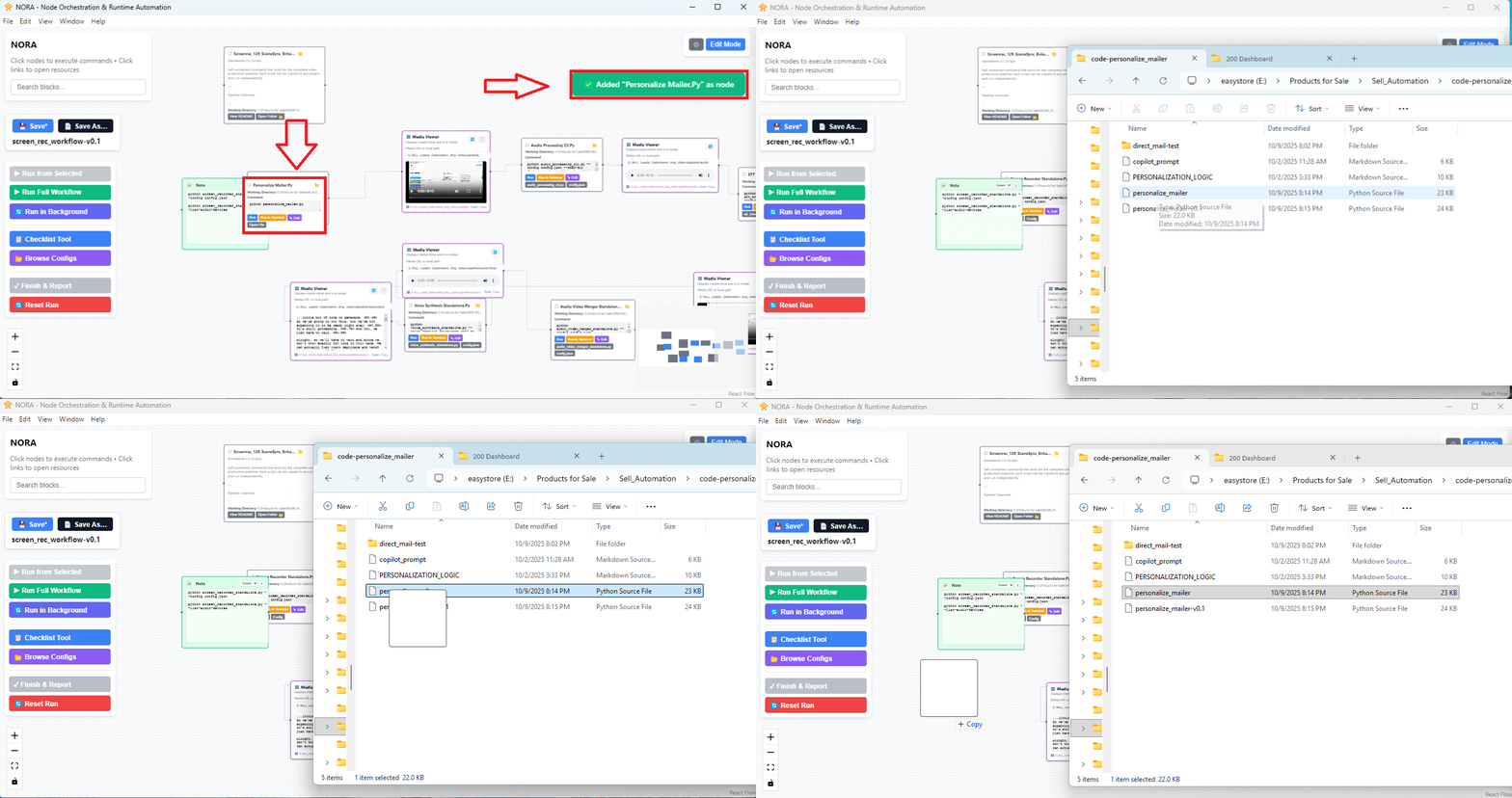
Run Python, JavaScript, PowerShell, Batch, Bash, Ruby, PHP, Perl, VBScript, AutoHotkey, and more in the same workflow.
Use routing, autonomous, provider-native, or bring-your-own-script agents with OpenAI, Anthropic, or Google Gemini. Set budgets and inspect estimated token costs as work runs.
Workflow configs, logs, schedules, and tool definitions stay on your machine. NORA does not host a cloud workspace or telemetry service; configured AI and email providers are contacted directly from your machine.
Inspect stdout, stderr, status, duration, and AI cost estimates per node. Keep a local execution history and use visible failure paths to diagnose problems faster.
Keep the scripts and tools that already work. Put the steps, decisions, schedules, and results into a workflow you can see and run again—without maintaining a separate layer of glue just to coordinate them.
Bring local scripts and command-line tools into the same workflow. Keep choosing the language and tools that fit each step.
Connect steps, add conditions, and define success or failure paths so the process is not trapped in someone's memory.
Follow node status and output, use retries and timeouts, and review the run record when something needs attention.
Use AI routing or agents where judgment adds value. Keep provider choice and estimated token costs in view; provider charges are separate.
Try NORA with your own process. Add only the logic, scheduling, or AI your workflow needs.
Explore real NORA product visuals: bring in existing work, shape the run, add AI where it fits, and inspect what happened.
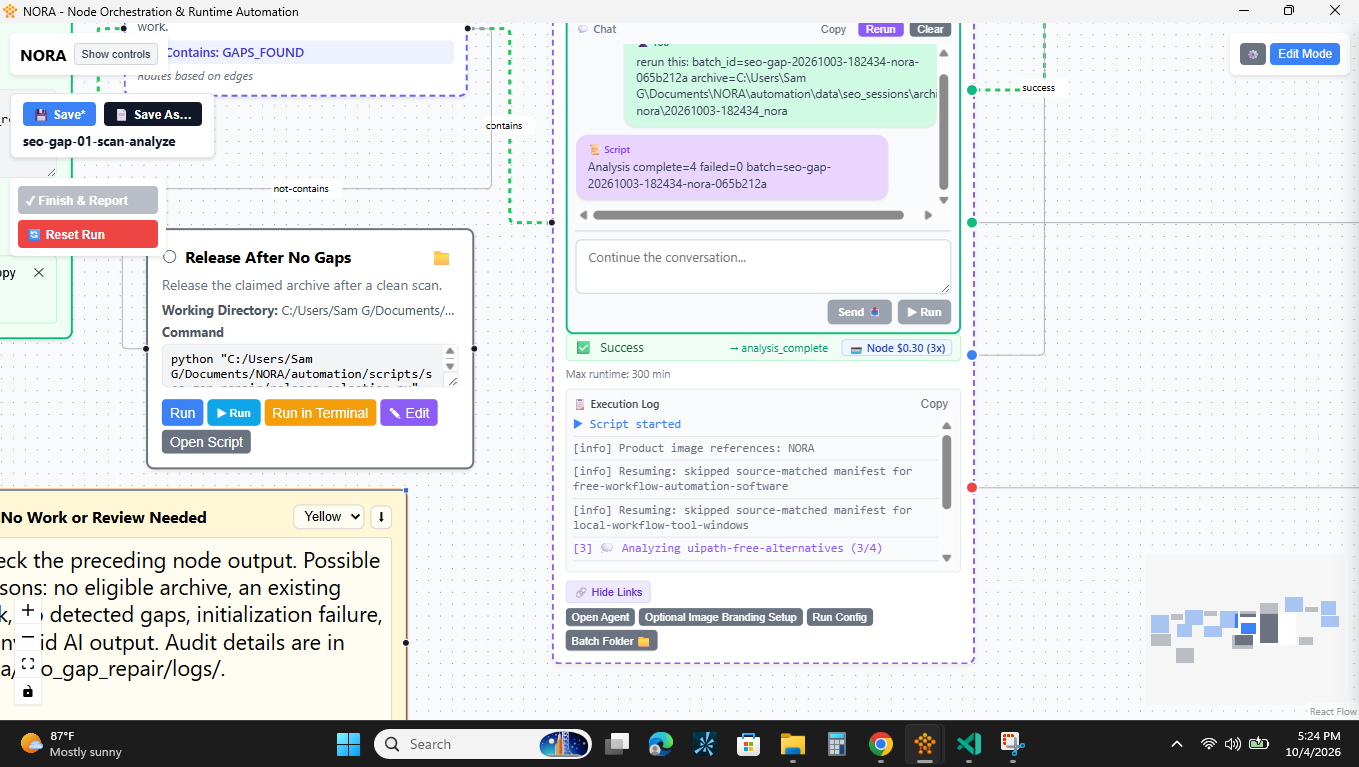
Give the agent the next instruction—not the entire brief again. Review its output, ask for a targeted retry, and continue the conversation with the earlier exchange in context. NORA brings your direction, the agent's tools, and its execution log together inside the workflow.
Here, the user requests a specific batch rerun, and the agent script resumes using its saved work instead of repeating completed steps. You steer the next action; the script handles task-specific recovery.

Ask for the result you want. The agent can find the right tools in your NORA library, run them, and use the results to decide what to do next. Your scripts become things the agent can do—not just instructions it gives you.
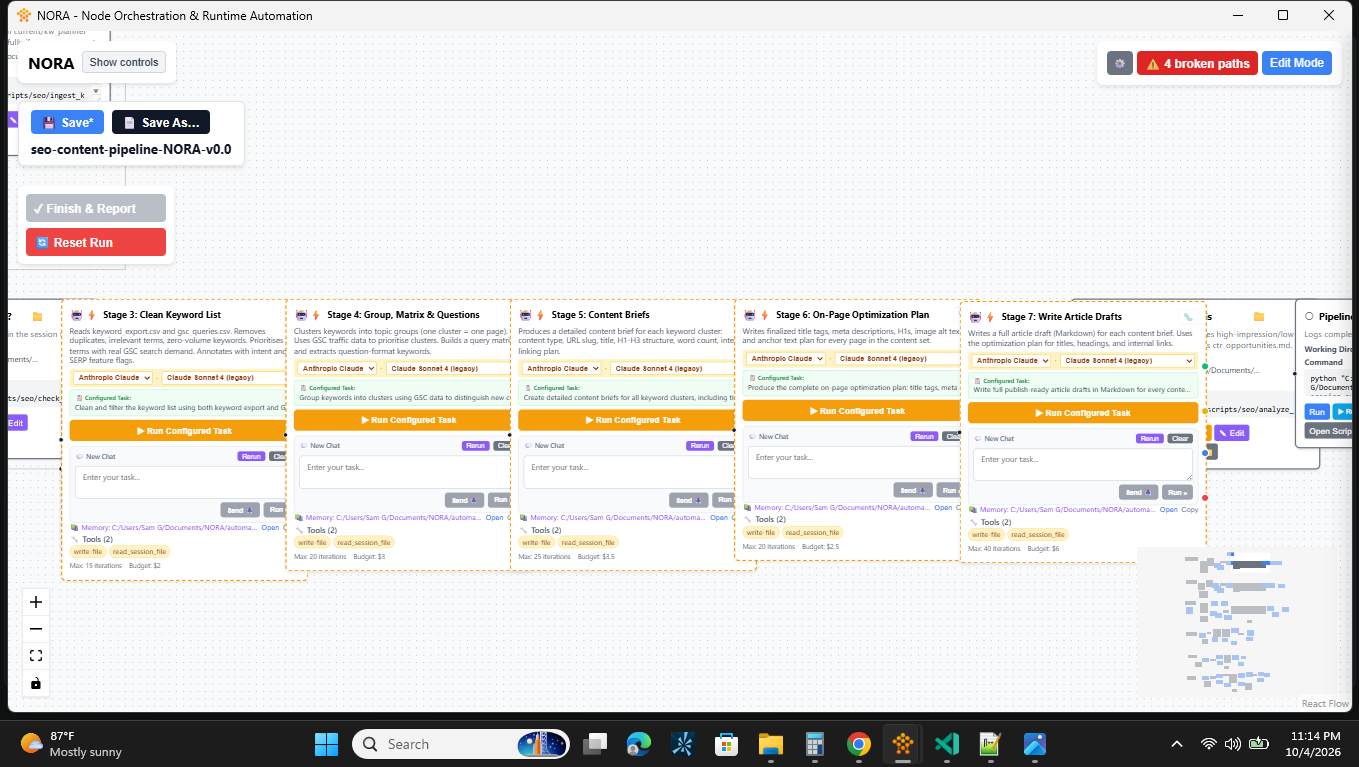
Add specialist agents wherever the work calls for one. Give each a role and its own tools, then grow or adapt your approach without designing around a fixed NORA agent-count quota.

Ask an AI agent to inspect files in its configured folder, find records that match your criteria, and organize the results. Describe what you need in plain language instead of hand-writing every search and data-processing step.

You shouldn't have to build an entire system just to put an AI agent to work. Give it your instructions and tools. NORA handles tool execution, feeds results back to the agent, and supports follow-up conversations—all inside your workflow.
Set its working folder, supply context files, and configure limits on time, spending, and steps. Focus on the job you want done, not building the machinery around it.
Start with the full 30-day trial, use Pay-As-You-Go for successful billable AI-node executions, or purchase a perpetual license for unlimited use on one machine. Third-party AI provider charges are separate.
Your perpetual license remains yours for the purchased major version, and major upgrades are always optional. Add an Upgrade Price Lock during a perpetual-license purchase to reserve a discounted major-upgrade price for 1 to 5 years. This option does not apply to the 30-day trial or Pay-As-You-Go licensing.
| Plan | Discount | Annualized | Total | Best For |
|---|---|---|---|---|
| 1-Year Upgrade Price Lock | Standard | $399 | $399 | Trying the upgrade path |
| 2-Year Upgrade Price Lock | 30% off | $279 | $559 | Planning ahead |
| 3-Year Upgrade Price Lock BEST VALUE | 40% off | $239 | $719 | Long-term users |
| 5-Year Upgrade Price Lock | 50% off | $199 | $999 | Agencies and power users |
Keep run order, failure paths, and the last result in one visual workspace instead of relying on tribal knowledge and terminal history.
Use the local scripts, command-line tools, and files you already depend on. NORA coordinates the work without asking you to rebuild it in a hosted platform.
Choose the level of AI control that fits the job, from routing decisions to provider-native tool calling to a custom agent script you own.
Your workflows stay readable, portable, and under your control.
Choose a 30-day full-featured trial, Pay-As-You-Go at $0.10 per successful billable AI-node execution, or a $1,297 perpetual license for unlimited use on one machine for the purchased major version. Third-party AI provider charges are separate.
Set up a Pay-As-You-Go license with a payment method, then use NORA normally. NORA reports $0.10 for each successful billable AI-node execution through its metered billing service. Set up Pay-As-You-Go.
Yes. With a Pay-As-You-Go license, NORA charges only for successful AI-node executions. Workflows built from scripts, Custom Nodes, conditions, and schedules cost nothing to run, for as long as you use NORA. Setup saves a card through Stripe, but it is not charged unless an AI node runs successfully.
Successful executions of supported AI nodes are billable. Failed, cancelled, and timed-out executions are not charged by NORA's usage program. Custom Script Agent executions are billable when they complete successfully under the AI-node billing rules.
No. The $0.10 NORA usage fee is separate from charges from OpenAI, Anthropic, Google, Gmail, or other providers. You supply and manage your own provider accounts and API keys, and those providers set their own pricing.
A failed recurring payment starts a seven-day grace period so you can update your payment method. If payment is not restored by the end of the grace period, the Pay-As-You-Go license is blocked and NORA opens to the license screen instead of your workspace until payment is resolved. Your workflow files stay on your machine.
Yes. You can purchase and activate a perpetual license separately. It provides unlimited use on one machine for the purchased major version, while previously reported Pay-As-You-Go usage remains separate.
Perpetual licenses include minor updates and bug fixes for the purchased major version. Major upgrades may require a separate purchase. Pay-As-You-Go and trial access follow their respective active license terms.
NORA does not send workflow data, execution logs, or product-usage telemetry to a NORA cloud workspace. License activation and validation communicate with NORA’s license service. When you configure AI or email features, your machine communicates directly with the providers you choose.
Python, Node.js (JavaScript/TypeScript), PowerShell, Bash, Batch, Ruby, PHP, and more. If it runs in a terminal on Windows, NORA can schedule it.
Yes — 30 days, full app, no credit card. Start your trial here. Your workflows stay intact when it ends; activate a perpetual or Pay-As-You-Go license to continue.
Yes. One-click install, automatic updates. Get NORA on Microsoft Store →
Yes, via background execution and system tray integration. Your PC needs to be on, but workflows run headless. Also works on Windows VMs (Azure, AWS WorkSpaces).
Eligible perpetual license purchases include a 30-day money-back guarantee. Pay-As-You-Go usage charges are metered service charges; contact support promptly about duplicate or incorrect charges.
Start with the license path that fits you. Bring your local scripts into a visual workflow, add AI where it earns its place, and keep the operating record on your machine.
