
Technical Team AI Infrastructure: Running AI Locally
In 2026, artificial intelligence is no longer just a cloud-hosted novelty; it is a critical component of internal software engineering. However, for organizations dealing with highly proprietary codebases, stringent compliance regulations, and massive internal datasets, relying on external APIs is a non-starter. Establishing a dedicated technical team AI infrastructure allows developers, data scientists, and DevOps professionals to harness the power of LLMs securely behind the corporate firewall.
The Shift to Local AI for Sensitive Data
The technology sector is witnessing a massive pivot toward local AI for sensitive data. In the early days of enterprise AI adoption, teams eagerly integrated third-party SaaS solutions. It quickly became apparent that transmitting intellectual property, customer PII, and raw financial databases across the public internet to commercial AI vendors introduced severe security and compliance liabilities.
By shifting to local infrastructure, technical teams ensure total data sovereignty. In a self-hosted environment, there is zero risk of an external provider using your internal code to train future public models, and you are immune to third-party outages. To truly achieve this, organizations are investing heavily in private AI agent infrastructure tailored specifically to enterprise security standards.
Local AI vs OpenAI: Which is Better for Technical Teams?
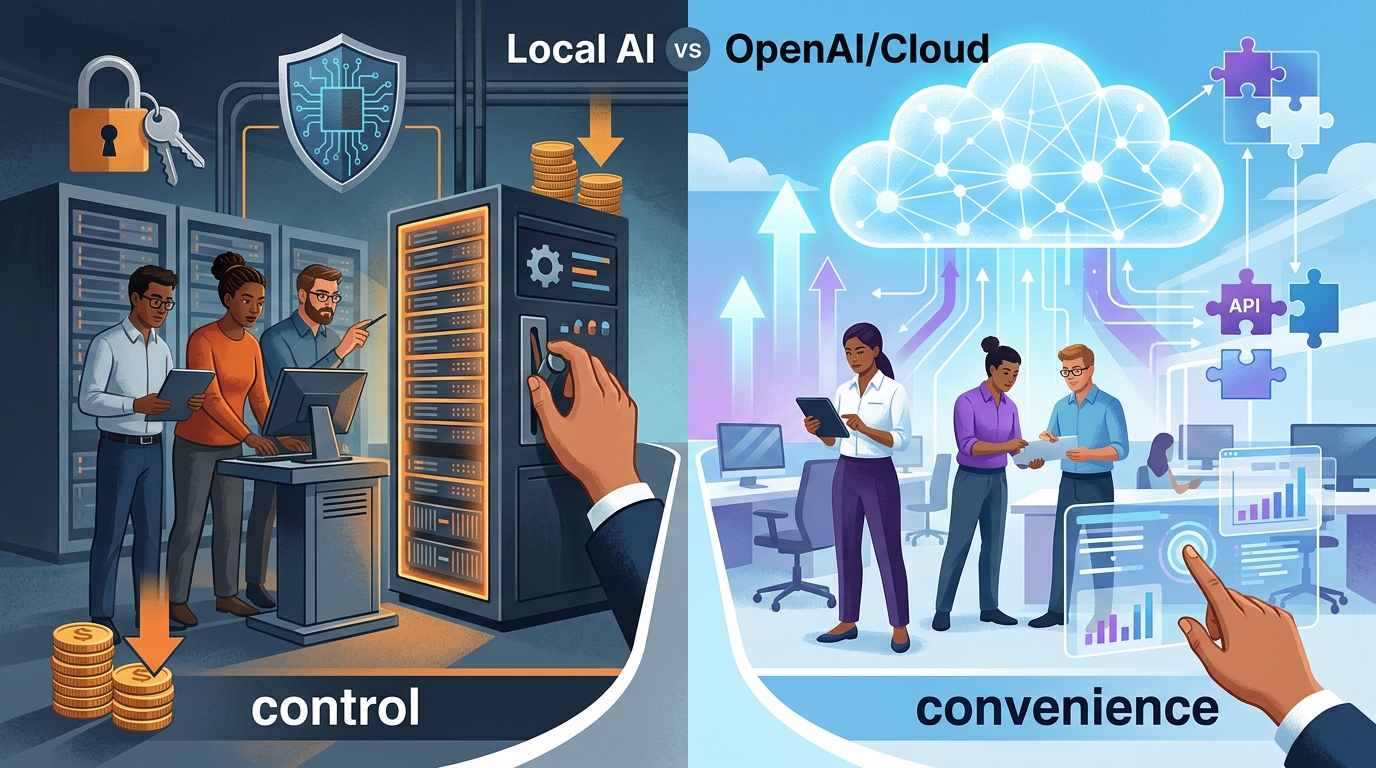
Evaluating the trade-offs between local AI and cloud providers like OpenAI for enterprise technical teams.
When evaluating local AI vs OpenAI (or similar commercial providers), technical teams must weigh convenience against control.
- OpenAI / Cloud Providers: Offer unmatched out-of-the-box convenience, state-of-the-art reasoning models, and zero hardware maintenance. However, they come with variable token-based pricing, strict rate limits that can throttle enterprise pipelines, and major data privacy concerns.
- Local AI Integration: Requires upfront capital expenditure for hardware and dedicated DevOps resources to manage deployments. In return, local AI provides fixed, predictable operational costs, unlimited usage without rate limits, and an absolute guarantee of privacy. For high-volume internal tasks—like continuous code scanning or massive log analysis—local AI drastically outperforms cloud solutions on total cost of ownership.
How to Run AI Agents Locally Without Cloud
To successfully run AI agents locally without cloud dependencies, teams must decouple the reasoning engine (the LLM) from the agent framework.
Your infrastructure will run an open-weights model locally and expose it via a REST API that mimics standard AI endpoints. Your agentic framework (such as AutoGen, CrewAI, or internal custom scripts) will then point to your local host address instead of a public API URL. To ensure your frameworks do not fail under this architecture, developers must master agent workflow best practices designed for local environments.
Requirements to Run LLM on Local Hardware

Key components required to run large language models (LLMs) on local hardware within an enterprise setting.
To successfully run LLM on local hardware in an enterprise setting, your technical team will need robust physical or virtualized specifications:
- GPU Compute: VRAM is the ultimate bottleneck for local AI. For robust 70B parameter models (heavily utilized for coding tasks), teams typically require multiple enterprise-grade GPUs (e.g., dual NVIDIA A100s or equivalent architectures) to achieve acceptable tokens-per-second (TPS) throughput.
- High-Speed Interconnects: If spanning models across multiple GPUs, high-speed bridges (like NVLink) are necessary to prevent massive latency spikes during inference.
- Optimized Inference Software: You cannot simply execute raw model weights effectively. Utilizing high-performance inference servers like vLLM or Triton Inference Server ensures you maximize hardware utilization and can handle concurrent requests from multiple agents.
Designing Your Technical Team AI Infrastructure
Designing a resilient environment requires treating AI as a first-class citizen in your IT ecosystem.
- Network Isolation: Deploy your inference servers inside a Virtual Private Cloud (VPC) with strict security groups. Access should be restricted exclusively to internal service subnets.
- Load Balancing: Single GPUs cannot handle massive enterprise concurrency. Implement load balancers to distribute agent requests across a cluster of inference nodes.
- Observability Stack: Integrate Prometheus and Grafana to monitor GPU temperatures, VRAM usage, queue lengths, and inference latency.
By meticulously architecting this environment, technical teams can securely scale internal automation without compromising on speed or safety. For practical examples of how engineering departments are utilizing these setups today, review the NORA tech team use cases.
Frequently Asked Questions
Is open-source AI good enough for technical enterprise tasks?
Absolutely. As of 2026, open-weight models optimized specifically for coding, log analysis, and system administration frequently rival or beat commercial cloud models in specialized enterprise benchmarks, especially when augmented with internal Retrieval-Augmented Generation (RAG).
What happens if a local AI model runs out of VRAM?
If a model’s context window expands beyond available VRAM, the inference server will typically crash with an Out of Memory (OOM) error. Proper infrastructure design mitigates this by implementing strict token limits, utilizing quantization, or paging memory to system RAM (though the latter significantly decreases speed).
How do we update local models securely?
Models should be updated through a secure internal registry. The DevOps team downloads the new model weights to a secure, internet-connected bastion host, scans the payload for malicious code or tensor vulnerabilities, and then pushes the validated weights to the internal, air-gapped inference cluster.