
How to Build a Scalable AI Media Production Pipeline
A scalable media operation is not built by asking editors, producers, and marketers to work faster every week. It is built by turning repeatable production steps into systems. An AI media production pipeline connects scripting, audio, video, subtitles, review, and distribution so your team can increase output without adding chaos.
This pillar guide is for content managers, producers, video teams, and content engineers who want a strategic framework for building production automation. It explains what belongs in the pipeline, how AI tools fit, where human review remains essential, and how specialized workflows connect into one automated content engine.
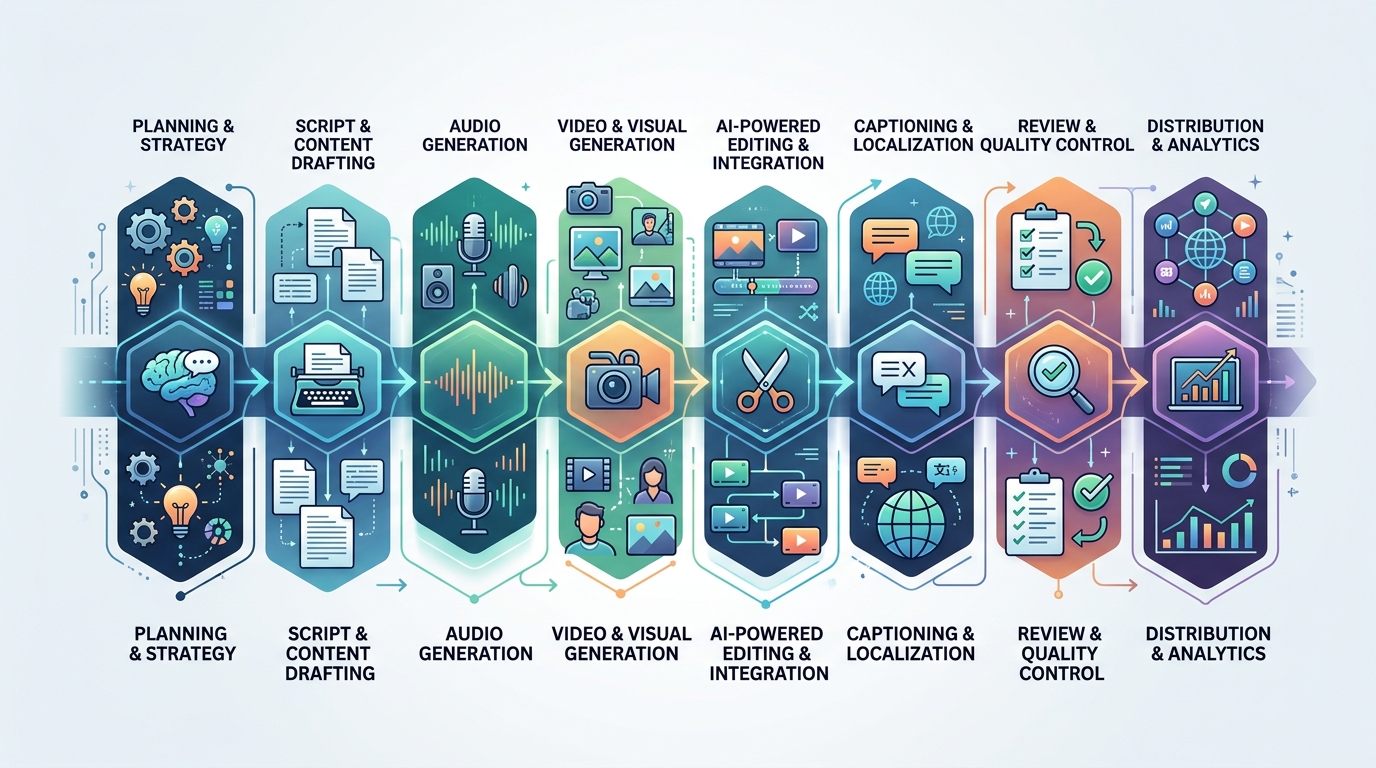
A visual representation of a scalable AI media production pipeline, highlighting the interconnected stages from idea to published asset.
What is an AI Media Production Pipeline?
An AI media production pipeline is a structured workflow that uses automation, artificial intelligence, scripts, and review gates to move content from idea to published asset. Instead of treating every video, podcast, or clip as a one-off project, the pipeline standardizes how assets are created, processed, approved, and distributed.
A practical pipeline might include:
- Topic intake and brief creation.
- Script drafting and editorial review.
- Voiceover or podcast audio generation.
- Audio cleanup and normalization.
- Video editing and rendering.
- Caption and transcript generation.
- Thumbnail, title, and metadata preparation.
- Approval workflows.
- Publishing and repurposing.
- Archiving and performance feedback.
The word “AI” does not mean every step is fully autonomous. In strong production systems, AI assists with repeatable or draft-heavy tasks while humans own strategy, taste, accuracy, compliance, and final approval.
The goal is not to replace your creative team. The goal is to remove avoidable drag from the production process so creative people can spend more time on judgment, storytelling, and quality.
A useful way to define the pipeline is by inputs and outputs. Every stage should receive a known input, apply a defined process, and produce an output that the next stage can use. A script becomes an approved voiceover brief. A voiceover becomes a cleaned audio file. A cleaned audio file becomes an input for video assembly. A finished video becomes a source for captions, clips, and distribution assets.
Without that structure, AI tools become isolated experiments. With it, they become production infrastructure.
Why Video Teams Need Content Pipeline Automation
Video teams often feel production pressure before they have the systems to handle it. A single campaign may require a long-form video, vertical clips, podcast audio, subtitles, landing page embeds, social captions, thumbnails, and internal versions. When every deliverable is manually coordinated, the work fragments across tools and people.
Content pipeline automation AI helps solve several common operational problems:
- Repeated handoffs: Files move between writers, editors, producers, and marketers without clear status.
- Inconsistent naming: Assets are hard to find, reuse, or archive.
- Manual rendering: Editors export the same formats repeatedly.
- Caption bottlenecks: Subtitles and transcripts are delayed until late in the process.
- Version confusion: Teams lose track of approved, draft, and outdated files.
- Scaling limits: Output increases only when headcount or overtime increases.
Automation gives the team shared rules. For example, every approved script can trigger voiceover generation, every final audio file can trigger transcript generation, and every finished video can trigger captioned versions for distribution.
This is especially important for content automation for video teams because video rarely exists as one final file anymore. A single source asset often becomes a family of deliverables across YouTube, LinkedIn, TikTok, internal training, webinars, podcast feeds, and email campaigns.
The operational problem is not just editing. It is coordination. A producer needs to know which version is approved. A social manager needs the right aspect ratio. A web manager needs captions. A marketer needs a transcript for repurposing. A pipeline gives each person the output they need without requiring a new manual request every time.
Essential AI Tools for Content Creators and Engineers
The ecosystem of AI tools for content creators is broad, but production teams should evaluate tools by workflow role rather than hype. A tool is useful if it improves a defined stage, integrates with your stack, and produces outputs your team can review.
Common tool categories include:
| Category | Pipeline role | Evaluation questions |
|---|---|---|
| AI writing tools | Draft scripts, outlines, summaries, titles | Can the output follow your brief and brand rules? |
| Speech-to-text tools | Transcripts, captions, searchable archives | Can outputs be exported in usable formats? |
| Text-to-speech tools | Draft narration, voiceovers, audio variants | Can voice outputs be versioned and reviewed? |
| Audio processing tools | Leveling, cleanup, conversion | Can settings be standardized across projects? |
| Video automation tools | Trimming, cropping, overlays, rendering | Can they process batches without manual steps? |
| Workflow automation tools | Routing, notifications, approvals | Can they connect your existing tools? |
| Asset management tools | Storage, naming, retrieval | Can the team find approved files quickly? |
A good rule: if a tool cannot fit into your process, it will become another manual step. The strongest pipeline uses fewer tools with clearer responsibilities.
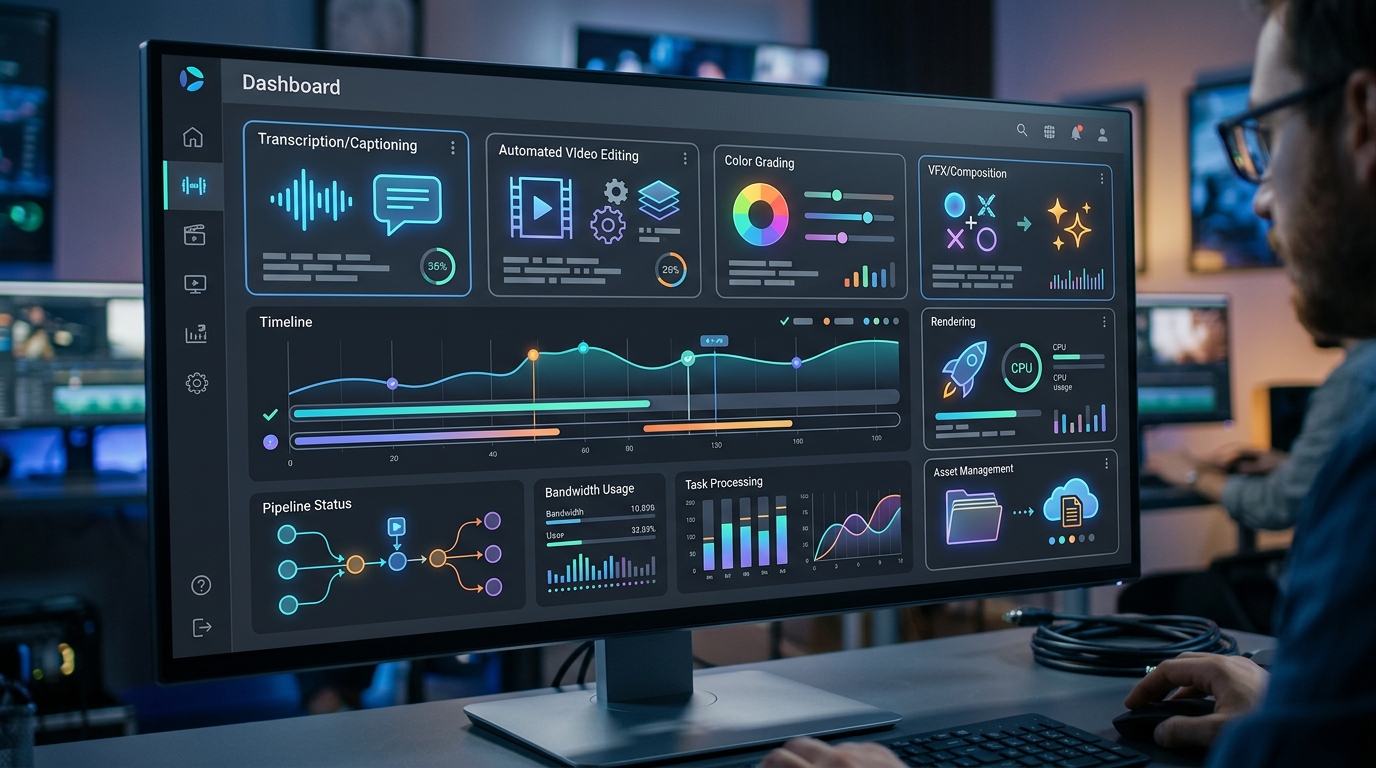
A dashboard view illustrating the integration of AI tools for content pipeline automation, streamlining workflows for video teams.
When assessing a tool, look beyond the demo. Ask whether it can export clean files, preserve source material, support review, and fit into your naming conventions. A tool that produces impressive drafts but requires manual cleanup every time may be less valuable than a simpler tool that integrates cleanly.
Content engineers should also evaluate access methods. API access, command-line support, batch exports, webhooks, and folder-based workflows all matter because they determine whether a tool can participate in an automated system.
Core Components of an Automated Content Engine
An automated content engine is the operational layer that connects tools, files, people, and review states. It defines how work moves and what happens when a stage is completed.
The core components are:
- Inputs: briefs, scripts, raw recordings, generated assets, brand files.
- Processing: AI generation, transcription, editing scripts, cleanup, formatting.
- Storage: organized folders, naming conventions, version history.
- Review: human approval gates for quality and risk control.
- Outputs: published files, clips, transcripts, metadata, archives.
- Feedback: performance data, editorial notes, process improvements.
A pipeline can start simple. For example:
brief -> script -> voiceover -> cleaned audio -> video edit -> captions -> review -> publish
The important part is that each stage produces a known output that the next stage can consume.
A good automated content engine also has status visibility. Your team should be able to answer:
- What is waiting for review?
- What failed during processing?
- Which assets are approved?
- Which deliverables have been exported?
- Where are the final files stored?
- Who owns the next action?
Without status visibility, automation can create confusion faster than manual work. With it, the pipeline becomes a shared operating system for content production.
Automated Scripting and Planning
Planning is where consistency begins. If briefs and scripts are inconsistent, downstream automation becomes harder.
Automated planning can support:
- Generating structured outlines from approved topics.
- Converting briefs into draft scripts.
- Creating production checklists.
- Extracting shot lists or asset requirements.
- Producing title and description drafts for review.
However, script automation needs guardrails. Use templates that define audience, tone, length, CTA, claims policy, and required review steps. Do not allow AI-generated claims, statistics, or expert quotes to enter production without verification.
A useful brief template might include:
- Target audience.
- Buyer journey stage.
- Primary message.
- Source material.
- Required examples.
- Words or claims to avoid.
- Output formats.
- Approval owner.
This keeps planning automation aligned with strategy instead of producing generic drafts.
For teams producing recurring formats, create format-specific templates. A podcast intro, product tutorial, webinar recap, and social clip all require different structure. The more specific the template, the more useful the automated draft.
Audio and Video Processing
Audio and video processing are where automation often delivers the most immediate time savings. These tasks are structured, repeatable, and frequently performed in batches.
For audio, pipelines may include:
- Text-to-speech generation.
- Podcast cleanup.
- Silence trimming.
- Loudness normalization.
- Format conversion.
- Voiceover routing.
For video, pipelines may include:
- Trimming source clips.
- Cropping horizontal footage into vertical versions.
- Concatenating intros, bodies, and outros.
- Adding overlays or watermarks.
- Merging narration or cleaned audio.
- Rendering channel-specific exports.
If your team needs implementation-level guidance, connect your strategy to specialized guides on video processing automation and podcast content engines. These workflows become modules inside the broader media pipeline.
Audio and video automation works best when the team agrees on standards. Decide preferred file formats, sample rates, naming patterns, aspect ratios, caption requirements, and review folders. These rules turn scattered tasks into predictable production steps.
Post-Production and Distribution
Post-production is where many teams lose speed because outputs multiply. A finished source video might require:
- SRT captions.
- VTT captions.
- Burned-in caption versions.
- Transcript files.
- Shorts or reels.
- Thumbnails.
- Social copy.
- Blog summaries.
- Email blurbs.
- Archive copies.
This is where automated transcription workflows become essential. Transcripts and captions are not just accessibility assets; they are inputs for summaries, clips, search, QA, and repurposing.
Distribution automation should be handled carefully. Publishing directly without review can create brand risk. A safer approach is to automate preparation and routing: generate files, populate metadata drafts, create tasks, and notify the right owner when assets are ready.
A practical post-production flow might look like this:
final-video.mp4
  -> captions.srt
  -> captions.vtt
  -> transcript.txt
  -> vertical-clips/
  -> metadata-draft.md
  -> review-task
The team still approves the final package, but the repetitive preparation work is already complete.
Transitioning Your Team to an Automated Workflow
The hardest part of building an AI media production pipeline is not writing scripts. It is changing how the team works.
Start with one high-friction workflow. Good first candidates include:
- Subtitle generation for every video.
- Podcast audio cleanup and export.
- Batch rendering of social clips.
- Voiceover generation for internal videos.
- File naming and folder routing.
Then follow a phased rollout:
- Document the current process. Write every step from idea to publish.
- Identify repeatable tasks. Mark tasks that follow rules and do not require creative judgment.
- Choose one automation target. Pick the bottleneck with clear inputs and outputs.
- Build a small working pipeline. Avoid over-engineering early.
- Add human review. Define who approves outputs and what they check.
- Measure time saved and errors reduced. Use internal observations and team feedback; avoid unsupported claims.
- Expand to adjacent workflows. Connect subtitles, audio, video, and distribution gradually.
Team adoption improves when people understand that automation is there to remove repetitive work, not erase creative ownership. Editors should help define render rules. Producers should define approval gates. Marketers should define metadata and distribution requirements. Engineers or technical operators should own reliability, logging, and maintenance.
A useful operating model is to assign pipeline owners:
- Content owner: decides what gets produced and why.
- Production owner: defines creative standards and review criteria.
- Automation owner: maintains scripts, integrations, and logs.
- Publishing owner: approves final metadata and channel readiness.
This keeps automation accountable. If a render fails, someone knows where to look. If a transcript needs correction, someone owns the review. If a script produces poor outputs, the team improves the template rather than blaming the concept of automation.
Change management matters. Introduce automation as a series of dependable helpers, not a sudden replacement for existing tools. Let the team test a workflow, review the outputs, adjust the rules, and gain confidence before expanding. Trust is earned when the pipeline saves time without surprising people.
Documentation is part of the product. Maintain a simple internal guide that explains folder structure, naming conventions, how to run scripts, what errors mean, and who approves each stage. If only one person understands the automation, the pipeline is fragile.
The Future of AI Content Automation
The future of AI content automation is not a single magic tool that replaces production teams. It is a network of specialized systems that handle more of the mechanical work while humans provide direction, judgment, and accountability.
Expect teams to move toward:
- More modular workflows.
- More API-based production tools.
- More review dashboards.
- More reusable content components.
- More automated repurposing from source assets.
- More emphasis on governance, accuracy, and brand safety.
For content teams, the strategic advantage will come from process design. Teams that understand their workflows will automate effectively. Teams that do not will simply add AI tools on top of an already messy process.
The best starting point is a simple pipeline that creates obvious value. Automate captions. Standardize podcast cleanup. Batch render video variants. Generate draft voiceovers. Then connect those systems into a broader content engine.
A scalable AI media production pipeline should make your team calmer, not busier. It should reduce repetitive tasks, clarify ownership, improve asset flow, and give creative people more room to do the work that actually requires them.
As tools evolve in 2026, the winners will be teams with clear systems. New models and platforms will continue to appear, but a well-designed pipeline can swap tools in and out because the process is already defined. The durable asset is not any single AI tool. It is the production architecture your team builds around inputs, review, outputs, and feedback.
FAQ
What is an AI media production pipeline?
An AI media production pipeline is a structured workflow that uses AI tools, automation scripts, and human review gates to move content from planning to production, post-production, publishing, and archiving.
How can video teams use content pipeline automation AI?
Video teams can automate repeatable tasks such as transcription, caption generation, audio cleanup, video rendering, clip formatting, file routing, and metadata preparation.
What AI tools do content creators need?
Most teams need tools for scripting, transcription, text-to-speech, audio processing, video automation, workflow routing, and asset management. The right mix depends on the team’s format and publishing cadence.
Should AI media workflows be fully automated?
Not usually. Fully automated publishing can create quality and brand risks. A better approach is to automate preparation and processing while keeping human review for strategy, accuracy, tone, and final approval.
How do I start building an automated content engine?
Document your current workflow, identify one repetitive bottleneck, build a small automation around it, add review gates, and expand only after the first workflow is reliable.
Who should own an AI media production pipeline?
Ownership is usually shared. Content leaders own strategy, producers own creative standards, automation owners maintain scripts and integrations, and publishing owners approve final channel readiness.