
PowerShell vs Python for Infrastructure Automation: The 2026 Guide
If you manage infrastructure in 2026, the PowerShell vs Python debate is no longer a theoretical language preference. It is a practical decision about maintainability, team capability, operating system coverage, and how fast your automation can adapt when the environment changes.
Most infrastructure teams are not starting from a blank slate. They inherit PowerShell scripts written for Windows administration, Bash scripts glued into Linux cron jobs, Python utilities created by DevOps engineers, and CI/CD pipeline steps that nobody wants to touch. The right question is not “Which language is best?” It is: which language should own which class of automation?
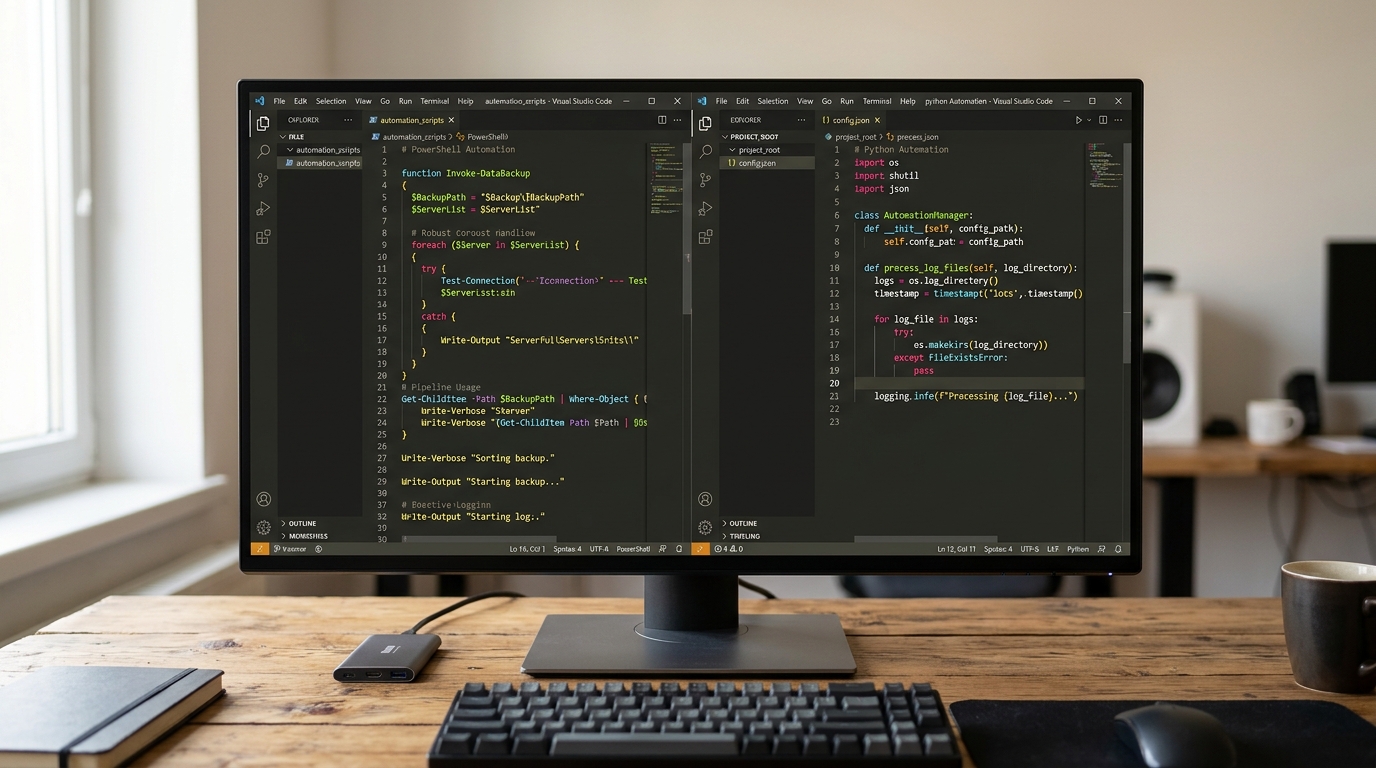
A visual comparison of PowerShell and Python code snippets, highlighting their different syntaxes and approaches to automation tasks.
This guide gives a pragmatic breakdown for sysadmins, DevOps engineers, and platform teams choosing where to invest their automation time.
The State of Infrastructure Automation in 2026
Infrastructure automation has moved beyond simple server scripts. Teams now automate across:
- Windows and Linux servers
- Cloud APIs and SaaS platforms
- Identity systems
- CI/CD pipelines
- Containers and virtual machines
- Monitoring and incident response workflows
- Compliance checks and patch orchestration
That creates a tooling problem. A Windows-heavy team may naturally reach for PowerShell. A Linux or cloud-focused team may default to Python or Bash. A mixed environment often uses all three, which can create duplicated logic, uneven error handling, and scripts only one person understands.
For a broader survey of tooling choices, see our guide to the top scripting languages for sysadmins. This article focuses specifically on PowerShell vs Python automation and where each language works best.
The short version:
- PowerShell excels at Windows, Microsoft 365, Active Directory, Azure administration, and object-oriented command pipelines.
- Python excels at APIs, data manipulation, cloud orchestration, complex workflows, and cross-platform automation.
- Bash still excels at lightweight Linux server automation, shell glue, and simple provisioning tasks.
PowerShell for Automation: Strengths and Weaknesses
PowerShell is not just a shell. It is a task automation framework built around cmdlets, objects, remoting, modules, and predictable verb-noun commands. For many sysadmins, especially those managing Windows infrastructure, PowerShell remains the most direct path from manual administration to reliable automation.
Its strongest advantage is proximity to the systems being managed. If your environment includes Active Directory, Group Policy, Windows Server, Hyper-V, Exchange, Microsoft 365, or Azure administration, PowerShell usually has first-class modules and examples.
A typical PowerShell automation pattern looks like this:
Get-ADUser -Filter * -SearchBase "OU=Contractors,DC=example,DC=com" |
Where-Object { $_.Enabled -eq $true } |
Select-Object Name, SamAccountName, Enabled
That pipeline passes objects, not plain text. You can sort, filter, transform, and export structured data without constantly parsing strings.
Best Use Cases for Sysadmins
PowerShell is especially strong for:
- Active Directory user and group management
- Windows Server configuration
- Scheduled maintenance jobs
- Microsoft 365 and Exchange Online administration
- Azure resource management
- IIS automation
- Windows service control
- Registry and event log operations
- Security baseline checks in Microsoft-heavy environments
It is also a strong fit when the automation audience is a traditional Windows admin team. If the people maintaining the scripts already understand Windows Server and Microsoft tooling, PowerShell has a lower organizational learning curve than Python.
The weakness appears when workflows expand beyond the Microsoft ecosystem. PowerShell can call REST APIs and run cross-platform, but many third-party libraries, examples, and cloud-native automation patterns are more commonly Python-first.
The Object Pipeline Advantage
PowerShell’s object pipeline is its killer feature. Traditional shells pass text between commands. PowerShell passes .NET objects with properties and methods.
That matters in infrastructure work because brittle text parsing is a major source of script failure. With PowerShell, you can often write:
Get-Service | Where-Object Status -eq "Stopped" | Select-Object Name, Status
Instead of parsing command output line by line.
The trade-off is that PowerShell syntax can feel verbose, especially for developers used to Python. It also has multiple ways to express similar operations, which can lead to inconsistent style across teams unless standards are enforced.
Python for Automation: Strengths and Weaknesses
Python has become a default automation language because it is readable, portable, and supported by a large ecosystem of libraries. It is less tied to one operating system or vendor. That makes it especially useful when infrastructure automation spans APIs, Linux, cloud platforms, data formats, and third-party services.
A simple Python automation script might look like this:
import requests

response = requests.get("https://api.example.com/servers")
response.raise_for_status()

for server in response.json():
    if server["status"] == "stale":
        print(server["name"])
For API-heavy operations, Python often feels more natural than shell scripting. JSON parsing, retries, authentication flows, and data transformation are easier to express in Python than in Bash and often cleaner than in PowerShell when the target platform is not Microsoft-specific.
Best Use Cases for DevOps
Python is a strong choice for:
- Cloud API orchestration
- REST API integrations
- Complex data parsing
- Configuration file generation
- Infrastructure reporting
- Multi-step workflows
- Custom deployment tooling
- Cross-platform command wrappers
- Inventory and asset management
- Automation that needs tests and packaging
If your team is moving toward platform engineering, internal developer platforms, or API-driven infrastructure, Python is usually worth learning. For a deeper tactical adoption path, see our guide to leveraging Python automation for operations teams.
Python’s main weakness is that it can feel like “real programming” to teams used to shell commands. You need to think about virtual environments, dependencies, package versions, linting, and project structure. Those are solvable problems, but they require team discipline.
Python’s Cross-Platform Capabilities
Python runs well on Windows, Linux, and macOS. Its standard library includes modules for file handling, subprocess execution, JSON, logging, path management, networking, and more. The pathlib module is especially useful for cross-platform file paths:
from pathlib import Path

log_dir = Path.home() / "automation" / "logs"
log_dir.mkdir(parents=True, exist_ok=True)
That same code can work across operating systems without manually handling \ vs / path separators.
Python is not magically cross-platform, though. If your script shells out to systemctl, net user, or wmic, you still need OS-aware logic. Cross-platform success comes from designing clean abstractions, not just choosing Python.
PowerShell vs Python: Direct Comparisons
Both languages are capable. The right choice depends on the task boundary, team skill set, and operational risk.
Syntax and Readability
Python generally wins on readability for general-purpose logic. Its indentation-based syntax and simple data structures make it easy to follow loops, conditionals, and functions.
PowerShell reads naturally for administrative commands because cmdlets are descriptive:
Get-Process | Where-Object CPU -gt 100
But complex PowerShell scripts can become hard to read when they mix pipelines, script blocks, hashtables, and .NET calls. Python tends to scale better for larger automation projects with modules, tests, and reusable packages.
Verdict:
- Small admin tasks: PowerShell is often faster.
- Larger automation systems: Python is often easier to structure.
Community and Ecosystem
Python has an enormous general-purpose ecosystem. For APIs, data formats, cloud SDKs, testing, and command-line tooling, Python usually has mature libraries and examples.
PowerShell has a strong ecosystem around Microsoft administration and increasingly supports cross-platform modules. If your automation depends on Microsoft services, PowerShell’s module coverage is often the most direct route.
Verdict:
- Microsoft ecosystem: PowerShell.
- API/cloud/data-heavy automation: Python.
Windows vs Linux Server Management
For Windows server management, PowerShell is the native choice. It integrates deeply with Windows services, event logs, registry operations, Active Directory, IIS, and Microsoft management APIs.
For Linux server management, Bash remains the default for simple local automation, while Python is better for structured, reusable tools. PowerShell can run on Linux, but it is less common as the default Linux administration language.
Verdict:
- Windows-first infrastructure: PowerShell.
- Linux-first infrastructure: Bash for simple tasks, Python for complex tasks.
- Mixed infrastructure: Use PowerShell and Python intentionally rather than randomly.
How Bash Fits In: Bash vs Python for Automation
Bash is still relevant because it is installed almost everywhere on Linux and is excellent for command orchestration. If you need to check a package, restart a service, rotate a file, or glue together standard Unix tools, Bash is hard to beat.
The problem is complexity. Bash becomes fragile when scripts require nested data structures, advanced error handling, JSON manipulation, API authentication, or extensive testing. At that point, Python is usually a better long-term investment.
A practical rule:
- Use Bash for short Linux-local tasks and bootstrap scripts.
- Use Python when the automation needs structure, data parsing, APIs, or tests.
- Use PowerShell when managing Windows or Microsoft platforms.
If Bash is still central to your team’s Linux operations, our guide to mastering bash scripting for infrastructure automation explains maintainable Bash patterns in more detail.
Building Cross-Platform Automation (PowerShell + Python)
The best infrastructure teams do not force every automation task into one language. They define ownership boundaries.
A pragmatic mixed model looks like this:
- PowerShell owns Windows and Microsoft administration.
- Python owns orchestration, APIs, reporting, and cross-platform workflow logic.
- Bash owns lightweight Linux-local tasks.
- CI/CD runs scripts in predictable containers or runners.
- Shared standards define logging, exit codes, secrets handling, and documentation.
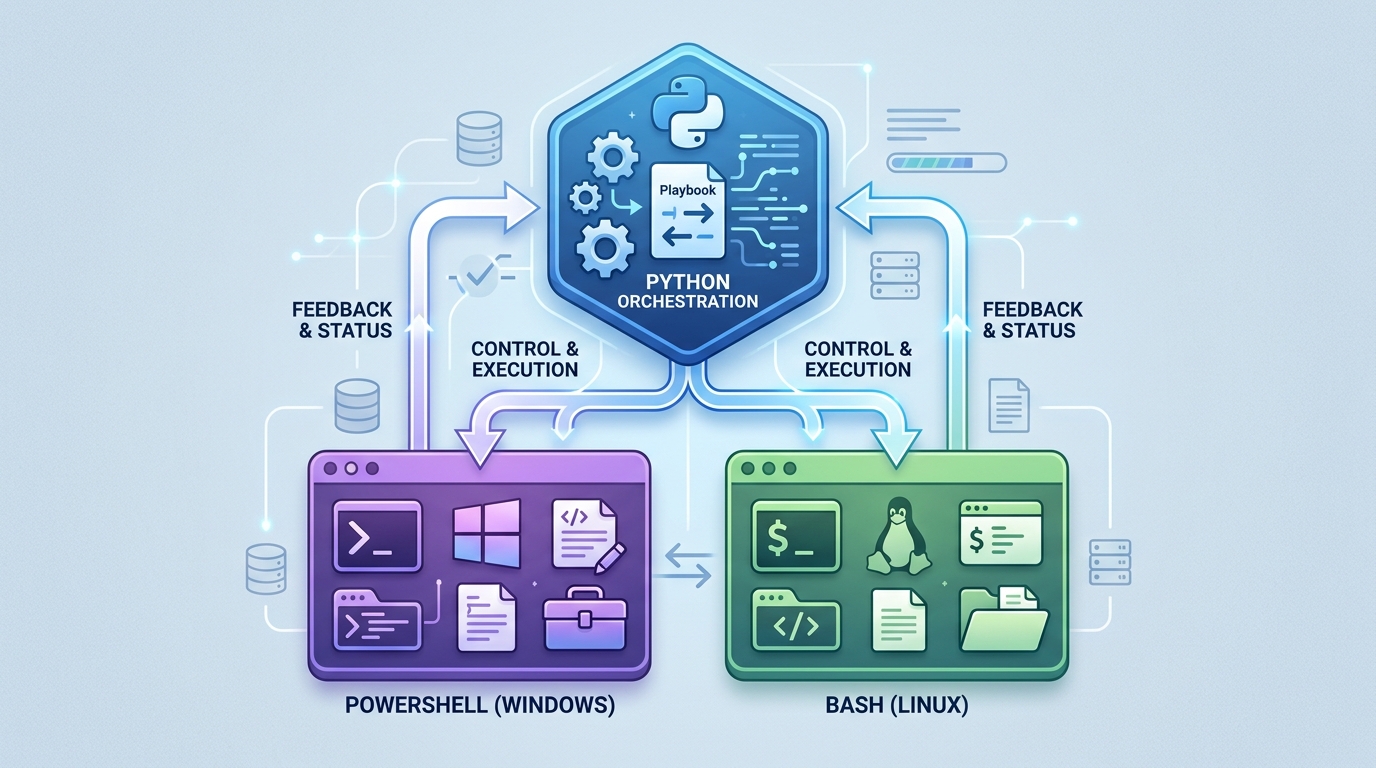
A diagram demonstrating how PowerShell and Python can be integrated for cross-platform automation, with Python orchestrating workflows and PowerShell handling Windows-specific tasks.
For example, a Python orchestration tool might query an asset inventory API, decide which servers require a patch workflow, and then call PowerShell for Windows targets and Bash or Ansible commands for Linux targets. That design avoids rewriting every low-level operation while still centralizing business logic.
If mixed operating systems are your main pain point, see our architectural guide to building cross-platform automation scripts.
Final Verdict: Which Should You Learn First?
If you are a Windows-heavy sysadmin, learn PowerShell first. It will pay off immediately in Active Directory, Windows Server, Microsoft 365, and Azure operations.
If you are a Linux, cloud, or API-heavy DevOps engineer, learn Python first. It gives you a portable foundation for modern infrastructure automation.
If you manage both Windows and Linux, the answer is not either/or. Learn enough PowerShell to automate Windows correctly and enough Python to orchestrate cross-platform workflows cleanly.
The long-term winning strategy in 2026 is not language loyalty. It is automation governance: clear standards, reusable patterns, version control, tests where appropriate, and a realistic understanding of where each language is strongest.
FAQ
Which is better for automation: PowerShell or Python?
PowerShell is better for Windows and Microsoft administration. Python is better for API-driven, cloud-oriented, and cross-platform automation. Many infrastructure teams should use both with clear boundaries.
Is Python better than PowerShell for sysadmins?
Not universally. Python is more flexible for general automation, but PowerShell is often more productive for sysadmins working in Microsoft-heavy environments.
Can PowerShell and Python be used together?
Yes. A common pattern is to use Python for orchestration and PowerShell for Windows-specific actions. This works well when scripts have consistent logging, exit codes, and parameter conventions.
Is Bash still worth learning for automation?
Yes. Bash remains valuable for Linux-local automation and shell glue. For complex workflows, Python is usually easier to maintain.
What should a mixed Windows and Linux team standardize on?
Standardize on Python for cross-platform orchestration, PowerShell for Windows administration, and Bash for simple Linux tasks. The key is documenting when each language should be used.