
What is the Best Way to Schedule Python Scripts?
Why Scheduling Python Automation is Harder Than It Looks
Writing a Python script to automate a repetitive task is immensely satisfying. However, transitioning that script from a manual terminal command to a resilient, background-running process introduces a new layer of complexity. Sysadmins and DevOps engineers often discover that the “simple” act of scheduling introduces environment discrepancies, silent failures, and path resolution errors.
As automation scales in 2026, relying on ad-hoc executions is no longer viable. Teams must decide on the best way to schedule python scripts to ensure high availability, clear logging, and maintainability. The landscape of scheduling tools ranges from deeply integrated OS-level daemons to sophisticated code-level Python libraries. Choosing the right tool depends entirely on your infrastructure, the complexity of the script, and whether you want your scheduling logic tied to the operating system or version-controlled alongside your application code.
Operating System Schedulers (Cron & Task Scheduler)
OS-level schedulers are the traditional go-to solutions. They are built into the host machine, consume minimal resources, and require zero third-party dependencies.
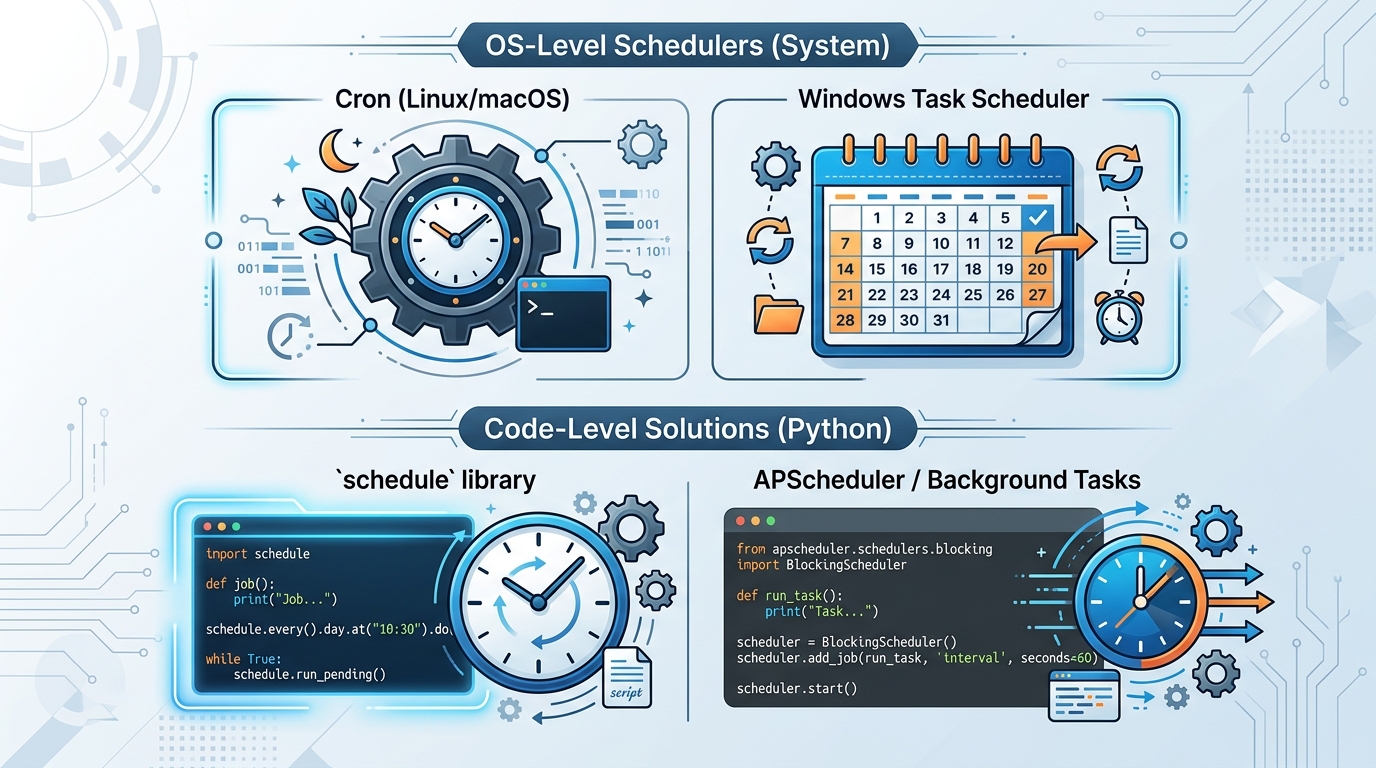
A visual comparison of operating system schedulers like Cron and Task Scheduler versus code-level Python libraries for automating script execution.
When to Use Linux Cron Jobs
Cron is the undisputed standard for Unix-like systems. It is best used for simple, distinct scripts—such as database dumps, nightly server cleanups, or periodic data polling. If your script acts as an independent utility rather than part of a larger application suite, cron is incredibly effective. However, cron’s minimal execution environment requires you to be meticulous with absolute paths and environment variables. If you are struggling with execution, we have a deep-dive into Linux cron jobs that explains how to resolve the most stubborn environment issues.
When to Use Windows Task Scheduler
For environments dominated by Windows Servers, the Task Scheduler serves a similar purpose. It is integrated natively and can trigger scripts based on events (like a system boot or a specific user logging in) as well as time intervals. Task Scheduler is ideal for IT automation tied strictly to the Windows ecosystem. However, it is notorious for opaque error handling. Getting the “Start in” directory right is critical to avoid failures. For detailed configuration steps, refer to our guide on Task Scheduler path configuration.
Code-Level Scheduling (Running Python Scripts Without Cron)
Sometimes, decoupling your automation from the host OS is necessary. If you are deploying via Docker, distributing your code across multiple environments, or simply prefer to keep scheduling logic in version control, code-level scheduling is the superior choice.
Illustrating how APScheduler enables Python scripts to run scheduled tasks independently, without the need for a web server or external cron services.
Using APScheduler for Background Tasks
Advanced Python Scheduler (APScheduler) is a robust, lightweight library that lets you run Python scheduled tasks without cron. It supports cron-like syntax, interval-based execution, and specific date triggers. APScheduler acts as a background loop within your script.
from apscheduler.schedulers.blocking import BlockingScheduler

def my_task():
    print("Executing automated task...")

scheduler = BlockingScheduler()
scheduler.add_job(my_task, 'interval', hours=1)
scheduler.start()
Because APScheduler runs within your Python process, it naturally inherits your active virtual environment and PATH variables, entirely bypassing the typical OS scheduler headaches.
Scheduling Python Scripts Without a Web Server
A common misconception is that running background Python tasks requires a full web framework like Django or Flask paired with heavy task queues like Celery. In reality, you can schedule python script without web server overhead by using a simple infinite loop paired with APScheduler, or the lightweight schedule library. You simply run the script as a background daemon (using systemd on Linux or NSSM on Windows), and the Python process will persist, executing tasks precisely when defined in the code.
Best Practices for Recurring Task Automation
Regardless of whether you choose an OS-level or code-level scheduler, robust automation requires adherence to key operational standards.
Handling Errors and Retries in Scheduled Scripts
A scheduled script running invisibly must handle its own exceptions. If an API times out or a database lock occurs, the script should not crash silently. Implement try/except blocks around critical operations, and use libraries like tenacity or backoff to implement intelligent retry logic with exponential backoff.
Managing Paths and Virtual Environments
Never assume the working directory of a scheduled script. Always calculate paths relative to the script’s location:
import os
BASE_DIR = os.path.dirname(os.path.abspath(__file__))
data_path = os.path.join(BASE_DIR, 'data', 'output.csv')
Furthermore, when using OS schedulers, always provide the explicit path to the Python executable located inside your project’s virtual environment, ensuring all third-party dependencies are correctly loaded.
Logging and Monitoring for Scheduled Automation
Since there is no human watching the terminal, logging is your only window into the automation’s health. Replace standard print() statements with Python’s built-in logging module. Configure the logger to write to a timestamped file or a centralized log aggregation service.
Frequently Asked Questions
How to run python script every hour?
To run a script hourly, you can use cron by setting the crontab entry to 0 * * * * /path/to/python /path/to/script.py. In Windows Task Scheduler, set a Daily trigger and use the advanced settings to repeat the task every 1 hour. Alternatively, use APScheduler within the code with an interval trigger of hours=1.
Can I run python scripts without a cron job?
Yes. You can use systemd timers on Linux, Task Scheduler on Windows, or use pure Python libraries like APScheduler or schedule to run the script as a continuous background process.
How to automate python script to run daily?
If you prefer OS tools, add a cron job specifying the time (e.g., 30 2 * * * for 2:30 AM) or create a Task Scheduler task triggered “Daily” at your preferred time. For code-level solutions, define a daily trigger in APScheduler and run the master script as a daemon.