
Master Bash Scripting for Infrastructure Automation
Bash scripting for infrastructure automation is still one of the most useful skills a Linux sysadmin can have. Even in environments full of CI/CD tools, containers, and cloud APIs, Bash remains the fastest path between “this is repetitive” and “this runs automatically.”
The problem is not Bash itself. The problem is unmanaged Bash: scripts with no error handling, hard-coded paths, unsafe deletes, silent failures, and no clear owner. A 20-line script can save hours. A 400-line script with no structure can become a production risk.

Bash scripting provides a fast and efficient way to automate repetitive tasks in infrastructure management.
This guide focuses on pragmatic Linux bash automation patterns: idempotency, safe fail-states, logging, and real-world provisioning.
Is Bash Still Relevant for Infrastructure Automation?
Yes. Bash is still relevant because it is close to the operating system, widely available, and excellent at orchestrating Linux commands.
Bash is a good fit for:
- Server bootstrap tasks
- Package installation
- Service checks
- File cleanup
- Log rotation helpers
- Backup wrappers
- Cron jobs
- Health checks
- Container entrypoints
- Small provisioning steps
Where Bash struggles is complexity. If you are building a workflow that needs advanced data structures, deep JSON handling, API orchestration, unit tests, or cross-platform behavior, consider moving up to Python or another language. For language trade-offs, see our guide to evaluating the best scripting languages for sysadmins.
The rule is simple: use Bash when the automation is mostly shell commands; avoid Bash when you are building an application in disguise.
Core Bash Automation Patterns for Linux
Reliable Bash automation depends on a few patterns that should appear in almost every production script.
Start scripts with strict mode:
#!/usr/bin/env bash
set -euo pipefail
IFS=$'\n\t'
This helps prevent common failure modes:
set -eexits on unhandled errors.set -ufails on unset variables.set -o pipefailcatches failures inside pipelines.- A safer
IFSreduces word-splitting surprises.
Strict mode is not a substitute for thoughtful error handling, but it makes silent failure less likely.
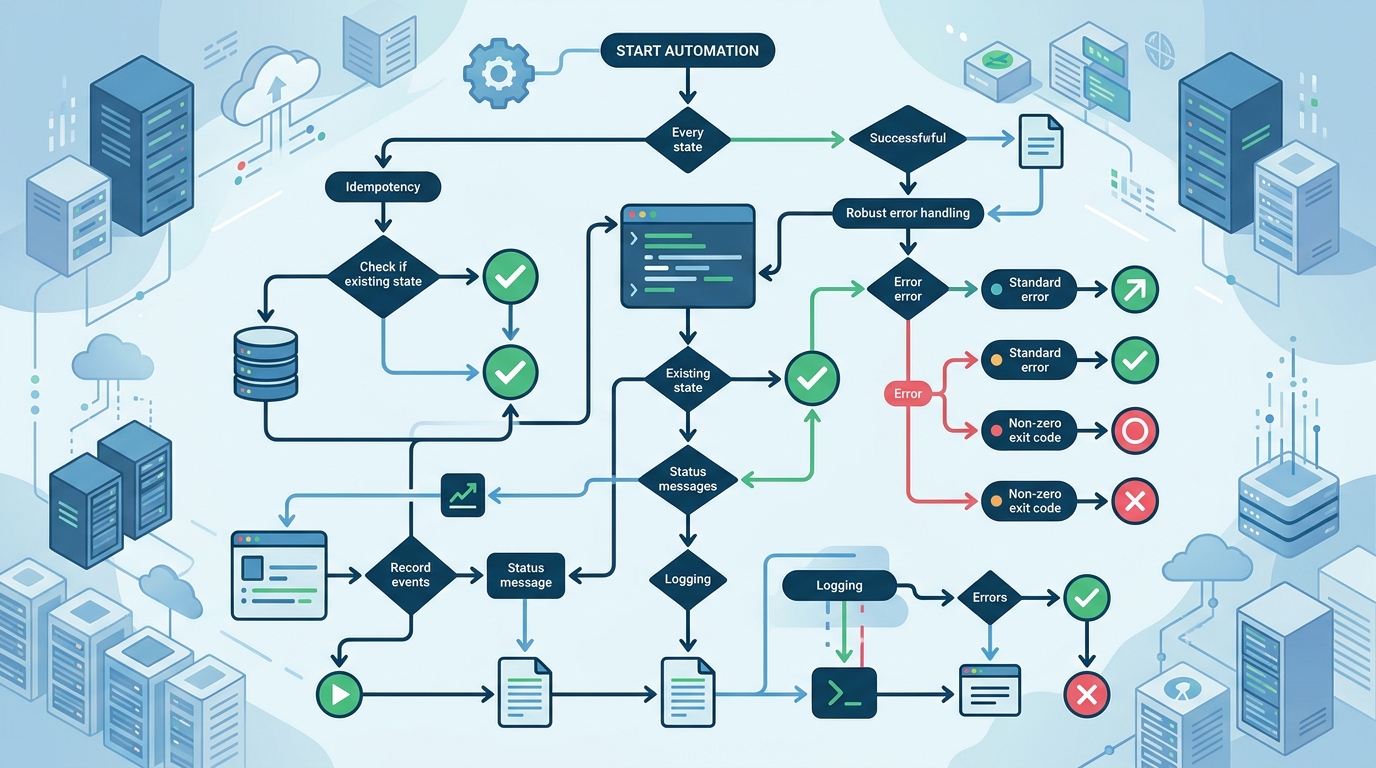
Implementing core bash automation patterns like strict mode, idempotency, and robust error handling is crucial for reliable Linux server management.
Idempotency in Bash Scripts
An idempotent script can be run multiple times and reach the same desired state without causing duplicate changes or damage.
For infrastructure automation, idempotency is essential. Your script should not create duplicate users, append duplicate config lines, reinstall packages unnecessarily, or fail because a directory already exists.
Examples:
# Create a directory only if needed
mkdir -p /opt/nora/logs

# Install a package only if missing
if ! dpkg -s nginx >/dev/null 2>&1; then
  apt-get update
  apt-get install -y nginx
fi

# Add a config line only if absent
grep -qxF 'PermitRootLogin no' /etc/ssh/sshd_config || \
  echo 'PermitRootLogin no' >> /etc/ssh/sshd_config
Idempotency turns scripts from one-time setup helpers into safe operational tools.
Error Handling and Logging
A script that fails quietly is worse than no script at all. At minimum, log what the script is doing, where it failed, and what exit code it returned.
A simple logging pattern:
log() {
  printf '%s %s\n' "$(date -Is)" "$*"
}

fail() {
  log "ERROR: $*"
  exit 1
}
Add cleanup with traps:
cleanup() {
  log "Cleaning up temporary files"
  rm -rf "$TMP_DIR"
}

trap cleanup EXIT
Use explicit checks for risky operations:
[[ -n "${BACKUP_DIR:-}" ]] || fail "BACKUP_DIR is not set"
[[ -d "$BACKUP_DIR" ]] || fail "Backup directory does not exist: $BACKUP_DIR"
For infrastructure work, assume your script will eventually run at 2 a.m. during an incident. Make the logs useful for the person who did not write it.
Bash Script Automation Tutorial: Step-by-Step
The following bash script automation tutorial builds a practical server provisioning pattern. It installs packages, configures a service, creates directories, and logs each step.
Setting up the Environment
Before writing the script, define expectations:
- Target OS family
- Required privileges
- Package manager
- Services to manage
- Log file location
- Safe rollback or cleanup behavior
For this example, assume a Debian/Ubuntu-style server using apt and systemd.
Create a working file:
sudo touch /usr/local/sbin/provision-web.sh
sudo chmod +x /usr/local/sbin/provision-web.sh
Writing a Server Provisioning Script
Here is a practical provisioning script:
#!/usr/bin/env bash
set -euo pipefail
IFS=$'\n\t'

LOG_FILE="/var/log/provision-web.log"
WEB_ROOT="/var/www/nora"
PACKAGES=(nginx curl)

log() {
  printf '%s %s\n' "$(date -Is)" "$*" | tee -a "$LOG_FILE"
}

fail() {
  log "ERROR: $*"
  exit 1
}

require_root() {
  [[ "${EUID}" -eq 0 ]] || fail "This script must run as root"
}

install_packages() {
  log "Installing required packages"
  apt-get update
  for package in "${PACKAGES[@]}"; do
    if dpkg -s "$package" >/dev/null 2>&1; then
      log "Package already installed: $package"
    else
      apt-get install -y "$package"
      log "Installed package: $package"
    fi
  done
}

configure_web_root() {
  log "Configuring web root: $WEB_ROOT"
  mkdir -p "$WEB_ROOT"
  chown -R www-data:www-data "$WEB_ROOT"
  chmod 0755 "$WEB_ROOT"

  if [[ ! -f "$WEB_ROOT/index.html" ]]; then
    cat > "$WEB_ROOT/index.html" <<'HTML'
<html>
  <body><h1>NORA automation host is online</h1></body>
</html>
HTML
  fi
}

configure_nginx() {
  log "Writing nginx site configuration"
  cat > /etc/nginx/sites-available/nora.conf <<EOF
server {
    listen 80;
    server_name _;
    root $WEB_ROOT;
    index index.html;
}
EOF

  ln -sfn /etc/nginx/sites-available/nora.conf /etc/nginx/sites-enabled/nora.conf
  nginx -t
  systemctl enable nginx
  systemctl reload nginx || systemctl restart nginx
}

main() {
  require_root
  install_packages
  configure_web_root
  configure_nginx
  log "Provisioning completed successfully"
}

main "$@"
This script is intentionally simple, but it includes the foundations: strict mode, logging, root validation, idempotent directories, package checks, service validation, and safe symlink handling.
Automating Backups Safely
Backups are a classic Bash use case, but they are also dangerous when paths are wrong. Always validate variables before running copy, sync, or delete operations.
Example backup wrapper:
#!/usr/bin/env bash
set -euo pipefail

SOURCE_DIR="/etc"
BACKUP_DIR="/var/backups/etc"
STAMP="$(date +%Y%m%d-%H%M%S)"

[[ -d "$SOURCE_DIR" ]] || { echo "Missing source: $SOURCE_DIR"; exit 1; }
mkdir -p "$BACKUP_DIR"

tar -czf "$BACKUP_DIR/etc-$STAMP.tar.gz" "$SOURCE_DIR"
find "$BACKUP_DIR" -type f -name 'etc-*.tar.gz' -mtime +14 -delete
Before deleting old backups, test the find command without -delete. Destructive automation should be reviewed more carefully than reporting automation.
When to Move from Bash to Python or Go
Bash is ideal until the script starts fighting the language.
Move from Bash to Python when you need:
- JSON-heavy parsing
- REST API calls
- Complex branching logic
- Reusable modules
- Unit tests
- Cross-platform behavior
- Better error handling structures
- Long-term maintainability
Move from Bash to Go when you need:
- A distributed binary
- High concurrency
- Better performance
- A long-running agent
- A production-grade CLI
For broader trade-offs, see our article comparing PowerShell vs Python automation. If your Bash scripts need to participate in mixed OS workflows, plan for integrating into cross-platform automation scripts.
Best Practices for Maintainable Bash Code
Use these standards for production Bash:
- Start with
set -euo pipefail. - Use functions for logical sections.
- Validate required commands with
command -v. - Validate inputs before changing the system.
- Quote variables unless you intentionally need word splitting.
- Prefer arrays over space-separated strings.
- Use
mktempfor temporary files. - Add traps for cleanup.
- Log every major action.
- Return meaningful exit codes.
- Keep scripts short enough to understand.
- Store scripts in Git.
- Review changes before production use.
Avoid these patterns:
- Hard-coded credentials
- Blind
rm -rfpaths - Parsing
ls - Ignoring command failures
- Silent cron jobs
- Copying production scripts between servers manually
A maintainable Bash script should be boring, predictable, and easy to delete when a better tool replaces it.
Conclusion and Next Steps
Bash remains a powerful infrastructure automation tool when used for the right jobs. It is best for Linux-local tasks, provisioning glue, operational checks, and simple workflows close to the OS.
To use Bash safely in 2026, focus on idempotency, strict mode, logging, input validation, and version control. When a script grows beyond what Bash can express cleanly, move the workflow to Python or Go rather than forcing Bash to become an application framework.
Your next step: pick one recurring Linux maintenance task, convert it into an idempotent Bash script, commit it to Git, and run it through a standard pipeline or scheduler with visible logs.
FAQ
How do you automate infrastructure tasks with Bash?
Start with repetitive Linux-local tasks such as package checks, service restarts, backups, and provisioning steps. Use strict mode, logging, idempotent checks, and version control.
What are the most important Bash automation patterns for Linux?
The most important patterns are idempotency, error handling, logging, input validation, cleanup traps, and safe handling of destructive commands.
Is Bash better than Python for infrastructure automation?
Bash is better for simple Linux command orchestration. Python is better for complex workflows, APIs, structured data, testing, and cross-platform automation.
Should Bash scripts use set -euo pipefail?
For most production automation, yes. It helps catch unhandled failures and unset variables, but you should still write explicit error handling for critical operations.
When should I stop using Bash for a script?
Move away from Bash when the script needs complex data structures, heavy JSON parsing, many branches, API orchestration, or tests. Those are usually better handled in Python or Go.