
Building Custom Prospecting Tools with Python
As commercial B2B sales landscapes become more competitive, standard SaaS platforms often fall short of unique operational demands. Off-the-shelf software tools can be expensive, rigidly structured, and difficult to customize for niche workflows. Developing custom prospecting tools Python software gives sales operations managers, technical sales teams, and developers complete control over data collection, enrichment rules, and CRM syncing architectures.
By engineering tailored solutions with Python, sales organizations can eliminate manual workflows, integrate internal databases directly into revenue workflows, and scale prospecting operations without incurring exponential SaaS subscription costs.
In this guide, we explore why custom Python sales tools provide a distinct competitive edge, showcase essential scripts for revenue operations, detail how to execute seamless CRM integrations, and provide a step-by-step blueprint for building a custom sales prospecting tool.
Why Build Custom Prospecting Tools in Python?
Off-the-shelf sales platforms cater to broad audience baselines. Consequently, when revenue teams implement proprietary lead scoring, non-standard data enrichments, or complex multi-channel sequences, commercial software frequently presents rigid technical limitations.
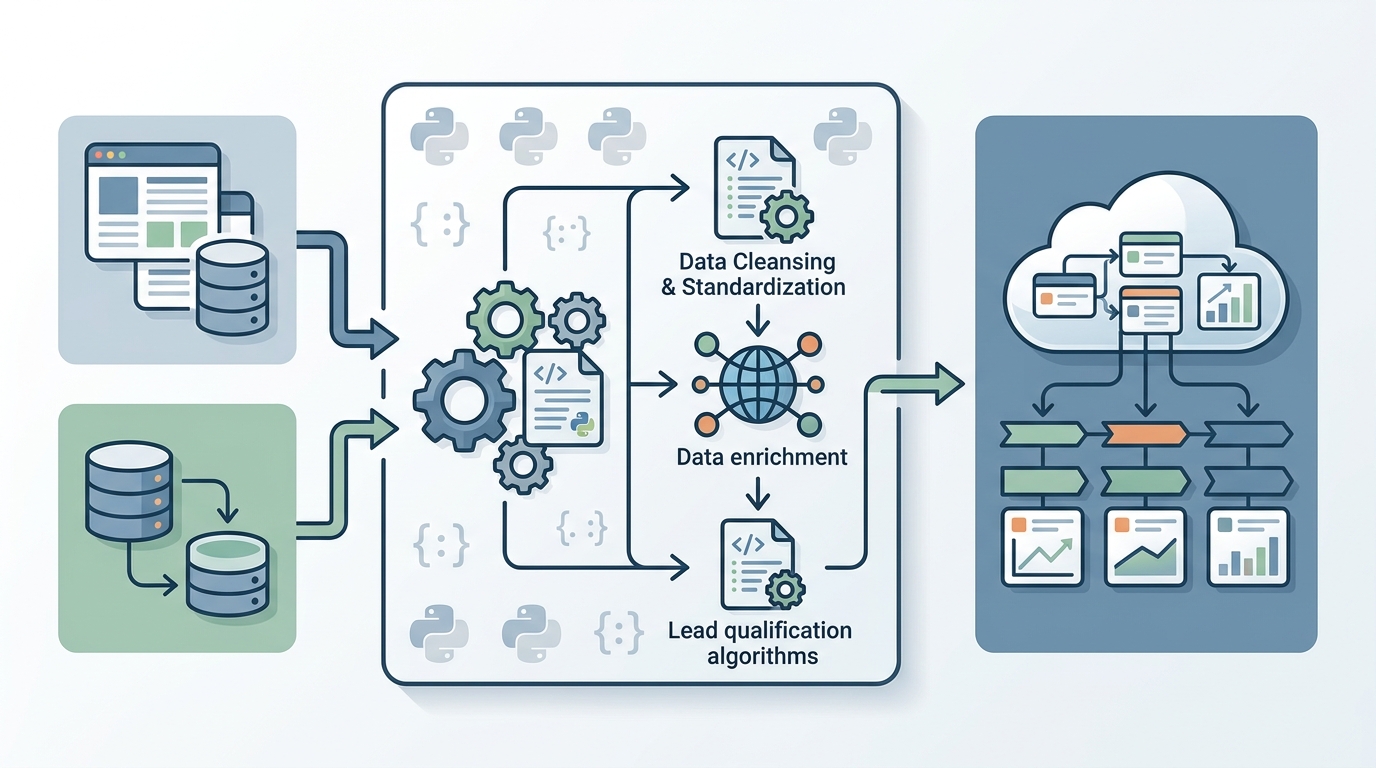
An architectural overview of custom prospecting tools developed in Python, demonstrating their integration with a CRM for streamlined sales operations.
Building custom prospecting tools with Python provides strategic and technical benefits:
- Complete Process Customization: Tailor every step of the prospecting funnel—from targeted web data extraction to custom qualification logic—around your specific Ideal Customer Profile (ICP).
- Elimination of Per-Seat SaaS Licensing: Commercial prospecting suites charge high recurring monthly costs per seat. Python scripts execute automated tasks serverlessly or on scheduled background jobs at a fraction of the cost.
- Direct API and Database Integration: Custom Python code can directly interface with internal data warehouses (Snowflake, PostgreSQL), propriety analytics engines, and modern CRMs simultaneously.
- Data Sovereignty and Governance: Operating internal scripts ensures sensitive prospect list data remains securely contained within your organization’s cloud environment.
What Are the Best Python Scripts for Sales Operations?
Sales operations teams rely on targeted sales operations Python scripts to maintain database hygiene, automate administrative updates, and remove repetitive tasks from sales representative workflows.
High-impact sales operations scripts include:
- Domain & Email Syntax Validator Scripts:
Validating email lists prior to campaign launch using regular expressions and DNS MX lookup queries. - Territory & Industry Auto-Assignment Scripts:
Analyzing incoming leads, looking up company metadata, and applying custom assignment logic to route prospects to the correct regional rep instantly. - CRM Duplicate Merging Scripts:
Scanning CRM contacts for duplicate records based on fuzzy string matching algorithms (RapidFuzz,difflib) and merging account history programmatically. - Activity Summarization & Alert Scripts:
Aggregating weekly outreach metrics, identifying stalled deals in the sales pipeline, and broadcasting summary alerts to dedicated Slack or Microsoft Teams channels.
By combining operational scripts into unified microservices, teams can effortlessly automate sales pipelines across the revenue organization.
How to Integrate a CRM with Python for Sales?
Executing a robust CRM integration Python sales workflow enables bi-directional communication between custom prospecting scripts and your central customer relationship management database (such as HubSpot, Salesforce, or PipeDrive).
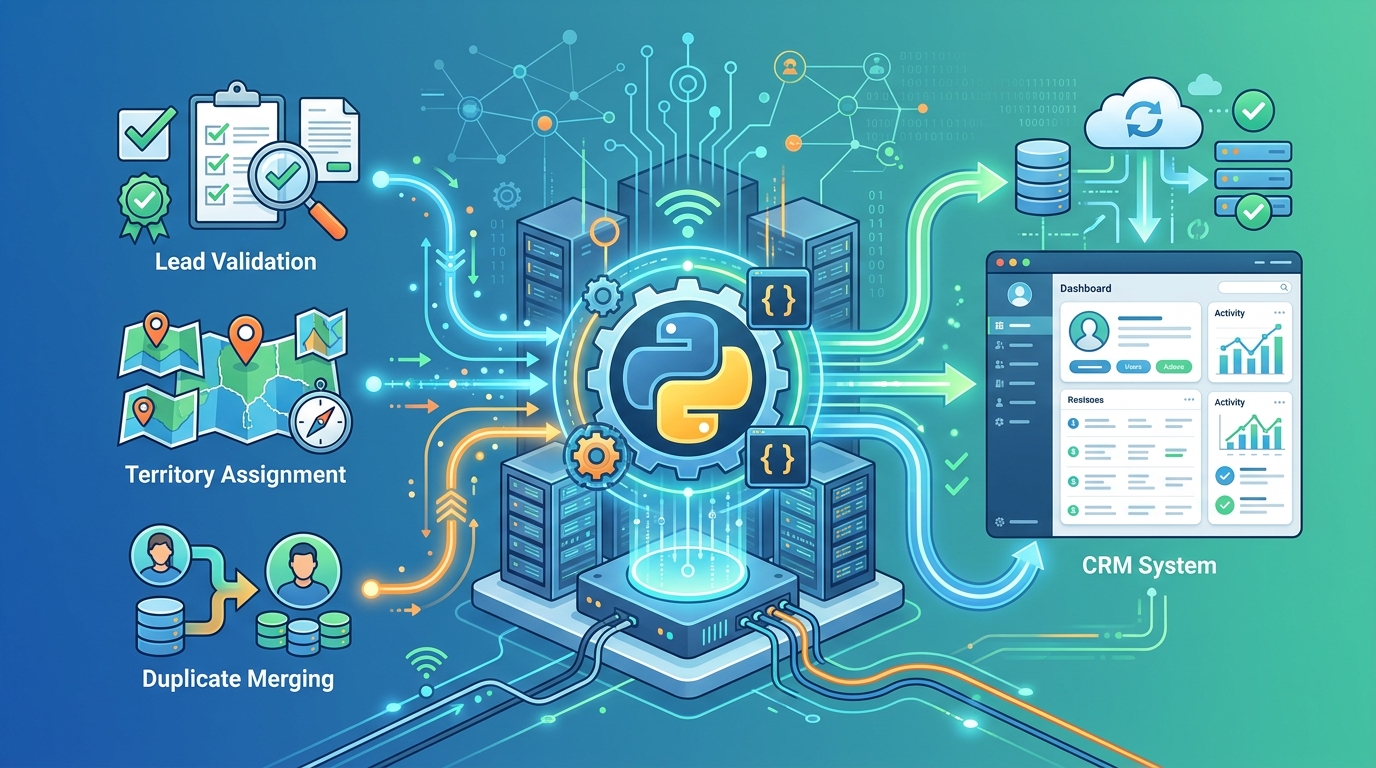
Python scripts acting as a bridge for sales operations, efficiently syncing data to a CRM system such as Salesforce.
Working with REST APIs (HubSpot, Salesforce)
Modern CRMs expose RESTful Web APIs that accept standard HTTP methods (GET, POST, PATCH, DELETE) with JSON payloads. The following Python code demonstrates how to authenticate and upsert (create or update) a contact in HubSpot using requests:
import requests
import json

def upsert_hubspot_contact(api_key, email, first_name, last_name, company):
    url = "https://api.hubspot.com/crm/v3/objects/contacts"
    headers = {
        "Authorization": f"Bearer {api_key}",
        "Content-Type": "application/json"
    }

    payload = {
        "properties": {
            "email": email,
            "firstname": first_name,
            "lastname": last_name,
            "company": company
        }
    }

    response = requests.post(url, headers=headers, data=json.dumps(payload))

    if response.status_code in [200, 201]:
        print(f"Contact {email} successfully synced to HubSpot.")
        return response.json()
    elif response.status_code == 409:
        print(f"Contact {email} already exists. Executing update logic...")
        # Optional: Call update endpoint here
    else:
        print(f"API Error {response.status_code}: {response.text}")
        return None
Syncing Data and Handling Errors
Production-grade CRM integrations must anticipate network latency, API rate limits, and server-side errors. When building Python connectors, observe these best practices:
- Rate Limiting Resilience: Implement exponential backoff algorithms using Python libraries like
tenacityto automatically retry requests when APIs return HTTP429 Too Many Requests. - Batch Operations: Use CRM batch endpoints (e.g., updating 100 records per API call) rather than issuing individual HTTP requests in a loop to preserve API quotas.
- Error Logging and Dead-Letter Queues: Log failed payload transfers into a database or log file for audit analysis, ensuring bad record formatting does not halt the execution of broader scripts.
How to Build a Custom Sales Prospecting Tool in Python?
Building a custom sales prospecting tool involves combining specialized modules—such as external web data collectors, enrichment services, scoring calculators, and CRM push connectors—into a unified workflow.
Here is a step-by-step blueprint to build your own prospecting tool:
+-----------------------------------------------------------------------+
|                 MODULE 1: Target Ingestion & Scraping                  |
|          Uses Playwright or BeautifulSoup to gather target leads      |
+-----------------------------------------------------------------------+
                                   |
                                   v
+-----------------------------------------------------------------------+
|                  MODULE 2: Third-Party Enrichment                     |
|        Fetches employee count, tech stack, and verified email          |
+-----------------------------------------------------------------------+
                                   |
                                   v
+-----------------------------------------------------------------------+
|                    MODULE 3: Qualification & Scoring                  |
|         Calculates fit score based on Ideal Customer Profile          |
+-----------------------------------------------------------------------+
                                   |
                                   v
+-----------------------------------------------------------------------+
|                     MODULE 4: CRM API Integration                     |
|           Upserts target leads into CRM & assigns sales rep           |
+-----------------------------------------------------------------------+
- Ingestion Module: Deploy lightweight lead scraping tools to extract public domain names and business profile details from targeting directories.
- Enrichment Engine: Connect external enrichment APIs to retrieve company firmographics, funding stages, and technology stack attributes.
- Qualification Module: Execute programmatic logic for scoring leads using Python to rank prospects based on ICP criteria.
- CRM Synchronization: Push highly qualified leads directly into your sales database and create automated outreach tasks for assigned SDRs.
Frequently Asked Questions (FAQ)
What are the best Python scripts for sales operations?
The most effective sales operations Python scripts include automated email verification utilities, territory assignment routing tools, CRM record deduplication scripts using fuzzy matching, and automated weekly sales KPI summary generators that send notifications to Slack or Teams.
How to integrate a CRM with Python for sales?
Integrating a CRM with Python involves using the CRM’s REST or GraphQL API. Python scripts send HTTP requests (POST, PATCH, GET) using libraries like requests or httpx to exchange JSON payloads, authenticating via OAuth2 or Bearer API keys to keep contact records, deals, and activities synchronized.
How to build a custom sales prospecting tool in Python?
To build a custom prospecting tool, create a modular script architecture: Module 1 gathers lead records from web sources or APIs; Module 2 cleanses and verifies email addresses; Module 3 enriches records with company firmographics; Module 4 scores the prospect; and Module 5 pushes qualified contacts directly to your CRM via API endpoints.
Why build custom sales tools instead of buying SaaS software?
Custom Python tools offer unlimited flexibility for proprietary lead scoring and complex workflows, eliminate costly per-seat SaaS licensing fees at scale, protect data sovereignty by keeping processing in-house, and integrate seamlessly with proprietary internal databases.