
AI Agent Memory Systems: How to Manage State for LLMs
In 2026, building an AI agent is straightforward; building one that actually remembers what happened three steps ago is where things get complicated. If you’ve ever tried to string together complex automated workflows only to watch your agent confidently hallucinate past context, you already know the problem. The core issue lies in AI agent state management. Without a robust memory system, Large Language Models (LLMs) are essentially stateless functions—they process inputs and return outputs but hold no memory of previous executions.
To build resilient, production-ready systems, you have to architect memory explicitly. This guide covers how to design AI agent memory systems effectively, separating the ephemeral context from persistent storage. By the end, you’ll understand why agents fail in production without memory and how to engineer robust state solutions for your applications.
The Challenge of Agent Workflow Memory
Stateless LLMs present a unique challenge when building iterative, multi-step agent workflows. Every time the agent makes an API call or evaluates an intermediate output, it needs access to the history of its actions. When building applications, developers often start by simply appending every new interaction to the prompt. This naive approach to agent workflow memory scales poorly.
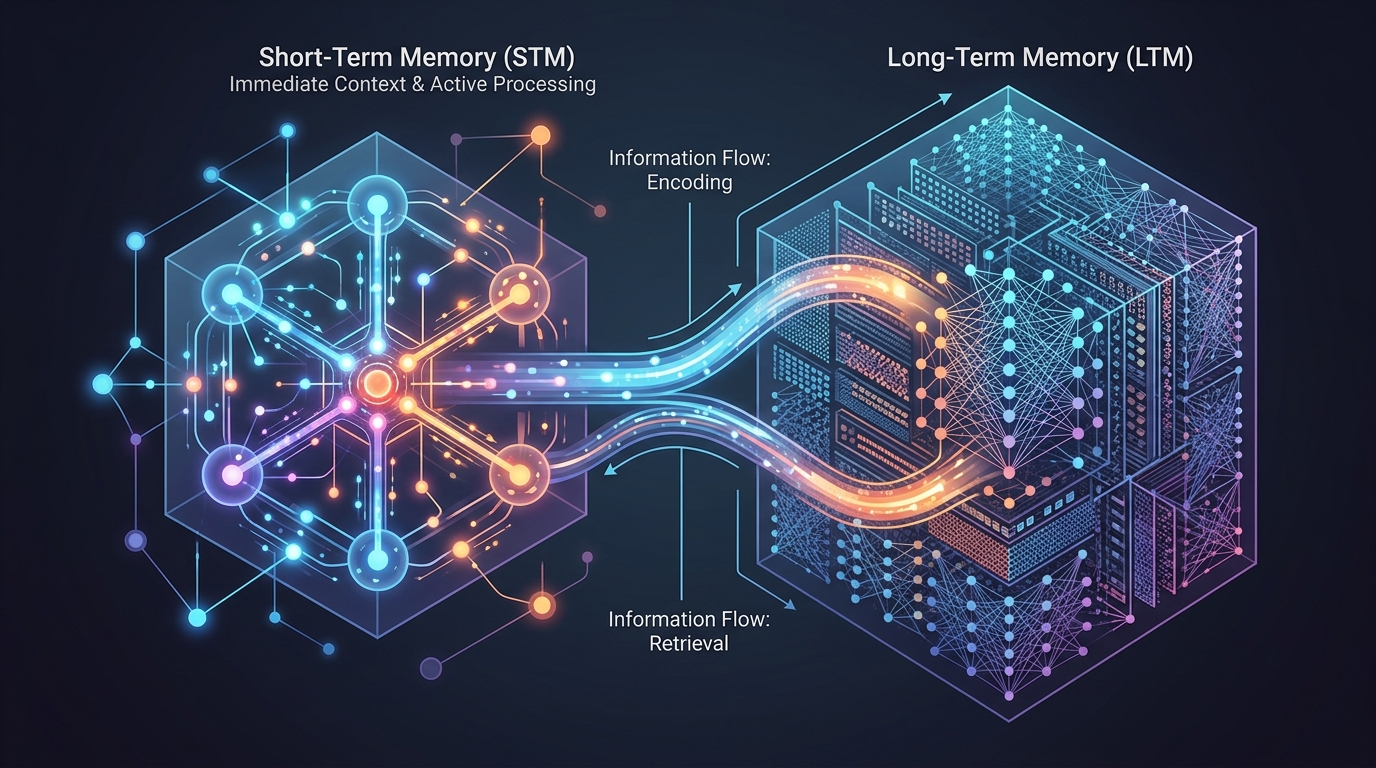
A conceptual diagram showing how an AI agent manages information flow between its immediate context (short-term memory) and its external knowledge base (long-term memory).
As context windows fill up, token costs explode and the LLM’s ability to recall critical instructions degrades—a phenomenon known as the “lost in the middle” effect. Understanding why agents fail in production without memory is the first step toward building a more resilient system. You need a structured way to determine what the agent needs to know right now, versus what it might need to know eventually.
Short Term vs Long Term Agent Memory
Effective agent memory for developers boils down to mimicking human cognitive processes through software architecture. This typically requires splitting the memory into short-term (working) and long-term (persistent) stores.
Context Window Limitations (Short Term)
Short-term memory in an AI agent is essentially the LLM’s active context window. This includes the system prompt, the immediate task description, and the recent history of interactions (the scratchpad).
While modern models boast context windows in the hundreds of thousands of tokens, relying solely on this for state management is an anti-pattern. First, massive context windows increase latency and inference costs. Second, retrieving precise information from a massive prompt often yields worse results than querying a localized context. For short-term tasks, developers should manage a sliding window of recent steps, actively summarizing or pruning older steps before the context becomes bloated.
Vector Memory for AI Agents (Long Term)
To achieve short term vs long term agent memory balance, you must introduce external storage. Long-term memory is where you persist facts, user preferences, and historical task executions that shouldn’t clutter the active context window.
This is where vector memory for AI agents comes in. By generating semantic embeddings of past interactions or documents, you can store them in a vector database (like Pinecone, Milvus, or a local Postgres instance with pgvector). When the agent needs historical context, it performs a similarity search to retrieve only the most relevant pieces of information, injecting them dynamically into the short-term prompt.
How to Add Memory to AI Agents
So, how to add memory to AI agents in practice? It involves creating a deliberate pipeline that handles reading, writing, and updating state independently of the model’s text generation process.
Designing Persistent Memory AI Agents
Building persistent memory AI agents requires a tiered architecture. You need:
1. A State Object: A JSON or structured object representing the current status of the task.
2. A Vector Store: For semantic retrieval of past knowledge.
3. A Relational/NoSQL Database: For exact-match queries and strict user data storage.

An abstract visualization representing the integration points for persistent memory within an AI agent’s implementation, highlighting the flow of data to and from external storage.
When you explore core agent architecture patterns, you’ll notice that the best designs decouple the LLM from the storage layer. The agent uses predefined tools to query its memory. For example, if it needs to know a user’s API key, it doesn’t search a vector database; it queries a secure relational database based on a deterministic user ID.
Structuring AI Agent State Management
State management for agents goes beyond just storing data; it involves tracking the execution state of the workflow. Is the agent currently planning, executing, or reflecting?
You can manage this using state machines or graph-based frameworks (like LangGraph). The state object should contain:
– task_objective: The original goal.
– completed_steps: A list of actions already taken.
– current_observations: Data retrieved from recent tool calls.
– errors: Any failures encountered.
By serializing this state object to a database after every step, you ensure the agent can resume seamlessly if the process crashes or if you are running local LLMs for agent backends where hardware restarts might occur.
Best Practices for Agent Memory for Developers
- Summarize Intelligently: Don’t just truncate short-term memory. Use a smaller, cheaper LLM call to summarize the dialogue history before adding it back to the state.
- Use Hybrid Retrieval: Relying purely on vector similarity can lead to missed context. Combine vector search (for semantic meaning) with traditional keyword/SQL search (for exact matches).
- Isolate Memory by User/Session: Always enforce strict partitioning in your memory systems to prevent cross-contamination of data between different users or discrete tasks.
- Implement “Forgetfulness”: Not all memory is useful forever. Implement Time-To-Live (TTL) policies on vector records or decay factors to prevent the database from growing infinitely and returning outdated context.
By treating memory as a distinct architectural component rather than just an extension of the prompt, developers can build agents that are reliable, cost-effective, and capable of executing complex, multi-day workflows in production environments.
Frequently Asked Questions
What is the difference between short-term and long-term agent memory?
Short-term memory refers to the immediate data within the LLM’s context window (like recent conversational turns or a scratchpad). Long-term memory involves storing information in external databases (like vector stores) so the agent can retrieve it across different sessions or tasks without bloating the prompt.
How do you add persistent memory to AI agents?
You add persistent memory by integrating external storage systems, such as vector databases for semantic search and relational databases for structured state. The agent must be equipped with tools (functions) to read and write to these databases dynamically during its execution loop.
Why is vector memory important for AI agents?
Vector memory allows agents to search for information based on meaning rather than exact keyword matches. This is crucial for retrieving relevant past interactions, documentation, or rules from a massive dataset without exceeding the LLM’s active context window limits.