
Building a Scalable AI Video Generation Workflow
AI video tools can help content teams move faster, but tools alone do not create a reliable production system. Without a workflow, teams still lose time on handoffs, file naming, approvals, editing, repurposing, and publishing. A scalable AI video generation workflow connects strategy, creative inputs, generation tools, editing, review, and delivery into one repeatable process.
This guide explains how content teams can evaluate AI video workflow tools and build a process that supports quality, consistency, and scale.

A well-structured AI video generation workflow connects strategy, creative inputs, generation tools, editing, review, and delivery into a repeatable process.
Why Content Teams Need AI Video Generation
Video demand keeps expanding across marketing, sales, enablement, training, product education, and social content. Teams are often asked to produce more assets in more formats without a matching increase in production resources. AI video generation can help by accelerating parts of the workflow such as ideation, script drafting, voiceover generation, scene creation, translation, resizing, and versioning.
The key is to use AI where it fits the process. A content team still needs editorial judgment, brand guidance, legal or compliance review where applicable, and quality control. AI video generation should not be treated as a replacement for the whole creative function. It is better understood as a production accelerator.
AI video workflows are useful for:
- Turning blog posts or briefs into short video scripts
- Creating first-draft storyboards
- Generating variations for different channels
- Producing internal training clips
- Creating social snippets from long-form material
- Localizing or reformatting approved assets
- Automating repetitive post-production steps
For teams already exploring automation projects for operations teams, video workflows follow a similar pattern: define the repeatable process, identify the manual bottlenecks, and automate the steps that have clear rules.
A scalable workflow protects the team from common AI content problems:
- Inconsistent tone and brand style
- Unclear ownership of generated assets
- Version control issues
- Missing approvals
- Poor file organization
- Untracked prompts and source materials
- Manual rework after generation
The best workflows create a clear path from idea to published asset while leaving room for human review.
Top AI Video Workflow Tools
There are many categories of AI video workflow tools, and the best stack depends on your content type, brand requirements, and production model. Instead of naming a universal “best” tool, evaluate tools by their role in the workflow.
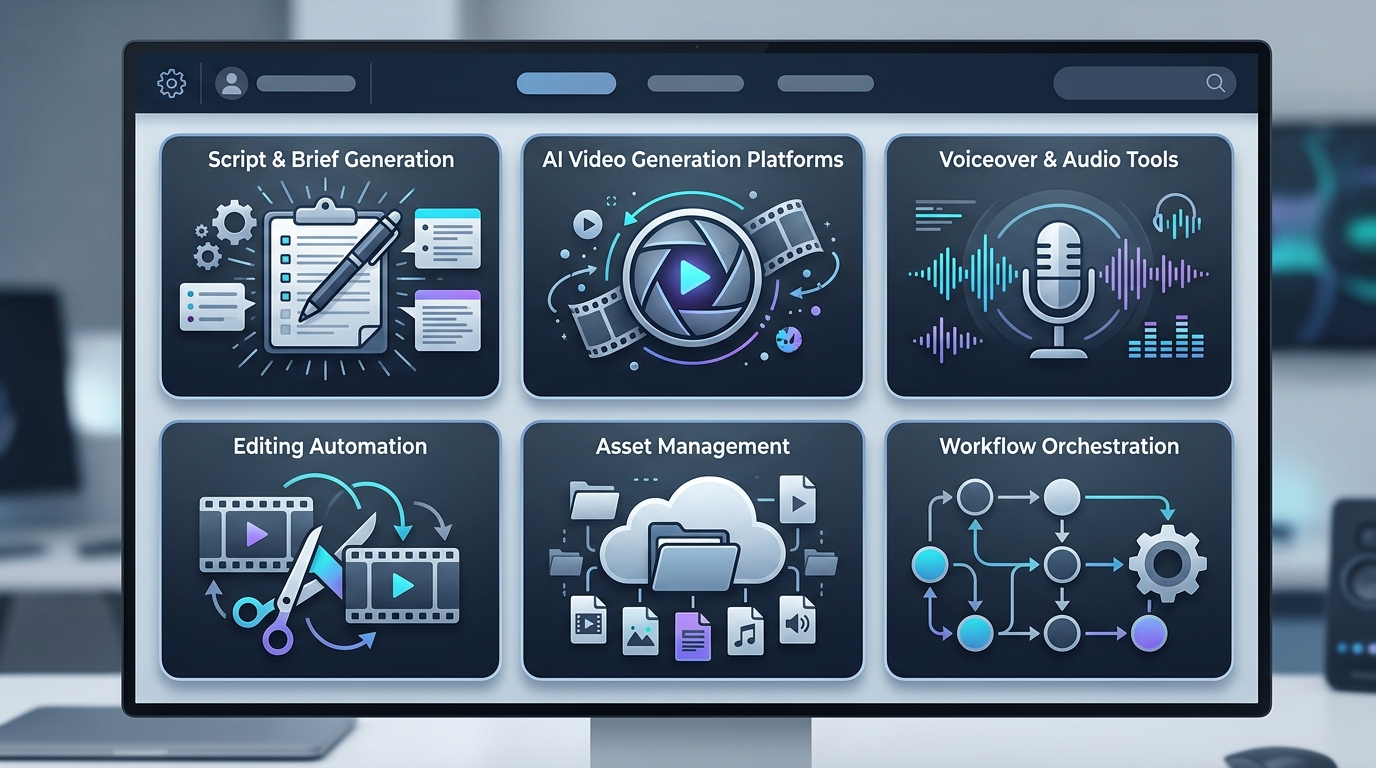
Evaluating AI video workflow tools requires considering their role in the overall production process, from script generation to asset management.
Common tool categories include:
- Script and brief generation tools for drafting outlines, hooks, and narration
- AI video generation platforms for creating scenes, avatars, motion, or synthetic media
- Voiceover and audio tools for narration, cleanup, transcription, or translation
- Editing automation tools for trimming, resizing, captioning, and assembling assets
- Asset management tools for storing source files, exports, approvals, and final versions
- Workflow orchestration tools for connecting steps, notifications, and review gates
When evaluating any tool, avoid focusing only on the demo output. A tool that creates impressive one-off videos may still be difficult to integrate into a production workflow. Look at the operating requirements around inputs, exports, permissions, versioning, and review.
Evaluating Video Automation Platforms
Use a structured evaluation checklist before adopting a platform.
Input requirements
Can the tool accept the inputs your team already has, such as scripts, URLs, brand assets, images, audio, transcripts, or product footage? The more manual preparation required, the less scalable the workflow becomes.
Output formats
Can it export the formats you need for your channels? Consider aspect ratios, resolution, captions, audio tracks, project files, and editable outputs.
Brand controls
Can you define fonts, colors, logos, templates, approved language, and visual styles? Brand control matters when multiple team members are producing assets.
Review and approval
Can stakeholders comment, approve, or request changes without creating a messy side-channel process? If approvals happen outside the workflow, version control can become difficult.
Automation support
Does the tool support repeatable workflows through templates, APIs, integrations, or batch operations? If every asset requires manual clicking, scaling will be limited.
Governance
Can your team manage access, usage rights, source materials, and approval records in a way that fits your organization’s policies? Do not assume generated content is automatically cleared for every use case; verify rights and review requirements with the appropriate internal owner.
Integrating Tools into Existing Processes
The most successful AI video workflow is usually not a separate process. It plugs into how your team already plans, reviews, and publishes content.
Map the current workflow first:
- Content request or campaign brief
- Script or message development
- Creative direction
- Asset collection
- Video generation or editing
- Review and revisions
- Final export
- Publishing and archiving
Then decide where AI tools reduce friction. For example, you might use AI for first-draft scripts, but keep final messaging review with the content lead. You might use automation for resizing and captioning, but keep final quality checks with a producer.
If your workflow includes Python-based post-production, an automated video editing pipeline with Python can help connect generated assets to editing, formatting, and delivery steps. For lower-level media processing, teams may also use Python automation for media processing.
How to Build Your AI Video Generation Workflow
A scalable workflow starts with a clear production model. Use the following steps to design one.
Step 1: Define the video types
List the repeatable video formats your team needs. Examples include product explainers, short social clips, customer education videos, internal updates, webinar snippets, and sales enablement clips. Each format should have a standard structure.
Step 2: Create input templates
AI output depends heavily on input quality. Create templates for briefs, scripts, audience notes, brand rules, source links, and desired outputs. This reduces variation between team members.
Step 3: Assign workflow roles
Define who owns each stage: request intake, script approval, generation, editing, quality review, publishing, and archiving. AI workflows still need human accountability.
Step 4: Build generation templates
Inside your chosen tools, create reusable templates for scenes, intros, lower thirds, captions, aspect ratios, and export settings. Templates make it easier to produce consistent videos at scale.
Step 5: Add review gates
Do not send generated video directly to publishing without review. Add checkpoints for factual accuracy, brand fit, visual quality, audio quality, and rights-sensitive materials.
Step 6: Automate repetitive post-production
Once the creative asset is approved, automate predictable tasks such as resizing, captioning, file conversion, naming, folder routing, thumbnail creation, or generating multiple channel versions.
Step 7: Track versions and source materials
Keep generated files, source prompts, scripts, approvals, and final exports organized. A simple folder and naming standard can prevent major confusion later.
Step 8: Measure workflow performance
Track operational metrics such as production cycle time, revision rounds, output volume, and failure points. Avoid inventing benchmarks; use your own workflow history as the baseline.
A sample workflow might look like this:
Campaign brief
  -> Script template
  -> AI-assisted draft
  -> Editorial review
  -> AI video generation
  -> Producer edit
  -> Brand review
  -> Automated resizing and captions
  -> Final export
  -> Publishing and archive
As the workflow matures, document standard operating procedures. Include naming conventions, approved templates, tool settings, quality checks, and escalation paths. The goal is not just faster video creation; it is a reliable production system that new team members can follow.
FAQ
How do you build an AI video generation workflow?
Define repeatable video formats, create input templates, choose tools for each workflow stage, add human review gates, automate repetitive post-production tasks, and document the process.
What are AI video workflow tools?
AI video workflow tools include script generation tools, video generation platforms, voiceover tools, editing automation tools, asset management systems, and workflow orchestration platforms.
Can AI video generation replace a content team?
AI can accelerate parts of production, but content teams still need strategy, editorial judgment, brand control, review, and quality assurance.
What should content teams review before publishing AI-generated video?
Review factual accuracy, brand fit, visual quality, audio quality, captions, rights-sensitive materials, and any required internal approvals.
How can Python fit into an AI video workflow?
Python can automate post-production tasks such as file conversion, clipping, resizing, caption handling, batch processing, and routing assets into organized folders.