
NORA Automation: The Desktop-First Workflow Tool for Sysadmins
In an era where software vendors force every administrative tool into the cloud, IT teams are left dealing with escalating SaaS subscriptions, execution rate limits, and compliance risks. System administrators, IT managers, and security professionals need a modern workflow orchestrator that runs where their work actually happens: directly on their desktop workstations and local networks.
NORA Automation is built specifically to address this challenge. Engineered as a powerful, desktop-first workflow orchestrator, NORA combines the visual convenience of drag-and-drop workflow builders with native, offline script execution.
Whether you are looking to replace expensive SaaS tools, unify isolated PowerShell and Python scripts, or protect sensitive internal data, NORA delivers total operational control without cloud friction.

An illustrative representation of the NORA Automation interface, demonstrating secure local workflow orchestration. [cite: local-001]
What is NORA Automation?
NORA Automation is a native desktop workflow tool designed for sysadmins, IT operations managers, and script runners. Unlike web-based Integration Platform as a Service (iPaaS) solutions, NORA runs as a lightweight, self-contained binary directly on your local host operating system.
With NORA, you build, schedule, and monitor automation pipelines using an intuitive visual interface—without sending payload data, API tokens, or execution state to external cloud servers.
The local-first alternative to cloud orchestrators
Traditional cloud automation engines assume that all systems communicate over public web APIs. However, real-world enterprise IT relies heavily on local file shares, private internal databases, active directory domains, and native OS scripts.
NORA bridges this gap by adopting a strict local-first architecture:
– Zero Cloud Relay: Workflow execution logic and payload data stay strictly inside your local host memory and disk.
– Direct System Access: Execute local scripts, read internal files, and query local databases directly without complex network proxies.
– Zero Infrastructure Overhead: No web servers, Docker containers, or PostgreSQL databases required. NORA installs in minutes and runs natively.
Core Features: Visual Workflows Meets Local Scripting
NORA combines visual design simplicity with the unconstrained power of native code execution.
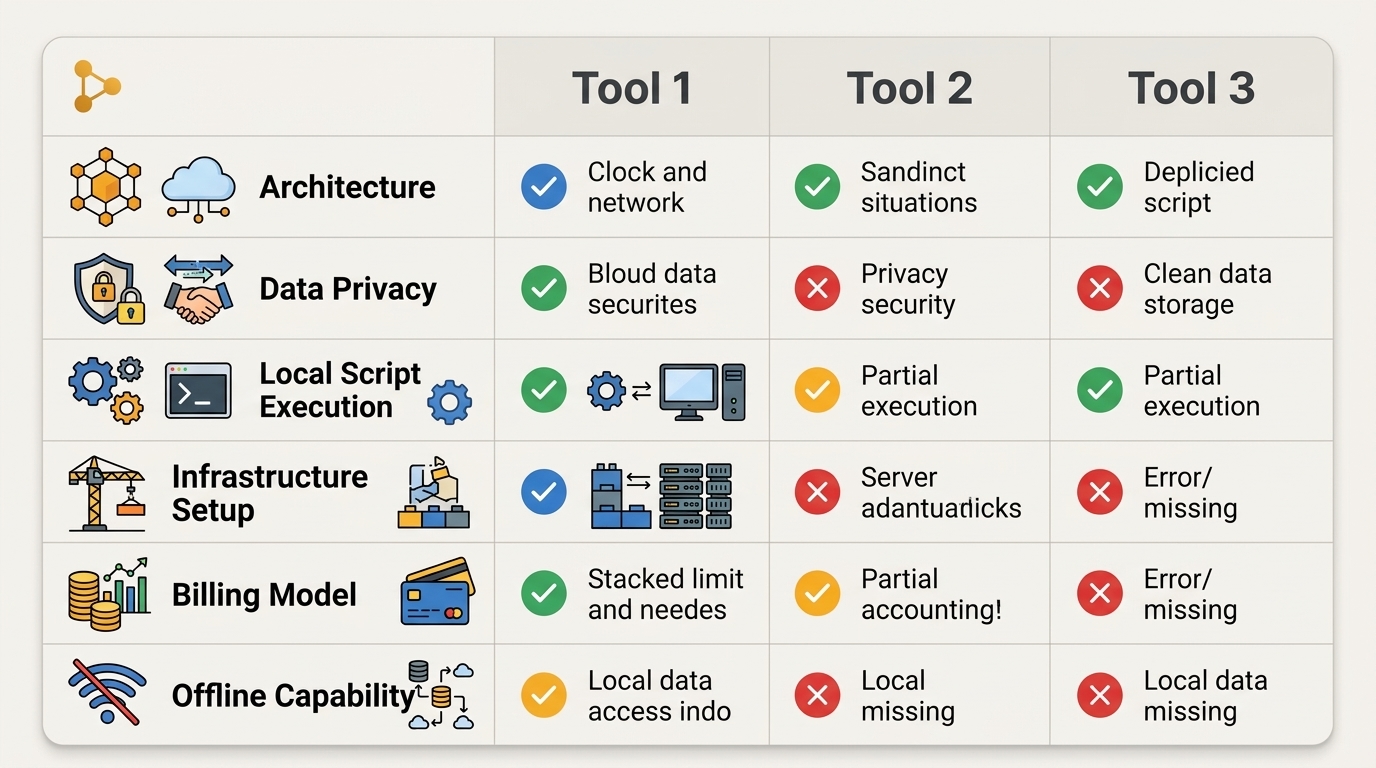
A feature comparison chart highlighting the distinct advantages of NORA Automation compared to n8n and Make. [cite: local-001]
Seamless Windows script running
If you maintain administrative scripts on Windows, NORA serves as your ultimate Windows automation toolkit. NORA natively supports:
– PowerShell & PowerShell Core: Execute .ps1 scripts with direct parameter passing and memory variable capture.
– Python Utilities: Run custom Python scripts, data parsers, and automation libraries seamlessly.
– Batch & Command Line: Trigger legacy .bat and .cmd utilities alongside modern code.
NORA captures standard output (stdout), exit codes, and error logs in real-time, allowing you to pass variables visually between different scripts within a single workflow.
Absolute data privacy control
Data security is built into NORA’s core architecture. Because data processing occurs locally:
– Sensitive customer PII, internal log files, and database exports never transit third-party cloud infrastructure.
– Local API credentials and connection strings are stored using OS-level encrypted vaults (Windows DPAPI / AES-256).
– Organizations achieve immediate compliance with strict HIPAA, SOC 2, and GDPR data isolation requirements.
Does Nora automation require a cloud connection?
A common question technical teams ask is: Does NORA require internet access to execute workflows?
The answer is no. NORA is engineered with complete 100% offline capability.
100% offline capability for sensitive data
NORA operates completely detached from external internet connectivity:
– Air-Gapped Execution: NORA functions perfectly in classified, air-gapped, or strictly firewalled network enclaves.
– Uninterrupted Operations: If your internet service provider experiences an outage, NORA continues executing scheduled administrative tasks locally without failing.
– Outbound Webhooks On Demand: While NORA operates 100% offline by default, you can configure individual HTTP request nodes to communicate with external web APIs whenever your workflow requires it.
NORA vs Make & NORA vs n8n
Understanding where NORA fits among popular workflow tools helps IT teams choose the right architecture:
| Feature / Dimension | Make.com | n8n (Self-Hosted) | NORA Automation |
|---|---|---|---|
| Architecture | 100% Cloud SaaS | Web App (Docker / Linux Server) | Native Desktop Application |
| Data Privacy | Low (Data processed in cloud) | High (Data on private server) | Maximum (Data stays on local host) |
| Local Script Execution | None (Requires relays) | Moderate (Docker mounts required) | Native (Direct PowerShell/Python) |
| Infrastructure Setup | None | High (Linux VMs, DBs, Docker) | Minimal (Single desktop installer) |
| Billing Model | Per-Task SaaS Subscription | Usage Tiers / Cloud Pricing | Predictable / Perpetual |
| Offline Capability | No | Requires isolated server stack | Yes (100% Native Offline) |
Why IT teams are switching to NORA
Sysadmins and IT directors are switching to NORA because it solves the two biggest pain points of existing platforms:
1. Compared to Make: NORA eliminates monthly task quotas, protects sensitive internal data, and directly executes local administrative scripts.
2. Compared to n8n: NORA eliminates the complex DevOps burden of managing Docker containers, Linux virtual machines, and PostgreSQL databases, offering an instant desktop deployment.
For a deeper dive into market options, explore our technical breakdown of Make and n8n alternatives.
NORA Pricing: Predictable, Perpetual Automation
Cloud iPaaS platforms punish your business growth by charging more as your automation volume scales. NORA takes the opposite approach by offering predictable, perpetual licensing.
- No Per-Task Billing: Execute millions of local tasks per month without paying extra fees.
- Fixed, Budget-Friendly Licensing: One predictable price without hidden usage spikes or forced tier upgrades.
- Permanent Ownership Options: Retain software usage rights without worrying about sudden subscription price increases.
By choosing NORA, IT organizations execute an aligned on-premise automation strategy that brings complete long-term budget certainty.
How to Download and Get Started with NORA Today
Getting started with NORA Automation takes less than five minutes:
- Download the NORA Installer: Download the native installer for Windows desktop or server.
- Run the Setup Wizard: Install NORA cleanly with zero database or web server prerequisites.
- Import or Build Your First Workflow: Use the drag-and-drop canvas to chain your existing PowerShell or Python scripts into visual pipelines.
- Schedule and Monitor: Set time triggers or file-system monitors and monitor real-time execution logs.
Take control of your workflows, protect your data, and eliminate subscription overhead with NORA Automation.
Frequently Asked Questions (FAQ)
What operating systems does NORA support?
NORA Automation is optimized natively for Windows (Windows 10, 11, and Windows Server 2016+), providing deep integration with Windows PowerShell, Task Scheduler APIs, and local administrative environments.
Does NORA replace Windows Task Scheduler?
Yes. While Task Scheduler can still run in the background, NORA provides a far superior visual canvas, real-time logging, native variable passing between scripts, encrypted credential vaults, and advanced error handling routines.
Can NORA connect to REST APIs and cloud services?
Yes. Although NORA operates completely offline by default, it includes native HTTP/REST nodes that allow you to send and receive data from web services, SaaS platforms, and cloud APIs whenever explicitly needed.
Published by Hunter Fisher LLC. Streamlining local desktop workflow automation for IT professionals in 2026.