
Complete AI Workflow Optimization Guide for VS Code Insiders
AI-powered development workflows represent the future of software engineering, and VS Code Insiders provides the most advanced platform for implementing these workflows today. (VS Code Insiders) This comprehensive guide explores proven strategies, advanced techniques, and optimization methods that can transform your development productivity and code quality through intelligent AI integration.
Building an Efficient AI Coding Workflow
Workflow Planning and Design
Creating an effective AI coding workflow begins with understanding your development patterns and identifying optimization opportunities:
Assessment Framework:
1. Current State Analysis: Document your existing development process, identifying bottlenecks and repetitive tasks
2. AI Integration Points: Map where AI assistance can provide maximum value
3. Productivity Metrics: Establish baseline measurements for improvement tracking
4. Tool Inventory: Catalog existing tools and identify AI enhancement opportunities
Workflow Design Principles:
Contextual AI Integration: AI tools should enhance rather than interrupt your natural coding flow. Design workflows where AI assistance feels intuitive and contextually appropriate.
Progressive Enhancement: Start with basic AI assistance and gradually introduce advanced features as you become comfortable with AI collaboration patterns.
Feedback Loop Optimization: Create workflows that continuously improve AI assistance quality through better context provision and feedback mechanisms.
Tool Interoperability: Design workflows that allow different AI tools to work together seamlessly, sharing context and building upon each other’s outputs.
Tool Integration Strategy
Successful AI workflow optimization requires strategic tool selection and integration:
Primary AI Tool Categories:
– Code Generation: GitHub Copilot, Claude, OpenAI Codex (GitHub Copilot)
– Code Review: Claude, SonarLint AI, CodeRabbit
– Testing: TestPilot, AI Test Generator
– Documentation: Mintlify, Swimm AI
– Debugging: AI Debugger Assistant, Error Analysis Tools
Integration Architecture:
{
  "aiWorkflow": {
    "primaryTools": {
      "codeGeneration": "github.copilot",
      "codeReview": "claude-integration",
      "testing": "testpilot-ai",
      "documentation": "mintlify"
    },
    "coordination": {
      "contextSharing": true,
      "taskPrioritization": "user-guided",
      "conflictResolution": "user-choice-with-ai-guidance"
    }
  }
}
Productivity Metrics and Goals
Establish measurable objectives for AI workflow optimization:
Key Performance Indicators:
– Code Generation Speed: Lines of code written per hour
– Bug Reduction: Defect rate in AI-assisted vs manual code
– Code Review Efficiency: Time spent on code reviews
– Documentation Coverage: Percentage of code with AI-generated documentation
– Learning Curve: Time to productivity for new technologies
Measurement Framework:
{
  "metrics": {
    "codeVelocity": {
      "baseline": "150 lines/hour",
      "target": "220 lines/hour",
      "measurement": "weekly-average"
    },
    "bugRate": {
      "baseline": "2.3 bugs/100 lines",
      "target": "1.2 bugs/100 lines",
      "measurement": "sprint-cycle"
    },
    "reviewTime": {
      "baseline": "45 minutes/PR",
      "target": "25 minutes/PR",
      "measurement": "monthly-average"
    }
  }
}
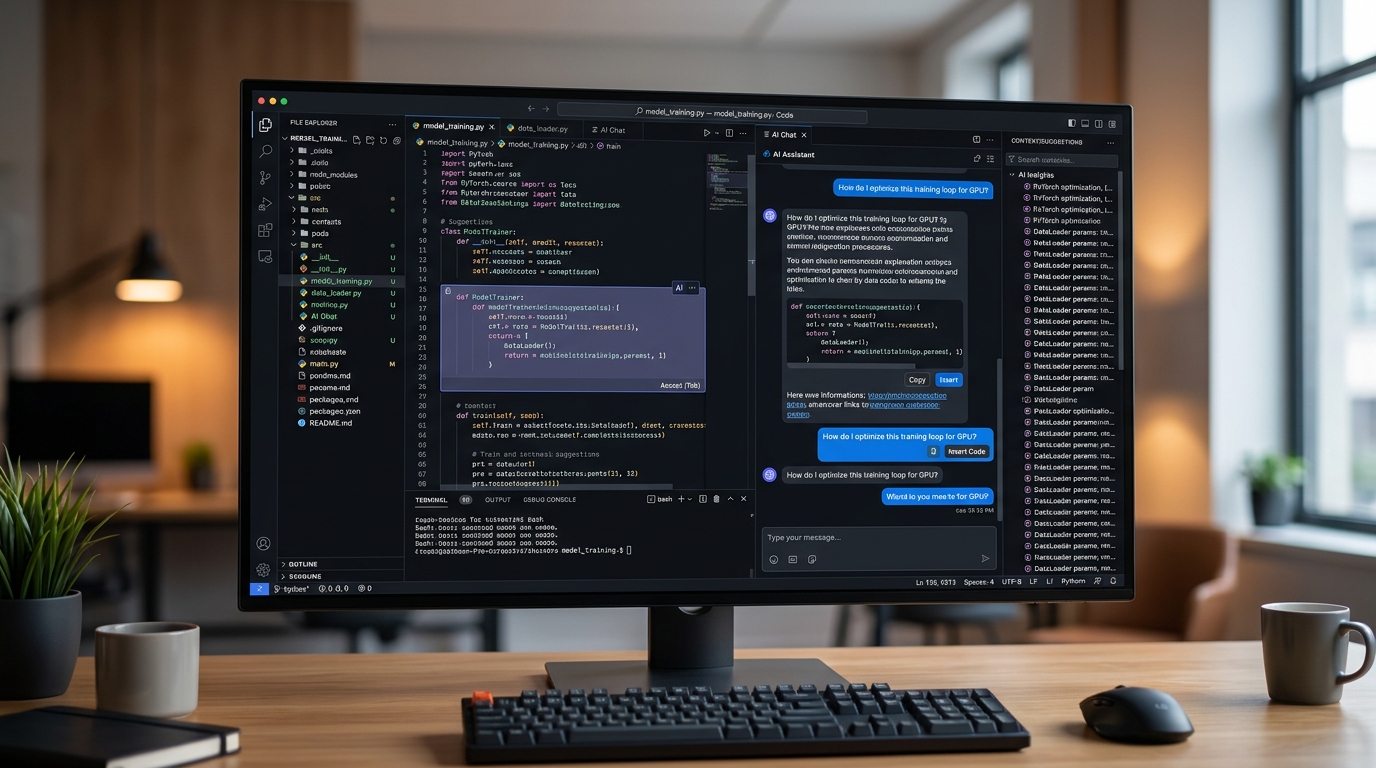
An optimized VS Code Insiders workspace, showcasing an efficient AI coding workflow with integrated AI tools and multiple active panels.
Setting Up Your AI Development Environment
Workspace Configuration
Optimize your VS Code Insiders workspace for maximum AI efficiency:
Essential Workspace Settings:
{
  "editor.inlineSuggest.enabled": true,
  "editor.suggestOnTriggerCharacters": true,
  "editor.quickSuggestions": {
    "other": true,
    "comments": true,
    "strings": true
  },
  "editor.acceptSuggestionOnCommitCharacter": true,
  "editor.suggestSelection": "first",
  "ai.enabled": true,
  "ai.contextWindow": 8192,
  "ai.maxConcurrentRequests": 3
}
AI-Optimized Layout Configuration:
{
  "workbench.panel.defaultLocation": "right",
  "workbench.sideBar.location": "left",
  "workbench.activityBar.visible": true,
  "workbench.panel.opensMaximized": "preserve",
  "ai.chatPanel.position": "right",
  "ai.suggestionPanel.position": "bottom"
}
Multi-Monitor Optimization:
– Primary Monitor: Code editor with AI suggestions
– Secondary Monitor: AI chat interface, documentation, and testing panels
– Tertiary Monitor: Browser for research, API documentation, and reference materials
Extension Ecosystem Design
Build a cohesive AI extension ecosystem that maximizes productivity:
Core AI Extension Stack:
{
  "recommendations": [
    "github.copilot",
    "github.copilot-chat",
    "ms-vscode.vscode-ai",
    "claude-ai.claude-integration",
    "tabnine.tabnine-vscode"
  ],
  "aiWorkflow": {
    "primary": "github.copilot",
    "secondary": "claude-integration",
    "specialized": ["testpilot", "mintlify", "sonarqube"]
  }
}
Extension Configuration for Optimal Performance:
{
  "github.copilot.enable": {
    "*": true,
    "yaml": true,
    "plaintext": true,
    "markdown": true,
    "json": true
  },
  "github.copilot.advanced": {
    "length": 500,
    "temperature": 0.7,
    "top_p": 1
  },
  "claude.workflowIntegration": {
    "autoReview": true,
    "contextAwareness": true,
    "collaborativeMode": true
  }
}
Context Management Setup
Effective context management is crucial for AI assistance quality:
Project Context Configuration:
{
  "ai.context": {
    "includePatterns": [
      "*.js", "*.ts", "*.py", "*.java", "*.md",
      "package.json", "requirements.txt", "README.md"
    ],
    "excludePatterns": [
      "node_modules/**", ".git/**", "dist/**", "build/**"
    ],
    "maxFileSize": "1MB",
    "contextWindow": "10000 tokens"
  }
}
Dynamic Context Strategies:
– File-Based Context: Include related files in the current working set
– Project-Wide Context: Maintain awareness of project structure and dependencies
– Historical Context: Leverage previous coding sessions and patterns
– Team Context: Share context insights across team members
AI Pair Programming Techniques
Effective Prompt Engineering
Master the art of communicating effectively with AI coding assistants:
Prompt Structure Framework:
1. Context Setting: Provide relevant background information
2. Specific Requirements: Clearly state what you want to achieve
3. Constraints: Specify limitations, preferences, and requirements
4. Examples: Include relevant examples when helpful
High-Quality Prompt Examples:
For Function Generation:
// Create a TypeScript function that validates user input for a registration form
// Requirements:
// - Validate email format using regex
// - Check password strength (8+ chars, uppercase, lowercase, number, special char)
// - Return detailed error messages for each field
// - Use modern ES6+ syntax with proper typing

function validateUserRegistration(email: string, password: string): ValidationResult {
For Code Review:
// Please review this React component for:
// - Performance optimizations
// - Accessibility improvements
// - TypeScript best practices
// - Potential security issues

const UserProfile = ({ user, onUpdate }: UserProfileProps) => {
  // Component code here...
}
Prompt Optimization Strategies:
– Be Specific: Detailed requirements produce better results
– Provide Context: Include relevant surrounding code and project information
– Set Constraints: Specify coding standards, performance requirements, and limitations
– Iterate Incrementally: Build complex solutions through multiple focused interactions
Code Review with AI Assistance
Transform your code review process with intelligent AI integration:
Automated Review Workflow:
1. Pre-Review Analysis: AI performs initial code quality and security analysis
2. Contextual Review: AI provides specific improvement suggestions based on project context
3. Best Practices Check: AI verifies adherence to coding standards and team conventions
4. Performance Analysis: AI identifies potential performance bottlenecks and optimizations
AI Review Configuration:
{
  "ai.codeReview": {
    "autoTrigger": "onSave",
    "reviewDepth": "comprehensive",
    "focusAreas": [
      "security-vulnerabilities",
      "performance-optimization",
      "code-maintainability",
      "accessibility-compliance"
    ],
    "generateSuggestions": true,
    "explainReasons": true
  }
}
Review Quality Enhancement:
– Multi-Perspective Analysis: Use different AI models for varied review perspectives
– Historical Pattern Recognition: AI learns from previous code reviews and improvements
– Team Standard Enforcement: AI enforces team-specific coding standards and preferences
– Security-Focused Review: Specialized AI analysis for security vulnerabilities and best practices
Collaborative Debugging Strategies
Leverage AI assistance for more effective debugging workflows:
AI-Enhanced Debugging Process:
1. Error Analysis: AI analyzes error messages and stack traces for root cause identification
2. Context Gathering: AI examines surrounding code and recent changes for clues
3. Solution Generation: AI proposes multiple potential solutions with explanations
4. Testing Strategy: AI suggests testing approaches to verify fixes
Debugging Configuration:
{
  "ai.debugging": {
    "autoAnalyzeErrors": true,
    "contextDepth": "deep",
    "suggestionCount": 3,
    "explainSolutions": true,
    "generateTests": true
  }
}

Visualizing an AI pair programming session within VS Code Insiders, highlighting the seamless integration of code generation, review, and real-time productivity tracking.
Advanced AI Workflow Patterns
Multi-Step Code Generation
Implement sophisticated code generation workflows that build complex functionality incrementally:
Progressive Generation Strategy:
1. Architecture Planning: AI helps design overall component structure
2. Core Implementation: Generate base functionality with proper error handling
3. Feature Enhancement: Add advanced features and optimization
4. Testing Integration: Generate comprehensive tests for all functionality
5. Documentation Creation: Generate complete documentation and examples
Multi-Step Generation Example:
// Step 1: Architecture planning prompt
"Design a TypeScript class for user authentication with OAuth, JWT, and session management"

// Step 2: Core implementation
"Implement the basic authentication methods with proper error handling"

// Step 3: Feature enhancement
"Add rate limiting, security headers, and audit logging to the auth class"

// Step 4: Testing integration
"Generate unit tests covering all authentication scenarios including edge cases"

// Step 5: Documentation
"Create comprehensive documentation with usage examples and integration guide"
Automated Testing Integration
Create AI-powered testing workflows that ensure comprehensive code coverage:
Intelligent Test Generation:
{
  "ai.testing": {
    "autoGenerate": true,
    "testTypes": ["unit", "integration", "e2e"],
    "coverageTarget": 85,
    "edgeCaseDetection": true,
    "mockGeneration": true
  }
}
Test Generation Workflow:
1. Function Analysis: AI analyzes function logic and dependencies
2. Test Case Identification: AI identifies test scenarios including edge cases
3. Mock Generation: AI creates appropriate mocks for dependencies
4. Assertion Creation: AI generates meaningful assertions for expected outcomes
5. Coverage Optimization: AI ensures comprehensive test coverage
Advanced Testing Patterns:
– Mutation Testing: AI generates code mutations to verify test effectiveness
– Property-Based Testing: AI creates property-based tests for complex logic
– Performance Testing: AI generates performance benchmarks and stress tests
– Accessibility Testing: AI creates tests for accessibility compliance
Documentation Generation Workflows
Establish automated documentation workflows that maintain comprehensive project documentation:
Documentation Automation Strategy:
{
  "ai.documentation": {
    "autoGenerate": true,
    "documentTypes": [
      "api-documentation",
      "inline-comments",
      "readme-updates",
      "architecture-docs"
    ],
    "updateTriggers": ["code-changes", "new-features", "refactoring"],
    "formats": ["markdown", "jsdoc", "openapi"]
  }
}
Documentation Workflow Components:
– Inline Documentation: AI generates contextual comments and JSDoc blocks
– API Documentation: Automated OpenAPI/Swagger documentation generation
– README Maintenance: AI keeps README files current with project changes
– Architecture Documentation: AI generates and updates system architecture documentation
Productivity Optimization Strategies
Keyboard Shortcuts and Automation
Optimize your AI workflow with strategic keyboard shortcuts and automation:
Essential AI Workflow Shortcuts:
{
  "key": "ctrl+shift+a",
  "command": "github.copilot.generate",
  "when": "editorTextFocus"
},
{
  "key": "ctrl+shift+c",
  "command": "github.copilot.openChat",
  "when": "editorTextFocus"
},
{
  "key": "ctrl+shift+r",
  "command": "ai.reviewCode",
  "when": "editorTextFocus"
},
{
  "key": "ctrl+shift+t",
  "command": "ai.generateTests",
  "when": "editorTextFocus"
},
{
  "key": "ctrl+shift+d",
  "command": "ai.generateDocumentation",
  "when": "editorTextFocus"
}
Automation Scripts:
Create custom automation scripts for repetitive AI-assisted tasks:
// Auto-review and format on save
{
  "editor.formatOnSave": true,
  "editor.codeActionsOnSave": {
    "source.organizeImports": true,
    "source.fixAll": true,
    "ai.reviewAndOptimize": true
  }
}
Template and Snippet Management
Develop AI-enhanced templates and snippets for rapid development:
AI-Generated Snippet Library:
{
  "react-component-ai": {
    "prefix": "rca",
    "body": [
      "// AI: Generate a React functional component with TypeScript",
      "// Props: ${1:ComponentName}Props with proper typing",
      "// Features: useState, useEffect, proper error handling",
      "interface ${1:ComponentName}Props {",
      "  $2",
      "}",
      "",
      "const $1: React.FC<${1:ComponentName}Props> = ($3) => {",
      "  $0",
      "  return (",
      "    <div>",
      "    </div>",
      "  );",
      "};"
    ],
    "description": "AI-assisted React component template"
  }
}
Dynamic Template Generation:
– Project-Specific Templates: AI learns project patterns and generates relevant templates
– Context-Aware Snippets: Templates adapt based on current file context and project structure
– Team Template Sharing: AI-generated templates shared across development teams
Context Switching Minimization
Optimize workflow to reduce context switching and maintain deep focus:
Focus Management Strategies:
{
  "ai.focusMode": {
    "enabled": true,
    "hidePanels": ["terminal", "problems"],
    "highlightActiveFile": true,
    "dimInactiveEditors": true,
    "aiAssistanceLevel": "high"
  }
}
Context Preservation Techniques:
– Session State Management: AI maintains context across coding sessions
– Project Context Caching: AI caches project-specific context for faster responses
– Intelligent Suggestion Timing: AI suggestions appear at optimal moments to avoid disruption
Workflow Monitoring and Improvement
Performance Metrics Tracking
Implement comprehensive metrics tracking for continuous workflow optimization:
Metrics Dashboard Configuration:
{
  "ai.metrics": {
    "trackingEnabled": true,
    "metrics": [
      "code-generation-speed",
      "suggestion-acceptance-rate",
      "error-reduction-rate",
      "time-to-solution",
      "ai-assistance-quality"
    ],
    "reportingInterval": "weekly",
    "dashboardEnabled": true
  }
}
Key Productivity Indicators:
– AI Suggestion Acceptance Rate: Percentage of AI suggestions accepted
– Code Generation Velocity: Lines of code generated per hour with AI assistance
– Error Detection Rate: Bugs caught by AI review vs manual review
– Time to Solution: Average time to resolve coding challenges with AI assistance
– Learning Acceleration: Time reduction for learning new technologies
Bottleneck Identification
Systematically identify and resolve workflow bottlenecks:
Bottleneck Analysis Framework:
1. Time Tracking: Monitor time spent on different development activities
2. AI Interaction Analysis: Analyze quality and effectiveness of AI interactions
3. Context Switch Measurement: Track frequency and impact of context switches
4. Tool Performance Assessment: Evaluate AI tool response times and accuracy
Common Bottleneck Solutions:
– Slow AI Response: Optimize API configurations and caching
– Poor Suggestion Quality: Improve context provision and prompt engineering
– Tool Conflicts: Resolve extension conflicts and optimize resource allocation
– Context Loss: Implement better context preservation and sharing mechanisms
Continuous Workflow Refinement
Establish processes for ongoing workflow improvement:
Refinement Cycle:
1. Weekly Review: Analyze productivity metrics and identify improvement opportunities
2. Monthly Optimization: Implement workflow adjustments and tool configuration updates
3. Quarterly Assessment: Evaluate tool effectiveness and consider new AI technologies
4. Annual Strategy Review: Reassess overall AI workflow strategy and tools
Improvement Strategies:
– A/B Testing: Test different AI configurations and workflows
– Feedback Integration: Incorporate team feedback and AI tool improvements
– Best Practice Sharing: Share successful patterns across team members
– Continuous Learning: Stay updated with latest AI development tools and techniques
Team Collaboration and AI Workflows
Shared Configuration Management
Establish team-wide AI workflow standards and configurations:
Team Configuration Template:
{
  "team.ai.standards": {
    "primaryAI": "github.copilot",
    "codeReviewAI": "claude",
    "testingAI": "testpilot",
    "sharedPrompts": true,
    "configurationSync": true
  }
}
Configuration Synchronization:
– Shared Settings Repository: Team configurations stored in version control
– Configuration Profiles: Different profiles for different project types
– Standard Prompt Library: Shared library of effective prompts and patterns
– Tool Version Coordination: Ensure team uses compatible AI tool versions
Knowledge Sharing Strategies
Facilitate effective sharing of AI workflow knowledge across the team:
Knowledge Sharing Framework:
– AI Prompt Libraries: Centralized collection of effective prompts for different scenarios
– Workflow Documentation: Documented best practices and optimization strategies
– Success Pattern Repository: Collection of successful AI-assisted development patterns
– Regular Knowledge Sessions: Team sessions for sharing AI workflow discoveries
Collaboration Tools Integration:
{
  "team.collaboration": {
    "promptSharing": "enabled",
    "workflowTemplates": "shared",
    "aiInsightsDashboard": "team-visible",
    "learningPathTracking": true
  }
}
Onboarding New Team Members
Create effective onboarding processes for AI-enhanced development workflows:
Onboarding Checklist:
1. Tool Installation: Set up VS Code Insiders and essential AI extensions
2. Configuration Setup: Apply team-standard AI configurations and settings
3. Training Materials: Provide AI workflow documentation and examples
4. Mentorship Program: Pair new members with AI workflow experts
5. Gradual Integration: Progressive introduction of advanced AI features
Training Resources:
– Interactive Tutorials: Hands-on exercises with AI-assisted development
– Video Walkthroughs: Recorded sessions demonstrating effective AI workflows
– Code Examples: Repository of examples showing AI-assisted development patterns
– Troubleshooting Guides: Common issues and solutions for AI tools
Troubleshooting Common Workflow Issues
AI Response Quality Problems
Address common issues with AI suggestion and response quality:
Quality Improvement Strategies:
– Context Enhancement: Provide more relevant context in prompts and interactions
– Prompt Refinement: Improve prompt specificity and structure
– Model Selection: Choose appropriate AI models for different tasks
– Feedback Provision: Actively provide feedback to improve AI learning
Common Quality Issues and Solutions:
{
  "qualityIssues": {
    "genericSuggestions": {
      "solution": "Provide more specific context and requirements",
      "example": "Instead of 'create a function', use 'create a TypeScript function that validates email addresses using regex'"
    },
    "outdatedPatterns": {
      "solution": "Update AI models and provide current best practices",
      "example": "Specify modern ES6+ syntax requirements in prompts"
    },
    "securityOversights": {
      "solution": "Include security requirements in all relevant prompts",
      "example": "Add 'following security best practices' to sensitive code generation requests"
    }
  }
}
Integration Conflicts
Resolve conflicts between different AI tools and extensions:
Conflict Resolution Strategies:
– Priority Configuration: Establish clear priority hierarchies for conflicting suggestions
– Context Isolation: Separate contexts for different AI tools to reduce conflicts
– Sequential Workflows: Use AI tools in planned sequences rather than simultaneously
– User-Mediated Resolution: Implement clear interfaces for resolving AI conflicts
Common Conflict Scenarios:
– Competing Suggestions: Multiple AI tools providing different recommendations
– Resource Competition: AI tools competing for system resources
– Context Confusion: AI tools interfering with each other’s context
– Configuration Conflicts: Conflicting settings between different AI extensions
Performance Optimization
Address performance issues in AI-enhanced workflows:
Performance Optimization Techniques:
{
  "performance.optimization": {
    "caching": {
      "enabled": true,
      "strategy": "aggressive",
      "duration": "24h"
    },
    "requestBatching": {
      "enabled": true,
      "batchSize": 5,
      "timeout": "2s"
    },
    "resourceManagement": {
      "memoryLimit": "2GB",
      "cpuThrottling": false,
      "networkOptimization": true
    }
  }
}
Performance Monitoring:
– Response Time Tracking: Monitor AI tool response times and identify slowdowns
– Resource Usage Analysis: Track CPU, memory, and network usage during AI operations
– Bottleneck Identification: Identify specific performance bottlenecks in AI workflows
– Optimization Implementation: Apply targeted optimizations based on monitoring data
For foundational setup that supports these advanced workflows, review our foundational setup and configuration. To implement sophisticated multi-agent patterns mentioned in this guide, explore advanced multi-agent workflow patterns. For specific tool recommendations that enhance these workflows, check our workflow-optimized extension recommendations.
Frequently Asked Questions
Q: How do I optimize my AI coding workflow?
A: Start with proper tool configuration, establish clear AI interaction patterns, implement effective prompt engineering techniques, and continuously monitor and refine your workflow based on productivity metrics.
Q: What are the best AI workflow patterns for developers?
A: Effective patterns include progressive code generation, AI-assisted code review cycles, automated testing integration, collaborative debugging with AI, and continuous documentation maintenance through AI assistance.
Q: How do I monitor AI workflow performance?
A: Track metrics like AI suggestion acceptance rate, code generation velocity, error detection rate, time to solution, and overall productivity improvements. Use built-in analytics and custom tracking tools.
Q: What’s the optimal setup for AI pair programming in VS Code Insiders?
A: Configure multiple AI tools for different tasks, establish clear context sharing, implement effective prompt engineering practices, and create seamless workflows for code generation, review, and testing.
Q: How do I troubleshoot AI workflow integration conflicts?
A: Identify conflicting tools, establish priority hierarchies, implement sequential workflows, configure context isolation, and use user-mediated resolution for complex conflicts.
Q: What metrics should I track for AI workflow optimization?
A: Monitor code generation speed, suggestion acceptance rates, bug reduction rates, review efficiency, learning acceleration, and overall development velocity improvements through AI assistance.