
Top AI Automation Tools for Developers & Sysadmins
If you write code, manage infrastructure, or keep internal systems running, you have probably noticed that the automation tool market has exploded — and that most of it is not built for you. The majority of “no-code” platforms are designed for marketers and business users, and they tend to break down exactly where technical work begins: custom scripts, internal APIs, self-hosted infrastructure, and workflows that touch sensitive data.
This guide is a practical roundup of the best AI automation tools for developers, sysadmins, and DevOps engineers in 2026. We will cover why technical teams are adopting AI automation in the first place, the criteria that actually matter when you are the one deploying and maintaining the tool, and how the leading options compare.

Developers are increasingly leveraging AI automation tools to streamline complex workflows and manage infrastructure more efficiently.
Why Developers Are Shifting to AI Automation Tools
Developers have always automated. Cron jobs, shell scripts, CI pipelines, and configuration management have been standard practice for decades. So why the shift toward dedicated AI automation tools for technical teams?
Three things changed:
- AI models became practical building blocks. Large language models can now classify tickets, summarize logs, draft responses, extract structured data from messy input, and make routing decisions — tasks that previously required either a human or a brittle pile of regex. Wiring those models into repeatable workflows is where automation platforms earn their keep.
- Glue code became a maintenance burden. Every one-off script that connects System A to System B is code someone has to own. A visual workflow layer with proper logging, retries, and error handling replaces a lot of undocumented glue code that otherwise lives in a single engineer’s home directory.
- Internal operations became an engineering responsibility. Small engineering teams increasingly own onboarding flows, reporting, alert triage, and data movement between internal tools. Automating that work well is the difference between a team that scales and a team that drowns in tickets.
The catch: most automation platforms were built cloud-first, for non-technical users. That creates real friction for engineers who need self-hosting, code-level extensibility, and control over where data flows. If those constraints sound familiar, it is worth taking time to compare cloud automation vs self-hosted deployment models before you commit to a platform — the deployment decision shapes everything downstream.
Criteria for Evaluating AI Workflow Automation
Before comparing specific tools, it helps to be explicit about evaluation criteria. These are the dimensions that matter most for technical buyers, based on the pain points that drive engineers away from their first automation platform.
Support for Internal Operations and Self-Hosting
Ask these questions of any platform you evaluate:
- Can it run on infrastructure you control? Cloud-only tools mean every workflow execution — and every piece of data inside it — passes through a third party. For internal operations involving credentials, customer records, or proprietary data, that is often a non-starter.
- Can it reach your internal systems? Databases behind a VPN, internal admin APIs, on-premise file shares — cloud platforms typically need tunnels or agents to reach these. Local-first tools connect directly because they run inside your network.
- How does pricing scale with usage? Per-task and per-execution pricing models penalize exactly the high-frequency workflows that internal operations generate. Predictable pricing matters when a monitoring workflow runs every few minutes.
If self-hosting is a hard requirement for your team, you can skip ahead and explore our self-hosted automation platform to see how a local-first architecture addresses these questions directly.
Code Quality and Pipeline Integration
The second axis is how well the tool fits into an engineering workflow:
- Escape hatches to real code. A visual builder is a productivity layer, not a cage. When a node cannot express your logic, you should be able to drop into a script — not file a feature request.
- Version control and reviewability. Workflows are production logic. Can they be exported, diffed, and reviewed like any other artifact?
- Observability. Execution logs, per-step inputs and outputs, and clear failure states are essential once workflows do real work.
- AI model flexibility. An AI pipeline builder for developers should let you choose and swap models (Claude, GPT, Gemini, or local models) rather than locking you into a single vendor’s AI.
Top AI Automation Tools for Technical Teams
With criteria in place, here is how the current field breaks down.
NORA (Self-Hosted & Local-First Platform)
NORA (Node Orchestration & Runtime Automation) is a desktop, node-based workflow builder designed around a local-first architecture. Workflows are built visually, but the platform is built to run AI agents, orchestrate scripts, and connect multiple AI models — Claude, GPT, and Gemini — from a single canvas.
What makes it relevant for technical teams specifically:
- Local execution, no cloud dependency. Workflows run on your machine or your infrastructure. Data does not transit a vendor’s servers, which simplifies privacy and compliance conversations considerably.
- AI-native nodes. Model calls are first-class workflow steps, not bolted-on integrations, which makes multi-model pipelines straightforward to assemble.
- Script orchestration. NORA is designed to run scripts as part of workflows, so existing automation assets become nodes rather than technical debt to migrate away from.
- No per-task pricing. Because execution is local, you are not billed per workflow run — high-frequency internal automations do not generate a scaling bill.
For teams whose primary use case is internal tooling, NORA also works as a dedicated automation platform for internal operations, where the combination of local data handling and unmetered execution is most valuable.
Cloud & Hybrid Automation Alternatives
The established alternatives each occupy a different point on the cloud-to-self-hosted spectrum:
- Zapier — the most mature cloud automation platform, with a very large integration catalog. Entirely cloud-hosted, with task-based pricing. Excellent for connecting SaaS apps; limited for internal infrastructure and code-heavy workflows.
- Make (formerly Integromat) — a cloud visual builder with strong data-transformation features. Like Zapier, it is cloud-first, so the same data residency and connectivity constraints apply.
- n8n — a source-available workflow tool that can be self-hosted, popular with technical users. Self-hosting is possible but you own the deployment, scaling, and upgrade burden, and some capabilities are gated to paid tiers.
- Power Automate — Microsoft’s automation offering, strongest for teams already deep in the Microsoft 365 ecosystem.
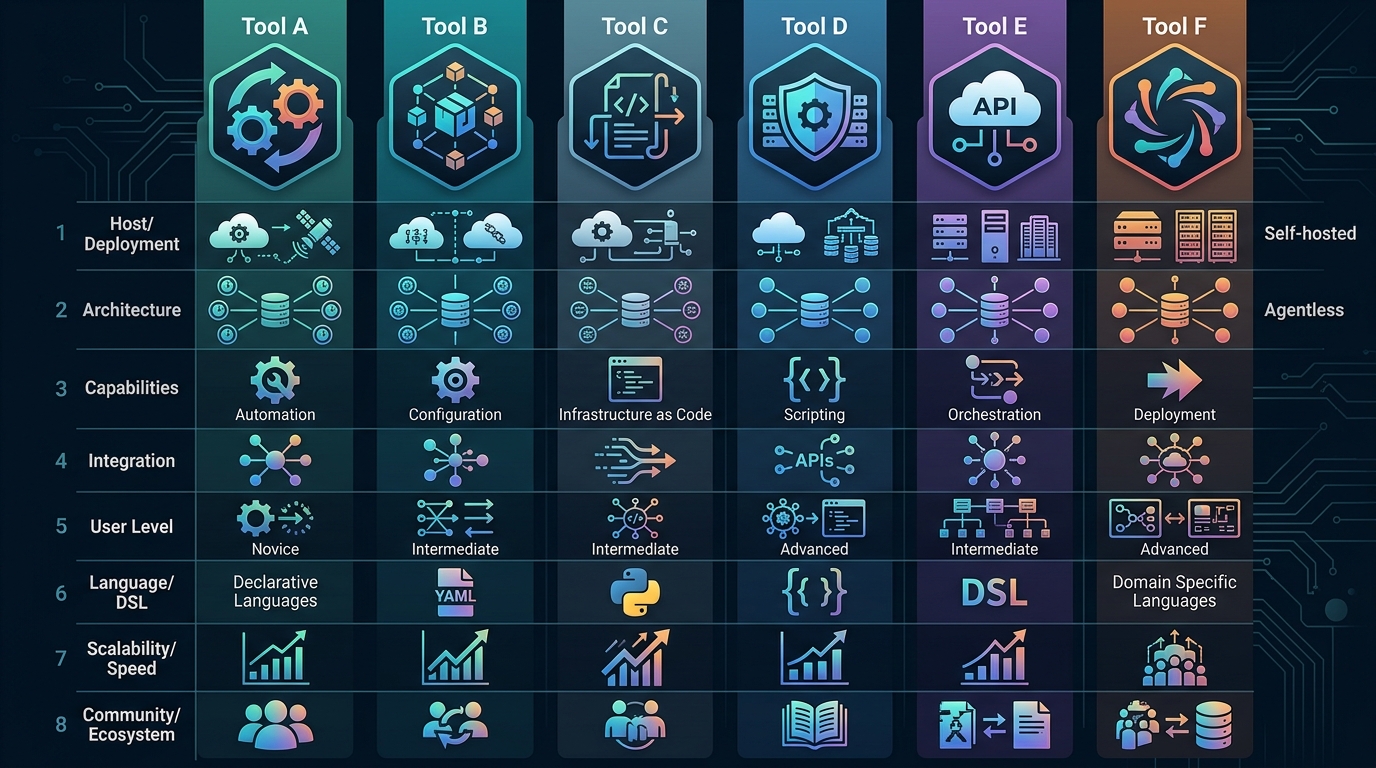
Choosing the right automation tool for sysadmins and DevOps involves evaluating deployment models, integration capabilities, and cost structures.
Best Tools for DevOps Automation Workflows
DevOps workflows deserve their own lens, because the requirements differ from general business automation. The best tools for DevOps automation workflows need to handle:
- Alert triage and enrichment. Ingest an alert, pull related logs and recent deploy history, use an AI step to summarize probable cause, and route to the right on-call channel.
- Scheduled infrastructure hygiene. Certificate expiry checks, disk usage reports, stale resource cleanup — high-frequency, low-glamour work that per-task pricing makes expensive on cloud platforms.
- Runbook automation. Turning documented manual procedures into executable workflows, with human approval steps where needed.
- Incident communication. Drafting status updates and post-incident summaries from structured incident data.
For sysadmins and DevOps engineers, the deciding factors are usually network reachability (can the tool touch the systems that matter without punching holes in the firewall?) and execution cost at high frequency. This is where local-first platforms have a structural advantage: they already sit inside the network boundary, and unmetered local execution means a five-minute polling workflow costs nothing extra.
How to Choose the Right AI Pipeline Builder
There is no single winner for every team — the right choice depends on your constraints. A quick decision framework:
- If your data cannot leave your infrastructure, shortlist self-hosted and local-first options only. Everything else is disqualified regardless of features.
- If your workflows are mostly SaaS-to-SaaS with no sensitive payloads, cloud platforms like Zapier or Make are fast to adopt and well-supported.
- If you need AI steps throughout your pipelines, prioritize tools where model calls are native workflow primitives and where you can swap between providers.
- If cost predictability matters, model your expected execution volume before signing anything. Per-task pricing on frequent workflows compounds quickly.
- If you have existing scripts, favor platforms that orchestrate them rather than forcing a rewrite.
Whichever direction you lean, run a two-week pilot with one real workflow — not a demo scenario — before rolling anything out to the team. The gaps between marketing pages and production reality show up fast under real workloads.
Frequently Asked Questions
What are the best AI automation tools for developers?
The best fit depends on your deployment constraints. For teams that need local execution and data control, a local-first platform like NORA is the strongest option. For cloud-tolerant SaaS-heavy workflows, Zapier and Make are mature choices, and n8n suits teams willing to manage their own self-hosted deployment.
What are the best automation tools for sysadmins?
Sysadmins typically get the most value from tools that run inside the network boundary and can reach internal systems directly — self-hosted or local-first platforms. Cloud tools require tunnels or agents to access internal infrastructure, which adds both setup work and an external dependency.
Do AI automation tools replace scripting?
No — they complement it. Good platforms treat your existing scripts as workflow building blocks and add the layer scripts lack: scheduling, retries, logging, visual structure, and AI steps. Rewriting working scripts to fit a platform is usually a red flag, not a requirement.
Why does self-hosting matter for AI automation?
AI workflows routinely process sensitive content — logs, tickets, customer data, internal documents. When the automation platform runs locally, that data stays on infrastructure you control. It also removes per-execution billing, which matters for high-frequency operational workflows.