
How to Automate Landing Page Creation with AI (Step-by-Step)
Every technical founder eventually hits the same wall: the product ships fast, but the marketing pages don’t. Each new campaign, segment, or feature launch means another round of writing headlines, assembling sections, and clicking through a page builder — work that feels suspiciously like something a machine should be doing.
It is. This guide walks through how to automate landing page creation with AI, step by step, using the same mental model you’d apply to any engineering problem: define the inputs, build the transformation, automate the deploy.
Why Technical Founders Need to Automate Landing Pages
Manual landing page production fails for the same reason manual deployments fail — it doesn’t scale and it invites inconsistency.
Consider the actual math. A typical startup needs pages for:
- Each persona you sell to (founder, marketer, ops lead…)
- Each use case or job-to-be-done
- Each campaign you run on paid or social channels
- Each integration, comparison, or alternative worth ranking for
Multiply those together and you’re looking at dozens of pages, most of which share 80% of their structure and differ only in positioning, examples, and keywords. Producing those by hand means either burning founder time on repetitive copywriting or shipping three pages when the strategy calls for thirty.
There’s also a quality argument. A well-built automation pipeline applies the same brand context, structure, and quality checks to every page. Manual production quality varies with how tired you were that evening.
The founders who solve this stop treating pages as artifacts and start treating them as outputs of a system. Here’s how to build that system.
How to Automate Landing Page Creation with AI?
At its core, the pipeline has three stages: structured inputs → AI generation → automated publishing. You can build it with code, or visually with a node-based workflow tool — the architecture is identical either way.
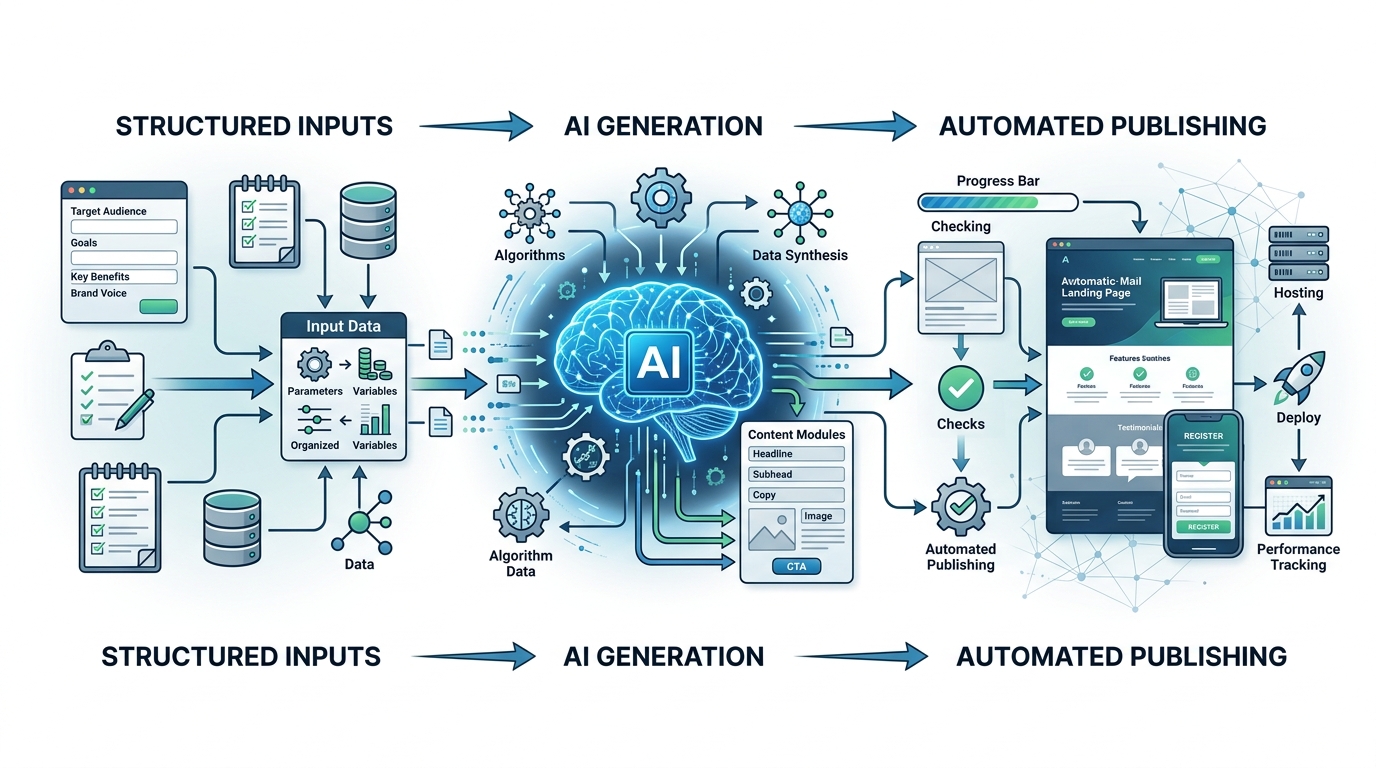
The core pipeline for automated landing page creation involves structured inputs feeding into AI generation, followed by automated publishing.
Step 1: Defining Your Target Variables
Automation starts with deciding what changes between pages and what stays fixed.
Fixed elements (defined once, reused everywhere):
- Page template and section order (hero → problem → solution → proof → CTA)
- Brand voice guidelines and terminology
- Product facts: features, pricing, differentiators
- CTA destinations and form configuration
Variables (one set per page):
- Target keyword or search intent
- Audience segment and their specific pain point
- Use case or campaign angle
- Any segment-specific proof points or examples
Put the variables in a structured source — a CSV, a spreadsheet, a JSON file, or a database table. Each row becomes one landing page. This single decision is what separates real automation from “prompting ChatGPT repeatedly”: the machine iterates over rows; you don’t.
A minimal example row:
segment: "solo SaaS founders"
keyword: "automate onboarding emails"
pain_point: "manual follow-up eats evenings"
angle: "set up once, runs forever"
Step 2: Connecting an AI Writing API
Next, wire your variables into an AI model. Whether you call the API from a script or drop an AI node into a visual workflow tool like NORA (which supports Claude, GPT, and Gemini natively), the design principles are the same:
- Inject full context, every time. Your prompt should include the fixed brand and product context plus the row’s variables. Models write generic copy when they’re given generic input — the fix is engineering, not hoping.
- Generate per-section, not per-page. Ask for the hero headline, the benefits block, and the CTA as separate structured outputs (JSON works well) rather than one blob of prose. This keeps output mapped cleanly to your template slots.
- Add a review pass. A second AI step that critiques the draft against a checklist — “does this mention the segment’s specific pain point? does it avoid filler phrases?” — measurably tightens output before a human ever sees it.
- Validate the output shape. Check that required fields exist and lengths are within template limits before anything moves downstream. Treat it like validating an API response, because that’s what it is.
This multi-step structure is the same approach that makes an automated content creation workflow produce usable drafts instead of fluff — landing pages are just a shorter, more structured version of the same problem.
Step 3: Deploying via Webhooks
The final stage pushes finished content to your site without manual copy-paste:
- Webhook to your CMS or site builder. Most modern CMSs accept content via API or webhook. Your workflow POSTs the assembled page content; the CMS creates the page.
- Static site generation. If your site is static (Next.js, Astro, Hugo), write the generated content as Markdown or JSON into your content directory and let your existing build pipeline deploy it.
- Draft-first publishing. For most teams, the right default is publishing to draft status with a notification for human review. You get 95% of the time savings while keeping a human between AI output and your live domain.
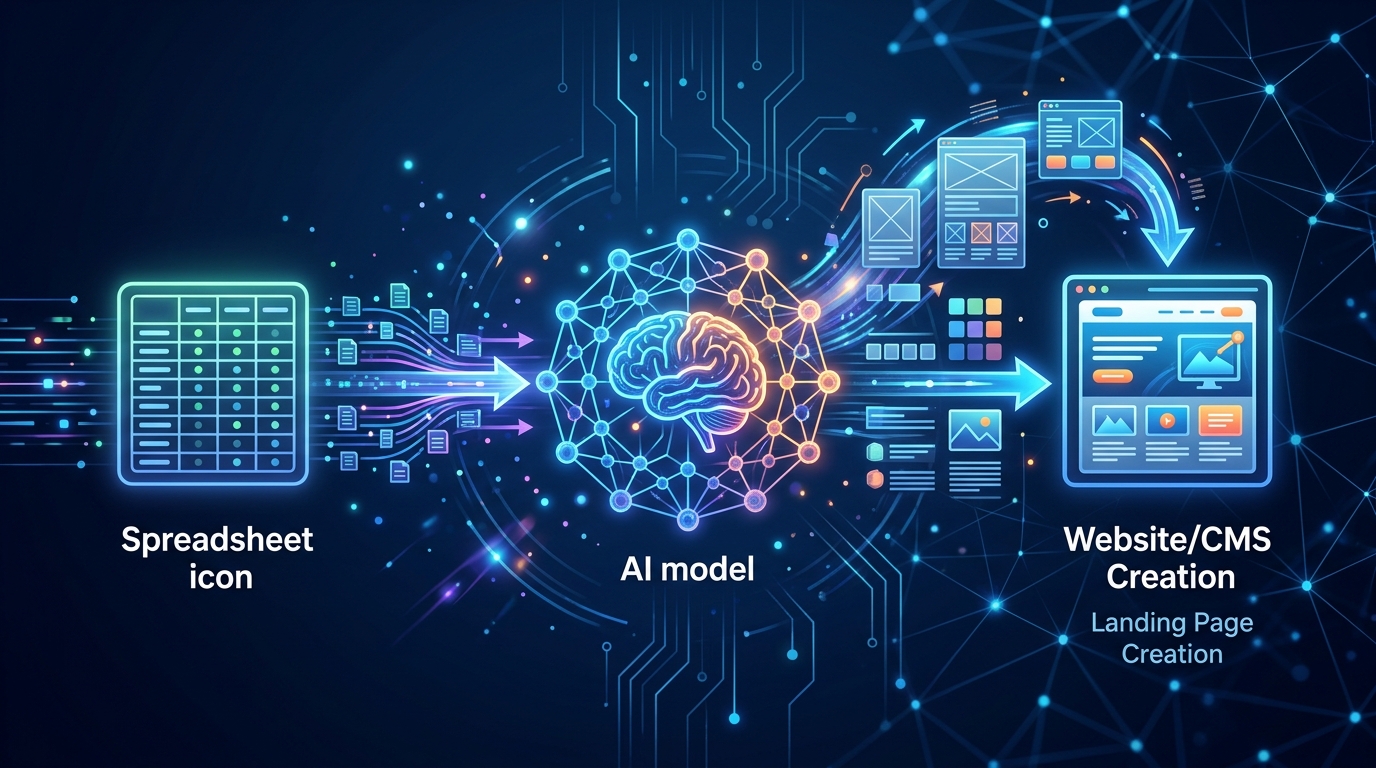
Webhooks serve as the bridge to deploy AI-generated landing page content directly to your CMS or static site.
Wire in error handling: if generation fails validation or the publish call errors, the workflow should flag the row and continue, not silently drop pages.
Moving from Manual Editing to Automated Publishing
Don’t jump from hand-written pages to fully autonomous publishing in one leap. Mature the pipeline in stages:
- Assisted drafting — the pipeline generates drafts; you edit everything. Goal: tune prompts and context until edits shrink.
- Review-and-approve — the pipeline publishes to draft; you approve or reject. Goal: build trust and catch failure patterns.
- Spot-check publishing — pages go live automatically; you review a sample. Appropriate once rejection rates are consistently low.
Track one metric through all three stages: edit distance — how much you change AI output before approving it. When it trends toward zero, advance a stage. If it spikes, your context or prompts need work, not more manual effort.
Two closing pointers. First, if you’re choosing the software to build this on, our comparison of landing page automation tools breaks down the no-code, API, and hosted-builder options. Second, once your page pipeline works, the same architecture extends naturally to programmatic SEO with AI — generating entire keyword-targeted page sets from datasets, not just campaign pages.
FAQ
How long does it take to set up landing page automation?
The first working pipeline — one template, one AI generation step, draft publishing — is typically an evening or weekend project with a visual workflow tool, longer if you’re building the API pipeline in code. Most of the ongoing effort goes into refining prompts and context, not infrastructure.
Do I need to know how to code to automate landing pages?
No. Node-based workflow tools let you build the full input → generate → publish chain visually. Coding gives you more control at the publishing step, but it’s optional, not required.
Will Google penalize AI-generated landing pages?
Google’s guidance focuses on content quality and usefulness rather than how content was produced. Thin, duplicative pages are a risk regardless of who wrote them — which is why the variable design in Step 1 matters: every generated page should serve a genuinely distinct intent.
What’s the biggest mistake founders make when automating pages?
Skipping structured inputs and prompting the model with a one-liner per page. Generic input produces generic pages at scale — automation amplifies whatever quality level you feed it. Invest in the context layer first.