
How to Build an Automated Media Production Workflow
A modern content operation can create more assets than a small team can comfortably manage by hand. One long-form video can turn into a YouTube upload, short clips, embedded course lessons, caption files, thumbnails, blog assets, social posts, and archive copies. If every step depends on someone opening a GUI tool and making the same decisions again, the workflow eventually slows down or breaks.
An automated media production workflow uses scripts, file conventions, AI tools, and publishing handoffs to move media through repeatable stages. For scrappy content operators and technical creators, Python is often the practical glue: flexible enough for custom logic, accessible enough for small teams, and powerful enough to coordinate video, images, metadata, and APIs.
This guide explains how to think about video editing pipeline automation at a systems level. It focuses on architecture, tool choices, workflow logic, and the common traps that appear when you scale from a helpful script to a real production process.
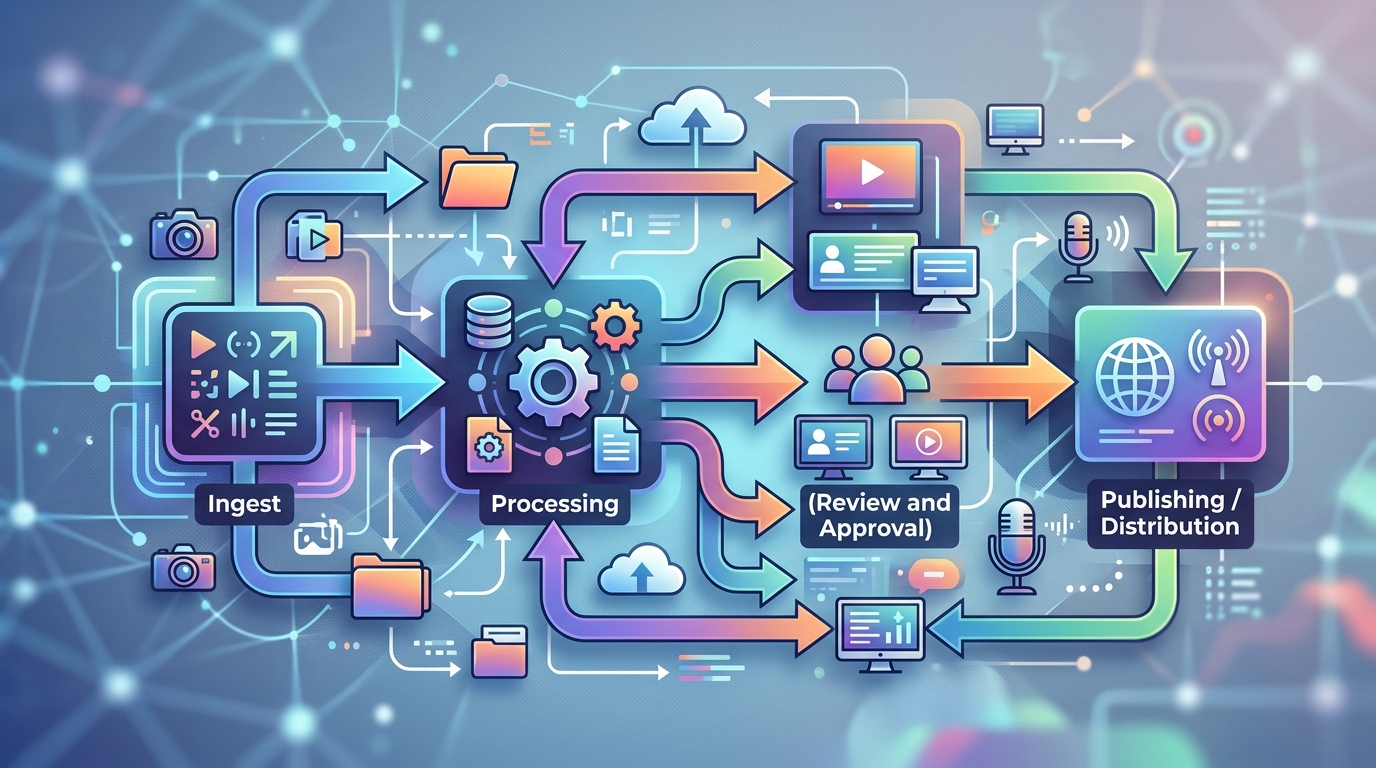
A visual representation of an automated media production workflow, from raw media ingestion to final publishing.
What is Python Media Workflow Automation?
Python media workflow automation is the practice of using Python to coordinate repetitive media production tasks. Instead of treating each file as a one-off project, you define a pipeline that can process files according to consistent rules.
A simple media automation workflow might:
- Watch a folder for new video exports
- Rename files using a standard convention
- Transcode videos into publish-ready formats
- Generate captions or subtitle files
- Extract thumbnail frames
- Create branded thumbnail variants
- Write metadata files
- Move completed assets into a publishing folder
- Log which steps succeeded or failed
Python is useful because it can sit between tools. It can call FFmpeg for video processing, use Pillow for image work, parse CSV or JSON metadata, interact with cloud storage, and connect to publishing APIs when available.
The point is not to automate creativity out of the process. The point is to remove repetitive operational work so humans can spend more time on judgment: story, positioning, visual direction, and final approval.
If your first priority is the video editing layer, NORA’s guide to creating automated video editing pipelines with Python goes deeper into pipeline-specific implementation.
Breaking Down Video Editing Pipeline Automation
A good workflow is built from stages. Each stage should have a clear input, a clear output, and a clear definition of success. That is what makes the system easier to debug, improve, and hand off.
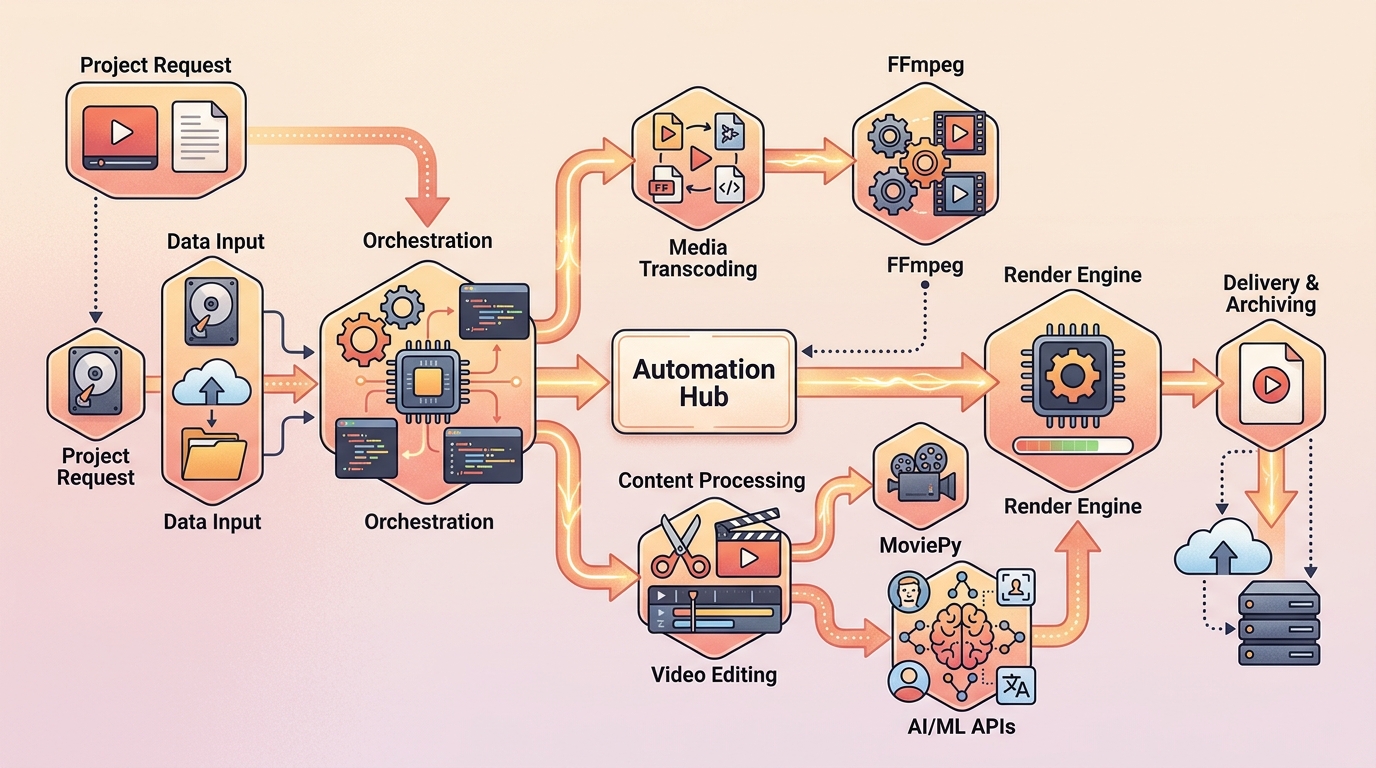
The architectural components of a Python-driven video editing pipeline automation system.
Step 1: Raw footage organization & pre-processing
Automation starts before editing. If source files arrive with inconsistent names, mixed formats, and unclear ownership, every downstream step becomes harder.
A practical ingest process should define:
- Where raw files land
- How projects are named
- Which file extensions are accepted
- How duplicate files are handled
- Where originals are archived
- What metadata is required before processing
A typical folder structure might look like this:
media-workflow/
  incoming/
  raw/
  working/
  exports/
  thumbnails/
  captions/
  metadata/
  archive/
  logs/
Python can help organize incoming files into project folders, normalize names, and create a manifest that tracks each asset. A manifest might include the source file path, title, episode number, publishing date, target platforms, and processing status.
This stage should be conservative. Do not delete or overwrite originals. Copy or move files only when your naming and backup logic is clear.
Step 2: Automated assembly and bulk editing
Once files are organized, Python can coordinate repeatable editing tasks. This is where content automation Python workflows often deliver quick wins.
Examples include:
- Creating preview clips from long videos
- Adding intro and outro segments
- Applying watermarks or lower-thirds
- Resizing for platform-specific formats
- Standardizing codecs and containers
- Creating review exports and final exports
For task-level examples, see NORA’s guide to Python batch workflows and complete video editing pipeline automation. The key idea is to treat editing tasks as modular steps rather than one giant script.
A pipeline stage might be described as:
Input: working/master-video.mov
Process: trim start, add outro, transcode to web format
Output: exports/master-video_web.mp4
Success: output file exists, duration is valid, log status is SUCCESS
That success definition matters. Without it, a failed render can look like a completed job until someone discovers the broken asset during publishing.
Step 3: AI thumbnail & metadata generation
After video processing, the next bottlenecks are often thumbnails, titles, descriptions, tags, and captions. Some of these tasks can be assisted or partially automated.
A thumbnail stage might:
- Extract candidate frames from the final video
- Generate AI background concepts
- Apply a branded template
- Export multiple variants
- Send the options to a review folder
A metadata stage might:
- Read title and episode data from a manifest
- Generate a draft description for review
- Create platform-specific file names
- Attach caption file paths
- Prepare upload payloads
AI tools can help here, but they should not remove review. Metadata and thumbnails directly affect audience expectations. Keep a human approval point for accuracy, brand fit, and compliance with platform rules.
If subtitles are part of your production process, connect this stage with NORA’s guide on how to automate subtitle generation using AI. Captions, thumbnails, and metadata are often best handled together because they all depend on the same source video and content brief.
Step 4: Final export and publishing APIs
The final stage prepares assets for distribution. This may be as simple as moving files into a “ready to upload” folder, or as complex as sending videos, thumbnails, captions, and descriptions through platform APIs.
A publishing handoff should include:
- Final video file
- Thumbnail image
- Caption or subtitle files
- Title and description
- Tags or categories where applicable
- Publishing status
- Review approval marker
Be careful with fully automated publishing. A safer starting point is automated preparation: generate everything needed for upload, then let a human review and publish. Once the process is reliable, you can decide whether API-based publishing is appropriate for specific channels.
Even if you never automate the final upload, a clean handoff folder can save significant time and reduce mistakes.
Tools of the Trade for Content Automation in Python
A media automation stack does not need to be complicated. Start with stable tools and add complexity only when you have a real bottleneck.
Common building blocks include:
- Python standard library: file handling, subprocess calls, JSON, CSV, logging, scheduling logic
- FFmpeg: transcoding, trimming, resizing, audio handling, frame extraction
- MoviePy: Python-friendly clip editing, simple composition, overlays, and prototypes
- Pillow: thumbnail templates, image resizing, text overlays, and brand graphics
- AI APIs: captioning, image generation, draft metadata, or other assistive steps
- SQLite or simple manifests: lightweight job tracking before you need a full database
- Cloud storage SDKs: moving source and final assets between systems
- Task queues: useful when jobs become long-running or need retries
Python’s real value is orchestration. It does not need to replace every specialized tool. Instead, it can coordinate the right tool for each job.
A high-level architecture might look like this:
Incoming files
  -> Python ingest script
  -> FFmpeg normalization
  -> MoviePy or FFmpeg editing step
  -> AI captions / metadata drafts
  -> Pillow thumbnail generation
  -> review checkpoint
  -> final export folder or publishing API
  -> logs and manifest updates
For more durable scripting patterns, NORA’s guide to Python automation patterns every sysadmin should know is useful even if your “system” is a content pipeline rather than a server fleet.
Common Pitfalls in Automating Production at Scale
The hardest part of media automation is rarely the first script. The hard part is keeping the workflow reliable as files, formats, and edge cases multiply.
Watch for these common pitfalls:
- Overwriting source files: Always preserve originals until your backup and archive strategy is proven.
- No manifest: Without a job record, it becomes difficult to know what ran, what failed, and what still needs review.
- Weak naming conventions: Inconsistent names break automation and confuse humans.
- No validation: A script that creates a file is not necessarily a script that created the correct file.
- Hidden manual steps: If a human must rename, move, or approve something, make that step explicit.
- Too much automation too soon: Fully automated publishing before the pipeline is stable can create public mistakes.
- No error handling: Long media renders fail. Your workflow needs logs, retries, and clear failure states.
- Ignoring review: AI-generated assets and metadata still need human judgment.
A reliable workflow should make failures visible. If a render fails, a thumbnail is missing, or metadata is incomplete, the system should mark the job as needing attention instead of silently moving forward.
Also think about reversibility. If a script changes a file name, moves an asset, or creates a derivative, can you trace what happened? Logs and manifests are not exciting, but they are what turn automation from a clever demo into a dependable production system.
Getting Started with Your First Script
The best first automation is small, safe, and immediately useful. Pick one repetitive task that already has clear rules.
Good starter projects include:
- Rename exported videos based on a CSV
- Batch transcode videos into a web-friendly format
- Extract one thumbnail frame from each video
- Generate a branded thumbnail from a template
- Move completed assets into organized folders
- Create a metadata JSON file for each project
A simple first script might scan an incoming folder and create project folders:
from pathlib import Path
import shutil

INCOMING = Path("incoming")
RAW = Path("raw")
RAW.mkdir(exist_ok=True)

for source in INCOMING.glob("*.mp4"):
    project_name = source.stem.lower().replace(" ", "-")
    project_dir = RAW / project_name
    project_dir.mkdir(exist_ok=True)

    destination = project_dir / source.name
    shutil.copy2(source, destination)

    print(f"Copied {source.name} to {project_dir}")
That may look basic, but it introduces important habits:
- Keep source files safe.
- Use predictable folders.
- Print or log what happened.
- Build one reliable stage before adding the next.
From there, add one step at a time:
- Create a manifest.
- Add FFmpeg transcoding.
- Add thumbnail extraction.
- Add caption generation.
- Add review status.
- Add final export packaging.
The long-term goal is a workflow where every asset has a status, every stage has a defined output, and every failure is visible. That is how a small team scales content production without drowning in manual file work.
FAQ
How do I build an automated media production workflow?
Start by mapping your current process into stages: ingest, edit, enhance, review, export, and publish. Then automate one repeatable stage at a time with clear inputs, outputs, logs, and validation.
Why use Python for video editing pipeline automation?
Python is useful because it can coordinate many tools: FFmpeg for video, Pillow for images, AI APIs for assistive tasks, metadata files, cloud storage, and publishing handoffs.
What tasks should I automate first?
Start with low-risk, repetitive tasks such as file organization, batch transcoding, thumbnail frame extraction, or metadata file creation. Avoid fully automated publishing until the workflow is stable.
Do I need AI for media workflow automation?
No. You can build a strong workflow with Python, FFmpeg, and file conventions alone. AI becomes useful for tasks like captions, thumbnail concepts, draft metadata, or other assistive production steps.
How do I prevent automation from breaking my media files?
Preserve originals, write outputs to separate folders, use logs, validate generated files, and test scripts on duplicate sample assets before using them in production.