
How to Debug MCP Server Connection Issues with Claude
Your MCP server worked in testing, and now Claude Code reports it as failed — or the tools simply never appear. MCP connection failures are almost always one of a small number of root causes: launch command problems, environment variable gaps, transport mismatches, or timeouts. This guide walks through each, with the exact commands to diagnose and fix them.
Common Causes of Claude MCP Not Connecting
When you need to debug MCP server connection issues, start with the failure classes that account for the vast majority of cases:
- The launch command fails outside Claude. If
npx -y @modelcontextprotocol/server-postgres "$DB_URL"doesn’t run cleanly in your own terminal, it will never run under Claude. Always test the server’s command line standalone first. - Absolute vs relative paths. MCP hosts spawn servers as subprocesses, often with a different working directory and a minimal
PATH. A config that says"command": "node"or points at a relative script frequently breaks. Use absolute paths for both the runtime and the script:/usr/local/bin/node /opt/mcp/server.js. - Missing environment variables. The server subprocess does not automatically inherit your interactive shell profile. Credentials exported in
.zshrcmay be invisible to a GUI-launched Claude Desktop. Declare required variables explicitly in the config’senvblock. - Invalid JSON configuration. A trailing comma or unescaped Windows backslash in
claude_desktop_config.jsonor.mcp.jsoncan silently break server registration. Validate withpython -m json.tool < config.json. - Protocol contamination on stdio. Stdio-transport servers must emit only JSON-RPC on stdout. A stray
print()orconsole.log()in your server code corrupts the message stream and kills the handshake. Send all diagnostics to stderr. - Version/runtime mismatches. An outdated Node or Python runtime, or an SDK version incompatible with the host, can fail during capability negotiation rather than at launch — which looks confusingly like a “connected then dropped” state.
- Network/firewall issues (remote servers). For HTTP-transport servers: DNS resolution, VPN state, TLS certificates, and reverse-proxy timeouts all enter the picture.
Quick triage commands:
claude mcp list        # registration + health status for each server
claude mcp get <name>  # inspect the exact command, args, and env used
/mcp                   # inside a session: live connection status per server
How to Debug MCP Server Logs in Claude
Logs turn guessing into diagnosis. Here’s how to debug MCP server logs in Claude across both hosts.
Claude Code: launch with debug output enabled:
claude --mcp-debug
This surfaces server launch errors, handshake failures, and tool registration problems directly in the session. Inside a session, /mcp shows per-server status.
Claude Desktop: MCP logs are written per server to the logs directory:
- macOS:
~/Library/Logs/Claude/mcp-server-<name>.log(plus a generalmcp.log) - Windows:
%APPDATA%\Claude\logs\mcp-server-<name>.log
Tail them live while reproducing the failure:
tail -f ~/Library/Logs/Claude/mcp-server-analytics-db.log

An example of how to debug MCP server logs within the Claude dashboard, highlighting key log entries and diagnostic information.
Reading the log. Work through it in this order:
- Spawn errors (
ENOENT,command not found) → path problem incommand/args. - Immediate exit with stack trace → the server itself is crashing; reproduce standalone.
- Handshake/initialize errors (JSON parse failures, unexpected tokens) → something non-JSON is being written to stdout, or an SDK version mismatch.
- Auth errors after connect → credentials missing from the
envblock.
Isolate the server from the host. The MCP Inspector lets you exercise any server without Claude in the loop:
npx @modelcontextprotocol/inspector npx -y @modelcontextprotocol/server-postgres "$DB_URL"
If the Inspector can list and call tools but Claude can’t, the problem is host configuration — not your server.
Fixing the MCP Server Connection Timeout Error
The MCP server connection timeout fix depends on where the time is going:
1. Slow server startup (stdio). The host expects the handshake shortly after spawn. Servers that do heavy work at import time — loading models, opening pools, cold npx package downloads — can blow the startup window. Fixes:
- Pre-install packages so
npx -ydoesn’t download on first launch:npm install -g @modelcontextprotocol/server-postgres. - Defer expensive initialization until the first tool call instead of at process start.
- Increase the startup timeout where supported via the
MCP_TIMEOUTenvironment variable (e.g.,MCP_TIMEOUT=30000for 30 seconds) when launching Claude Code.
2. Slow tool execution. The connection is fine, but a single tool call (a 90-second SQL query) exceeds the per-call window. Fixes: add database-side statement timeouts, paginate large results, and split monolithic tools into smaller, faster operations.
3. Network path timeouts (HTTP transport). Test each hop independently:
curl -v --max-time 10 https://mcp.internal.example.com/health
- Check VPN connectivity and DNS resolution (
dig mcp.internal.example.com). - If a reverse proxy fronts the server, raise its idle timeouts — long-lived streaming connections are killed by default
proxy_read_timeoutvalues; increase them for the MCP route. - Confirm TLS certificates are valid; some clients fail silently on self-signed certs.
4. Resource exhaustion. A server that connects, then times out under use, may be starved — check container memory limits and database connection pool size before blaming the protocol.
Checklist: Verifying Your Claude Code Integration
Run this list top to bottom after any fix to verify your Claude Code MCP integration:
- [ ] Server command runs standalone in a terminal with no errors
- [ ] All paths in
command/argsare absolute - [ ] Config JSON validates (
python -m json.tool < .mcp.json) - [ ] Required environment variables declared in the
envblock — not assumed from your shell - [ ]
claude mcp listshows the server as connected - [ ]
/mcpinside a session lists the expected tools - [ ] MCP Inspector can call each tool successfully
- [ ] A natural-language prompt triggers a real tool invocation and returns live data
- [ ] Logs show no warnings during a full request cycle
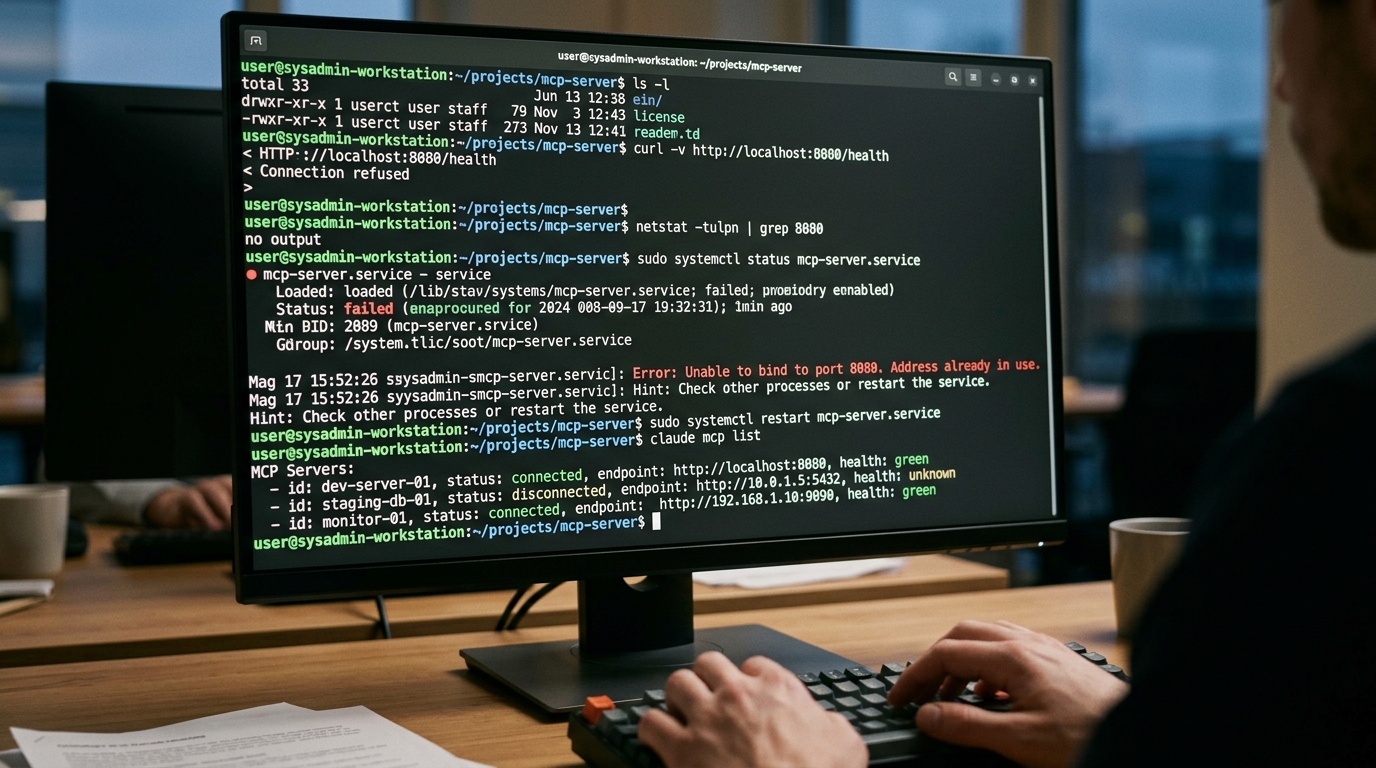
A terminal window demonstrating commands and output for verifying a Claude Code MCP integration and resolving connection issues.
For remote deployments, also review self-hosted MCP server configurations — authentication and containerization mistakes (expired tokens, unexposed ports, wrong bind address) frequently masquerade as generic connection failures.
Troubleshooting FAQs
How to fix Claude Code MCP not connecting?
Follow this sequence: (1) run the server’s launch command standalone in your terminal — fix any errors there first; (2) replace relative paths with absolute paths in the config; (3) validate the JSON config file; (4) add required environment variables to the env block explicitly; (5) restart Claude Code with --mcp-debug and read the reported error; (6) test the server with MCP Inspector to determine whether the fault is in the server or the host configuration. The claude code mcp not connecting fix is nearly always in steps 1–4.
Where are the default log files located?
For Claude Desktop on macOS: ~/Library/Logs/Claude/, with one mcp-server-<name>.log per configured server plus a general mcp.log. On Windows: %APPDATA%\Claude\logs\. For Claude Code, use the --mcp-debug flag and the /mcp command for live diagnostics in-session. Your server’s own stderr output is captured into these host logs, which is why servers should log diagnostics to stderr — never stdout.
Why do my MCP tools appear but fail when called?
Registration and execution are separate phases. If tools list correctly but calls fail, the handshake worked and the problem is inside the tool handler: missing credentials in the server’s environment, downstream service unreachable from the server’s network context, or an unhandled exception in your handler code. Check the server log for the stack trace of the specific call.
Why does my server work in Claude Desktop but not Claude Code (or vice versa)?
The hosts use separate configuration files and separate process environments. A server defined in claude_desktop_config.json is invisible to Claude Code until registered with claude mcp add (or .mcp.json), and GUI-launched processes often carry a different PATH and environment than your terminal. Register the server in both places and declare env explicitly in each.