
Nora Workflow Orchestrator: Automate Locally with Full Control
In an era where software automation is dominated by complex cloud platforms and rising subscription fees, modern IT engineering teams require a solution that prioritizes privacy, speed, and complete control. Cloud-based workflow builders force sensitive data onto external servers, suffer from network latency, and penalize active teams with per-task pricing tiers.
The Nora workflow orchestrator is purpose-built to break free from cloud limits. Engineered as a desktop-first automation engine, Nora allows sysadmins, DevOps engineers, and software developers to design visual automation workflows and execute native scripts directly on local host machines—100% offline, highly secure, and blazingly fast.
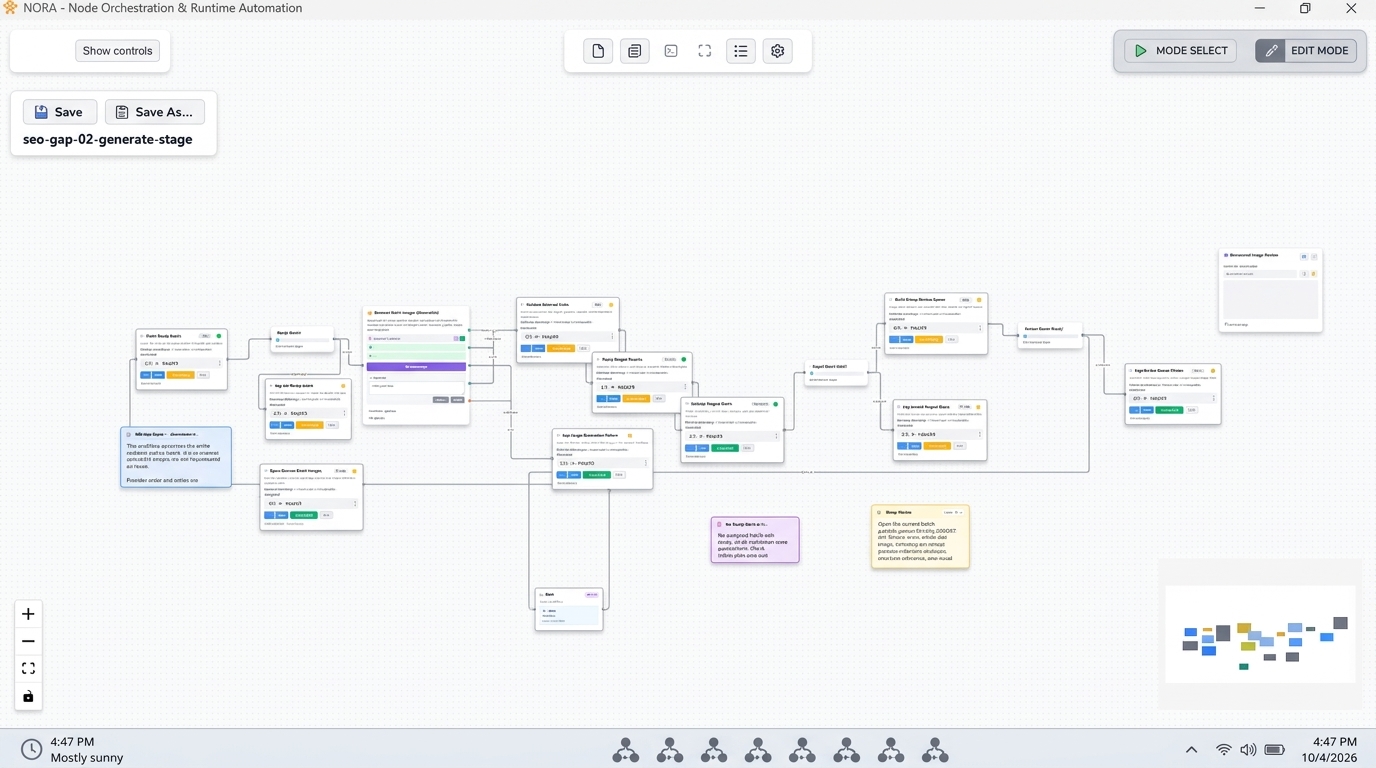
An illustrative view of the NORA workflow orchestrator’s main desktop dashboard, showcasing a visual automation workflow. [cite: local-001]
What is the Nora Workflow Orchestrator?
Nora is local automation software designed specifically for desktop environments and internal networks. Unlike web-based low-code tools that wrap logic in cloud proxies, Nora runs natively on host workstations and local enterprise servers.
With Nora, teams can build powerful multi-step workflows that combine visual flow controls, user input forms, custom Python code, PowerShell scripts, and system binaries inside a unified visual workspace. (PowerShell) Whether managing internal infrastructure, automating software builds, or running local data transformations, Nora gives technical teams total operational autonomy.
Key Features Built for IT and Developers
Nora bridges the gap between visual workflow clarity and native operating system power, delivering features engineered specifically for modern technical environments.
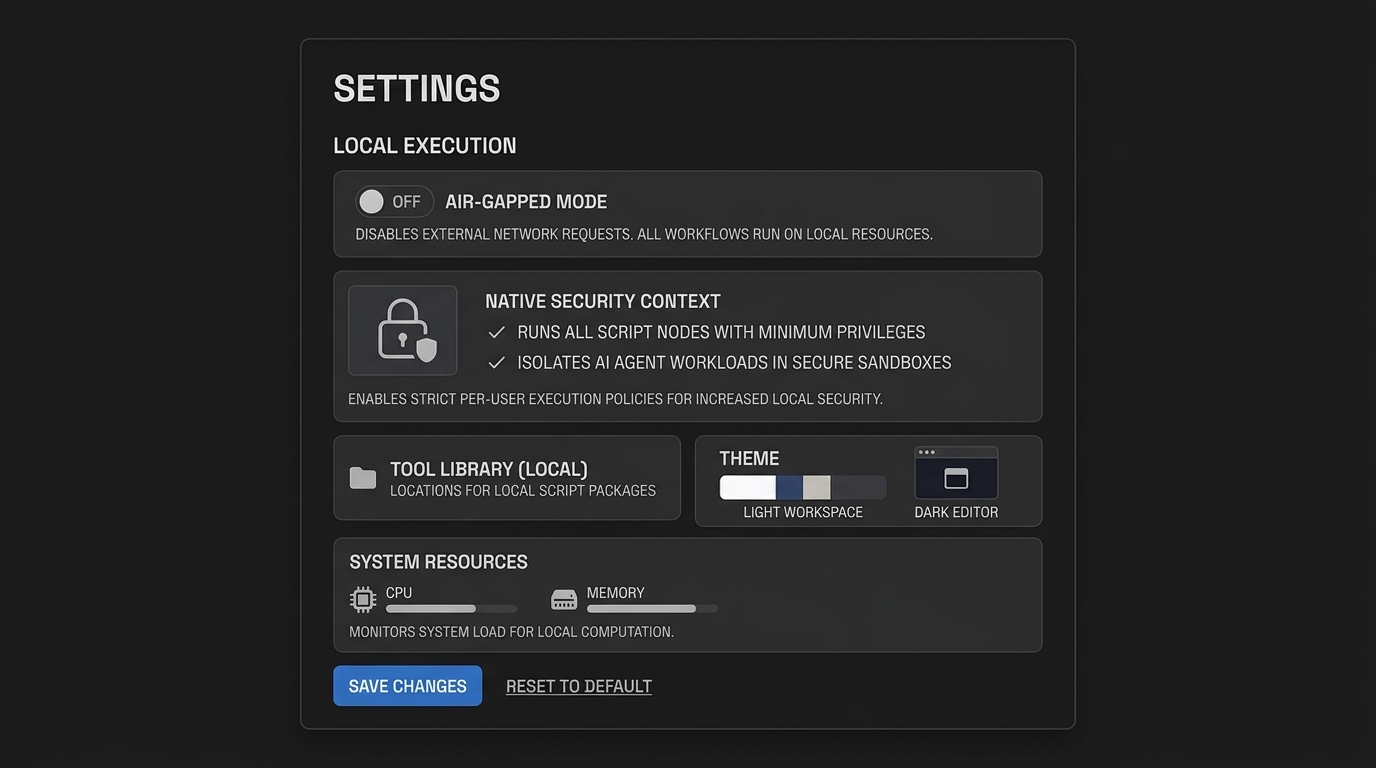
An illustrative view of NORA’s local execution and security settings, highlighting its offline and air-gapped capabilities. [cite: local-001]
Offline and Secure Execution
- Zero Cloud Dependency: All workflow definitions, execution state, and application logs remain strictly stored on your local disk storage.
- Air-Gapped Ready: Nora requires zero internet access or cloud token validations to execute workflows, making it ideal for strict enterprise security perimeters and air-gapped subnets.
- Native Security Context: Workflows execute within the local user or service account permissions, guaranteeing full compliance with corporate Group Policy and Active Directory frameworks.
Retool and Cloud Platform Alternative
- Full Script Control: Execute raw Python scripts, PowerShell modules, Batch files, and compiled executables without restrictive vendor frameworks.
- Git-Friendly Workflows: Workflow schemas store cleanly as human-readable configuration files, allowing seamless version control, code reviews, and pipeline deployments via standard Git repositories.
- Predictable Pricing Model: Say goodbye to monthly per-seat subscription fees or usage taxes. Enjoy straightforward desktop licensing built for IT budgets.
For an in-depth comparison of how desktop orchestration outperforms cloud web builders, read our guide on choosing a Retool alternative platform.
How Nora Solves Automation Bottlenecks
IT operations departments frequently struggle with fragmented automation setups—balancing unmanaged Task Scheduler jobs, scattered PowerShell scripts, and cloud tools that timeout on long-running jobs.
Nora solves these core operational bottlenecks:
- Eliminating SaaS Latency and Costs: Executing administrative tasks locally removes network transmission delays and eliminates escalating cloud execution bills.
- Unifying Multi-Language Scripts: Chain Python diagnostics directly into PowerShell configuration tasks within a single visual canvas, passing structured JSON variables between steps effortlessly.
- Handling Long-Running Processes: Unlike cloud webhooks that timeout after seconds, Nora executes extended local system operations—such as disk imaging or database processing—reliably until completion.
To see how Nora transforms enterprise Windows management, explore our comprehensive guide to enterprise Windows automation software, or learn how to master full script control in your environment.
Download and Install Nora Today
Stop compromising on data privacy and execution speed. Restore complete control over your internal automations with the leading desktop workflow engine.
System Requirements
- Operating System: Windows 10 / Windows 11 / Windows Server 2019+ (64-bit)
- Runtime Support: Native support for Python 3.x, PowerShell 5.1+, and PowerShell Core 7+
- Disk Space: 250 MB free local disk storage
Take the first step toward faster, safer, and cost-effective IT operations. Download Nora today and experience the power of desktop-first workflow orchestration.
Frequently Asked Questions
What makes Nora different from cloud automation platforms like Zapier or Retool?
Nora is a local desktop application that executes all workflows and scripts directly on your local computer or internal server. Unlike Zapier or Retool, Nora does not send your data, credentials, or code to external cloud servers, ensuring total privacy and true offline operation.
Can Nora run scripts in Python and PowerShell?
Yes. Nora natively invokes local Python interpreters and PowerShell environments, passing input variables, handling exit codes, and capturing standard output streams seamlessly.
Does Nora work without an internet connection?
Yes. Nora is built from the ground up for offline-first operation. It executes workflows flawlessly in air-gapped environments, secure corporate subnets, or during network outages.
How is Nora licensed?
Nora offers predictable desktop licensing models without recurring per-task execution fees or per-user cloud subscription taxes, making it a cost-effective choice for long-term IT operations.