
Understanding the Quantization Impact on Speed for Local LLMs
When configuring local large language models, performance depends on three core parameters: total parameter size, quantization level, and context window allocation. Tuning these settings determines whether your system delivers rapid token streaming or struggles with sluggish processing.
This guide provides a comprehensive technical overview of the quantization impact on speed, how parameter scaling alters execution speed, and why expanding context length can cause a context window slow LLM state.
Demystifying Local LLM Performance Factors
Local LLM runtimes are heavily constrained by memory bandwidth. During token generation, every weight parameter in the neural network must be fetched from memory into processing units to generate a single token.
Three primary model attributes dictate execution performance:
1. Model Parameter Count: The total number of trainable parameters (e.g., 7B, 14B, 32B, 70B).
2. Quantization Level (Precision): The numeric representation accuracy of each parameter weight (e.g., FP16, INT8, INT4).
3. Active Context Window: The historical text length and active prompt token sequence managed by the Key-Value (KV) cache.
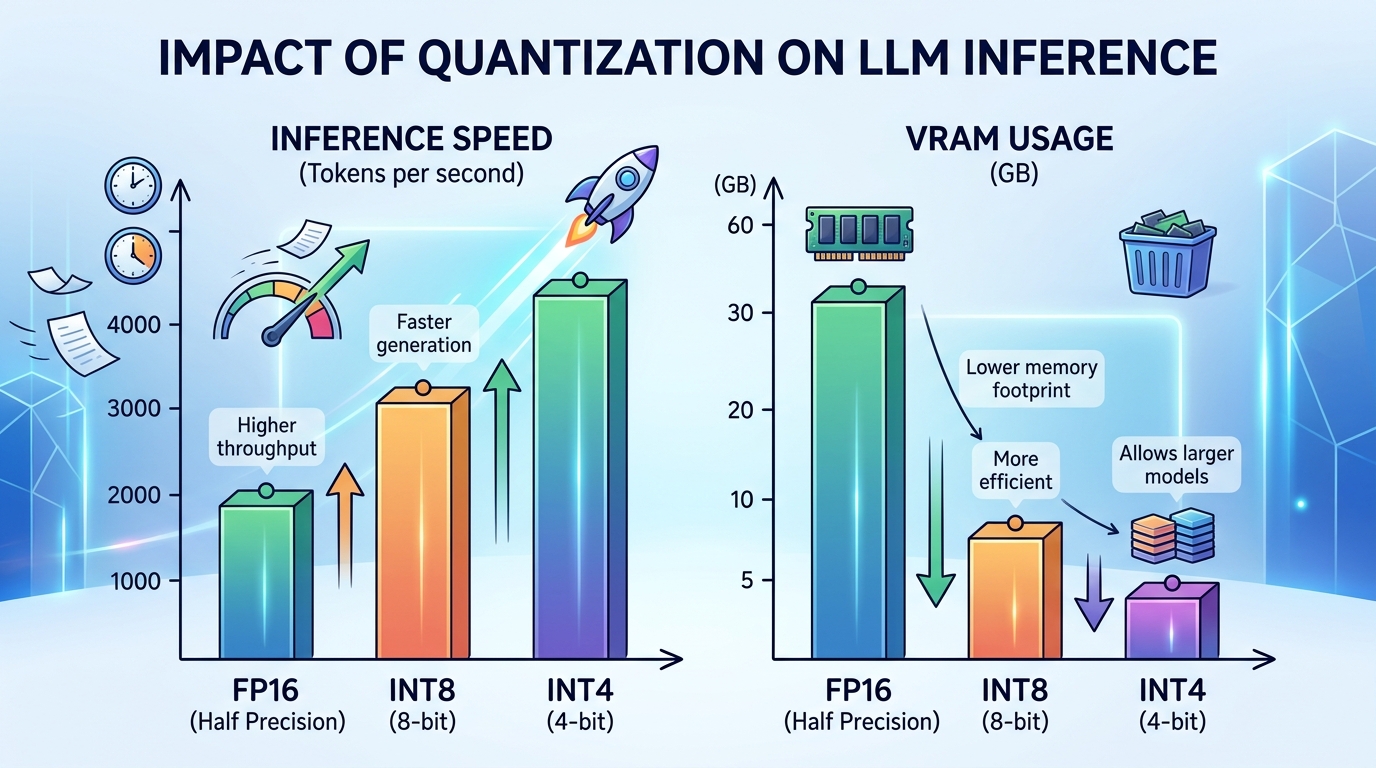
A graph showing how different quantization levels affect LLM inference speed and VRAM consumption.
The Quantization Impact on Speed and Memory
Quantization compresses model weight precision from standard 16-bit floating-point numbers (FP16) down to lower bit depths such as 8-bit, 4-bit, or 3-bit integers.
Lowering bit precision delivers two direct performance advantages:
– Reduced VRAM Footprint: A 7B parameter model in FP16 precision requires ~14 GB of VRAM. Quantizing the same model to 4-bit (INT4) reduces memory requirements to ~4.5 GB.
– Faster Memory Transfer: Fetching 4-bit weights requires transferring 75% less data across the memory bus per token, leading to higher generation speeds (tokens per second).
INT4 vs INT8 vs FP16: Trade-offs Explained
| Precision Level | Relative Memory Size | Generation Speed Impact | Perplexity / Intelligence Retention |
|---|---|---|---|
| FP16 (16-bit Float) | Baseline (100%) | Baseline (Slowest) | Original Benchmark Accuracy (100%) |
| INT8 (8-bit Integer) | ~50% of FP16 | ~1.5x – 2x Faster | Near-zero measurable degradation (>99.5%) |
| INT4 (4-bit Integer – Q4_K_M) | ~30% of FP16 | ~2.5x – 4x Faster | Minimal loss for most tasks (>98%) |
| INT2 / IQ2 (2-bit Quant) | ~18% of FP16 | Very Fast (if supported) | Noticeable degradation in reasoning |
For consumer GPUs, 4-bit quantization (such as GGUF Q4_K_M or AWQ) represents the optimal configuration, fitting larger model architectures into dedicated VRAM while preserving response quality. (AWQ)
How Model Size Affects Local Performance
Parameter count directly dictates the compute overhead and memory footprint needed for inference. Evaluating model size performance local metrics reveals how hardware requirements scale across different model tiers.
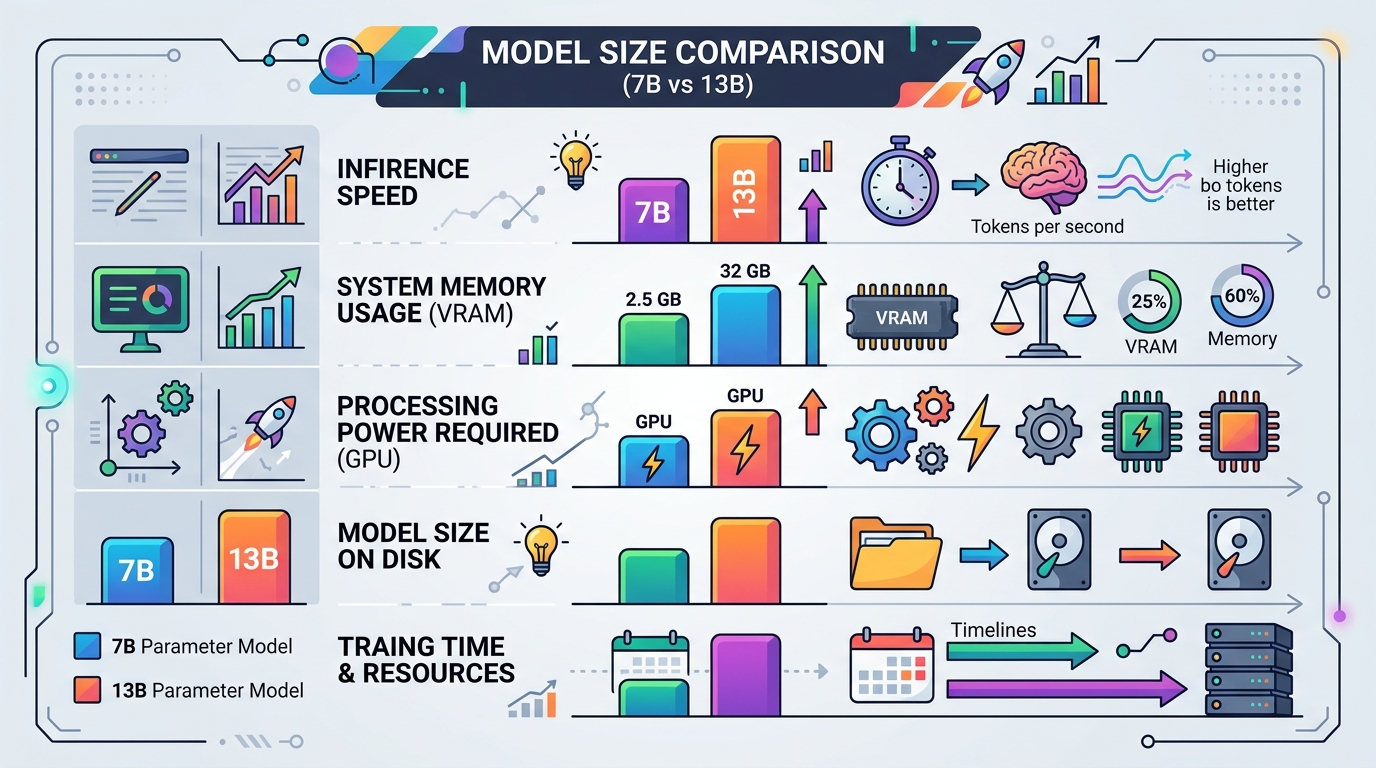
A comparison chart showing the performance of 7B and 13B LLM models on typical consumer hardware configurations.
7B vs 13B vs 70B Parameter Models on Consumer Hardware
- 7B – 8B Models (e.g., Llama 3 8B, Mistral 7B): The standard tier for consumer hardware. Quantized 4-bit models fit easily into 6 GB to 8 GB VRAM graphics cards, delivering high generation speeds (30–60+ tok/s).
- 13B – 14B Models (e.g., Qwen 14B): Delivers superior reasoning capabilities. Requires 10 GB to 12 GB VRAM for 4-bit quantization. Speed drops slightly compared to 7B models due to higher memory bus requirements.
- 32B – 70B Models (e.g., Qwen 32B, Llama 3 70B): Highly sophisticated models requiring 24 GB to 48+ GB VRAM for full offloading. Running 70B models across consumer GPUs or unified memory typically yields 5 to 15 tok/s depending on available memory bandwidth.
If your system struggles to maintain reasonable speeds on larger parameter sizes, use our step-by-step diagnostic guide to identify hardware bottlenecks.
Why a Large Context Window Slows Down Your LLM
Many modern open-weights models support context windows of 32,000 to 128,000+ tokens. However, extending context length introduces severe VRAM overhead and latency penalties.
The Cost of KV Cache on VRAM
During conversation execution, the attention mechanism generates a Key-Value (KV) cache for every prompt and response token.
– VRAM Growth: The KV cache scales linearly with context length and batch size. Unquantized FP16 KV caches for long contexts can consume several gigabytes of VRAM independently of model parameters.
– Prompt Evaluation Latency: Evaluating a 32,000-token prompt requires computing attention matrices across all tokens simultaneously, resulting in high time-to-first-token (TTFT) delays.
When available VRAM is exhausted by KV cache growth, the system swaps data to system RAM, causing a severe context window slow LLM state.
Finding the Sweet Spot for Your Hardware
To balance speed, accuracy, and memory consumption on consumer hardware, consider the following baseline recommendations:
- Prioritize Full VRAM Allocation: Choose a model parameter size and quantization level that fits entirely within your dedicated VRAM buffer with at least 2 GB reserved for OS overhead.
- Cap Context Windows Intentionally: Limit active context length (e.g.,
num_ctx 4096or8192) unless deep document retrieval or long code analysis is specifically required. - Use Modern Quantization Schemes: Standardize on Q4_K_M or Q5_K_M GGUF formats for Llama.cpp / Ollama, or EXL2 / AWQ for dedicated NVIDIA setups. (Llama.cpp)
For actionable strategies to fine-tune system throughput, review our complete guide to improve local LLM inference speed. If performance drops suddenly after configuration changes, follow our steps to troubleshoot slow local LLM responses.
Frequently Asked Questions (FAQ)
Does 4-bit quantization destroy model accuracy?
Modern quantization methods like GGUF Q4_K_M and AWQ preserve over 98% of baseline FP16 intelligence while reducing memory consumption by over 65%. For most general tasks, quality differences are negligible.
How can I reduce KV cache memory consumption?
You can lower context size parameters or enable KV cache quantization (e.g., 8-bit or 4-bit KV cache options) supported by frameworks like Llama.cpp and vLLM. (vLLM)
What happens if I load a model that is slightly larger than my VRAM capacity?
The framework will offload remaining layers to system RAM. This triggers PCIe transfers between RAM and VRAM during execution, causing generation speed to drop significantly.