
Why IT Teams Are Looking for a Local Retool Alternative
Modern IT operations, system administration, and software engineering teams rely heavily on internal tools to manage user permissions, trigger database migrations, execute system diagnostics, and handle incident response. Over the past decade, low-code and no-code cloud platforms like Retool gained widespread popularity by allowing teams to assemble web interfaces on top of databases and APIs quickly.
However, as enterprise security requirements tighten and technical teams demand deeper customization, a growing number of sysadmins and IT engineering leads are encountering the friction of cloud-based web builders. For teams managing critical local infrastructure, compliance-bound customer data, or complex procedural scripts, cloud abstractions often introduce unacceptable latency, compliance risks, unpredictable usage costs, and rigid functional limits.
This shift has ignited a major migration toward local, desktop-first automation environments. In this article, we examine why enterprise IT teams are actively seeking a Retool alternative, compare cloud web interfaces against local script execution, and explore how desktop orchestrators deliver total control without compromising on speed or security.
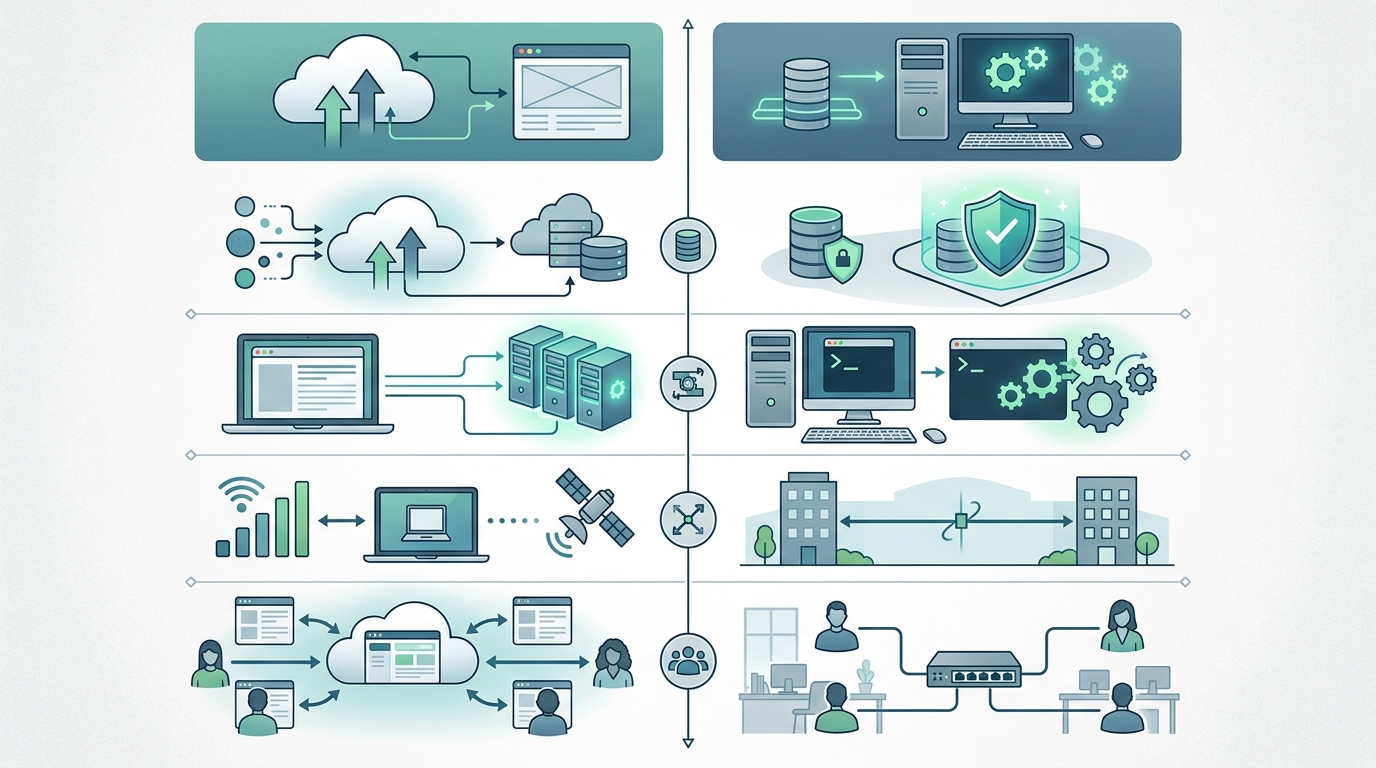
A conceptual comparison illustrating the architectural differences between cloud web interfaces and local script execution for enterprise IT. (Illustrative)
The Limitations of Cloud-Based Internal Tools
While low-code cloud portals simplify basic CRUD (Create, Read, Update, Delete) dashboards, they introduce severe architectural tradeoffs when integrated into enterprise IT workflows.
Data Privacy and Cloud Dependencies
The primary drawback of cloud-hosted internal tool platforms is data sovereignty and network security. When an internal application runs in a third-party cloud environment or requires cloud orchestration agents, sensitive telemetry, database queries, and internal infrastructure commands must pass through external servers.
- Third-Party Data Exposure: Connecting internal production SQL databases, Active Directory instances, or proprietary APIs to a SaaS provider creates an external attack vector. A single breach or misconfiguration at the vendor level can compromise core enterprise assets.
- Strict Compliance Obstacles: Regulated sectors—including financial services, healthcare, and government contracting—frequently mandate that internal administrative commands and customer PII (Personally Identifiable Information) never leave on-premise networks. Cloud-based tools require extensive vendor security assessments and custom VPC (Virtual Private Cloud) deployment tiers that drastically escalate total cost of ownership.
- Internet Dependency and Downtime: If your cloud provider experiences an outage, or if local WAN connectivity fails, internal operational dashboards go offline. For critical infrastructure management, relying on active internet access to run local maintenance scripts represents a dangerous single point of failure.
Why No-Code Constraints Frustrate Developers
Low-code builders rely on drag-and-drop components paired with wrapped JavaScript snippets. While this abstraction works for simple form entries, technical teams quickly hit severe implementation walls:
- Inflexible Business Logic: Complex logic involving nested error handling, asynchronous process spawns, or multi-step rollback procedures becomes convoluted when forced into rigid UI event handlers.
- Lack of Version Control: Proprietary web editors often store application state in internal JSON schemas or database tables rather than clean, diffable Git repositories. Merging branch conflicts, conducting peer code reviews, and maintaining CI/CD pipelines for cloud dashboards is notoriously cumbersome.
- Runtime Constraints and Timeouts: Web-based HTTP request cycles are fundamentally designed for short-lived interactions. Running long-duration tasks—such as full system backups, bulk data migrations, or complex PowerShell environment provisioning—frequently triggers browser timeouts or API gateway drops.
Retool vs Local Scripts: What’s the Difference?
When evaluating an internal tool platform alternative, IT engineering leads often compare web-based visual abstractions directly against native script execution (Python, PowerShell, Bash).
| Capability / Feature | Retool & Cloud Web Builders | Local Scripts & Desktop Orchestration |
|---|---|---|
| Execution Environment | Cloud SaaS / Containerized Web App | Local OS Native (Windows, Linux, macOS) |
| Data Privacy | Requires Cloud Proxy or Gateway Access | 100% On-Premise / Zero Data Egress |
| Network Reliance | Constant WAN Connection Required | Fully Functional Offline |
| Language Support | JS, SQL, REST/GraphQL Wrappers | Native Python, PowerShell, Bash, Binaries |
| Version Control | Proprietary Cloud Revisioning | Native Git (GitHub, GitLab, Local Repos) |
| Pricing Model | Per-User / Per-Month Subscriptions | Local Software / Perpetual Licensing |
Comparing Security and Offline Capabilities
The debate between Retool vs local scripts centers on where execution occurs and who holds the encryption keys.
With native local execution, scripts run directly within your organization’s trusted security context. Authentication relies on native OS user accounts, Kerberos, or local SSH keys rather than third-party OAuth callbacks or SaaS tokens. Furthermore, because local scripts run directly on host machines, they continue executing flawlessly in air-gapped environments, remote field operations, or during primary network outages.
Full Script Control vs No-Code Abstraction
Choosing between no-code vs script control is a trade-off between initial visual setup speed and long-term technical capability.
No-code platforms hide lower-level operating system interfaces behind UI widgets. While this enables non-technical users to build simple interfaces, it handicaps senior sysadmins who need to execute native system calls, manipulate local registry keys, parse raw binary outputs, or leverage existing corporate script libraries. Local script orchestration preserves complete programmatic control, allowing developers to write arbitrary logic in standard programming languages without hitting vendor framework limits.
Introducing Nora: A Desktop-First Retool Alternative
To bridge the gap between structured UI management and raw script execution, technical teams are adopting desktop workflow orchestrators. Nora is engineered from the ground up as a desktop-first Retool alternative for Windows and local enterprise environments.
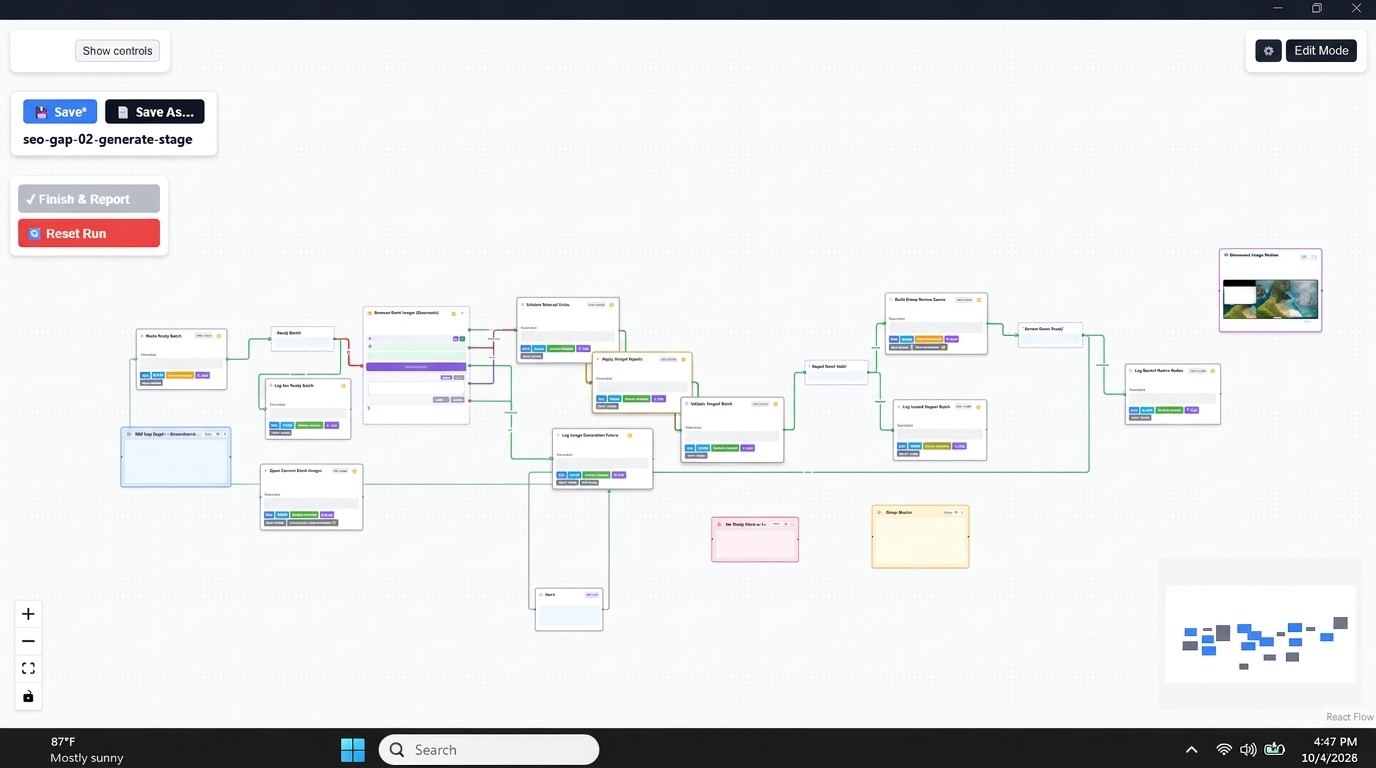
Illustrative NORA desktop interface, demonstrating a visual workflow orchestration environment for local scripts and AI. (Illustrative)
Nora combines the visual clarity of a modern workflow engine with the raw power of local system execution:
- Zero Cloud Lock-in: Nora operates completely on your local workstation or server. Your data, operational logs, and workflow definitions never touch external cloud servers.
- Native Language Integration: Run Python, PowerShell, Node.js, and executable binaries directly within visual workflow pipelines without writing custom REST wrappers. (PowerShell)
- Offline Architecture: Complete offline execution ensures that critical automated tasks run reliably regardless of internet status or SaaS server availability.
- Perpetual Software Ownership: Avoid perpetual cloud user fees with straightforward licensing designed for enterprise IT budgets.
For teams looking to streamline local administrative tasks, exploring our guide to local internal tools provides step-by-step methodologies for building resilient on-premise systems.
How to Choose the Right Internal Tool Platform Alternative
When selecting the ideal internal platform for your engineering or IT operations group, assess your requirements across four core criteria:
- Security & Compliance Mandates: If your workflows handle regulated customer data, local domain credentials, or air-gapped systems, prioritize a dedicated desktop automation engine over cloud-hosted portals.
- Existing Codebase Investment: If your team has already built robust PowerShell or Python script libraries, select a platform that orchestrates these native files directly rather than forcing a rewrite into cloud JavaScript snippets.
- Execution Latency & Performance: Workflows requiring high-throughput file processing, raw system access, or extended execution times benefit significantly from local OS execution.
- Licensing & Predictability: Evaluate whether per-seat monthly subscription models align with your long-term software budget, or if a local desktop deployment yields superior ROI.
To discover how native offline automation transforms operational efficiency, read our review of the best desktop automation tool options available for modern IT teams.
Ready to gain full control over your internal automations without cloud dependencies? Learn more about the Nora workflow orchestrator and start building secure local workflows today.
Frequently Asked Questions
What is the main difference between Retool and Nora?
Retool is primarily a web-based, cloud-hosted (or self-hosted web container) low-code platform designed for building web application interfaces over REST APIs and databases. Nora is a desktop-first workflow orchestrator that runs locally on your workstation, executing Python, PowerShell, and system commands directly with zero cloud dependencies and total data privacy.
Can I run a local Retool alternative in air-gapped environments?
Yes. Unlike cloud platforms that require continuous phone-home licensing or web dependencies, desktop orchestrators like Nora run entirely on local host hardware, making them ideal for air-gapped networks, defense environments, and secure enterprise subnets.
Do I need to rewrite my existing PowerShell and Python scripts to use Nora?
No. Nora orchestrates native script files directly. You can pass inputs, capture stdout/stderr, handle exit codes, and chain existing Python scripts and PowerShell modules into visual workflows without modifying your source code.
How does local script control handle access control compared to cloud role-based access?
Local script execution leverages native operating system security, Active Directory, local Group Policy, and Windows user permissions. Execution rights match the credentials of the user or service account running the desktop engine, ensuring strict alignment with enterprise IT security policies.