
Choosing the Best Local Model for Coding, Writing & Data
The open-source artificial intelligence ecosystem has experienced exponential growth. Today, thousands of open-weight models are available on HuggingFace and local hubs. While this variety provides incredible choice, it also creates decision paralysis for users attempting to find the right setup.
Downloading multi-gigabyte model files only to discover your GPU lacks enough VRAM—or that the model produces poor answers for your specific task—wastes valuable time and bandwidth.
Choosing the best local model requires aligning your hardware capabilities (VRAM and RAM) with your specific workflow demands. In this comprehensive 2026 guide, we break down hardware requirements, categorize top open-source models by use case, and provide a framework for evaluating models before downloading.
Why Model Selection is the Most Important Step
When users encounter slow generation speeds, high memory errors, or hallucinated responses, they often assume their local AI engine is broken. In reality, over 80% of local AI performance issues stem from selecting an improper model for the underlying hardware or task.
Language models are not one-size-fits-all generalists:
- Architectural Diversity: A model trained specifically for code generation handles syntax flawlessly but may fail at creative roleplay.
- Hardware Match: Running a 70B parameter model on a GPU with 8GB of VRAM forces heavy CPU offloading, dropping performance from 30 tokens per second to an agonizing 1 token per second.
- Instruction Alignment: Base models generate text continuation but fail at chat conversations, whereas Instruct and Chat fine-tunes obey direct user instructions.
Selecting the right model from day one ensures high speed, low latency, and accurate output without unnecessary hardware strain.
Key Factors When Choosing a Local LLM
Before downloading any model, you must evaluate three core hardware and software parameters.
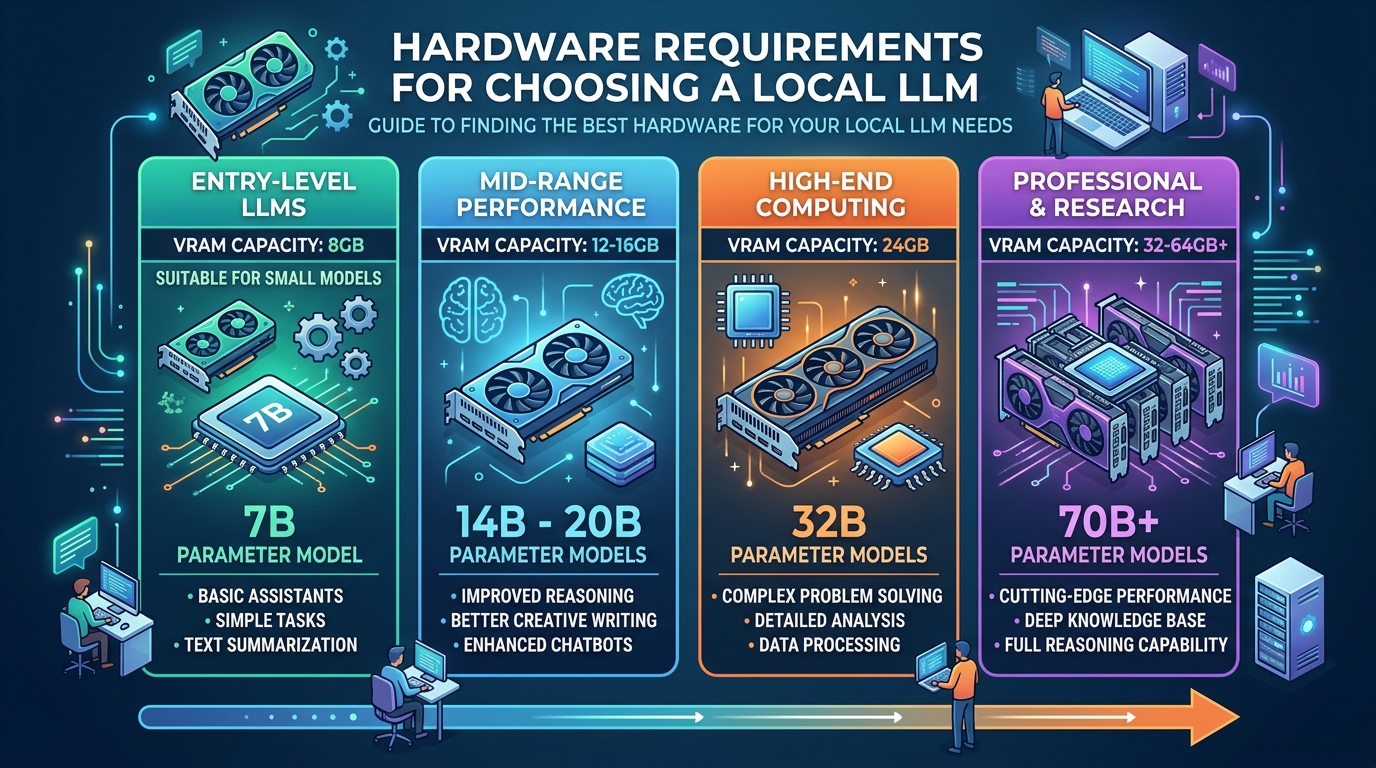
An infographic illustrating the critical hardware specifications like VRAM and RAM needed to run various local LLMs effectively.
RAM and VRAM Requirements
Memory bandwidth is the primary hardware bottleneck for local LLMs. Graphics Processing Unit (GPU) Video RAM (VRAM) is significantly faster than system RAM.
To achieve fluid, real-time text generation (20+ tokens per second), the entire model weights plus its Key-Value (KV) context cache must reside inside VRAM (or unified memory on Apple Silicon Macs).
- 8 GB VRAM: Suitable for 7B – 8B models at 4-bit quantization (
Q4_K_M). - 12 GB – 16 GB VRAM: Suitable for 14B models at
Q4_K_Mor 8B models at losslessQ8_0precision. - 24 GB VRAM (e.g., RTX 3090/4090): Suitable for 32B models at
Q4_K_Mor light 70B models at 2-bit quantization. - 32 GB – 64 GB+ Unified Memory (Mac Studio/MacBook Pro): Capable of running 70B models at
Q4_K_Msmoothly.
Model Size (7B, 13B, 70B, etc.)
Model size refers to the parameter count (in billions). Parameter size dictates the model’s structural capacity to retain facts and execute complex logical reasoning:
- Small Models (3B – 8B): Fast, lightweight, low resource footprint. Excellent for basic summarization, simple coding scripts, text rewriting, and fast autocomplete.
- Medium Models (14B – 32B): Exceptional balance of deep reasoning and speed. Highly recommended for multi-step data extraction, complex scripting, and technical drafting.
- Large Models (70B+): Near-cloud reasoning capability. Excellent for multi-step logic puzzles, subtle nuance, advanced legal/medical documents, and complex refactoring.
Quantization Level Support
Quantization compresses model precision from FP16 down to integer formats. When evaluating model downloads, look for standard GGUF quantizations:
- Q4_K_M (4-bit Medium): The gold standard target for consumer hardware, offering a 75% memory reduction with minimal perplexity loss.
- Q5_K_M (5-bit Medium): Ideal if you have surplus VRAM and want slightly higher reasoning precision.
- Q8_0 (8-bit): Near-zero accuracy loss, recommended if VRAM headroom is abundant.
The Best Local Models by Use Case
To simplify your selection process, here are top-tier open-source model families categorized by primary workload:
Best for Coding and Scripting
For software development, automated testing, and API integration:
- Qwen 2.5 Coder (7B / 14B / 32B): Widely recognized as one of the most powerful open-code models available. The 14B and 32B variants rival commercial cloud APIs on coding benchmarks, demonstrating deep mastery of Python, TypeScript, C++, and SQL.
- DeepSeek-Coder-V2 / Llama-3.1-Code Fine-tunes: Excellent alternatives for repository-wide context reasoning and automated code refactoring.
Best for General Knowledge and Writing
For conversational chat, content writing, document summarization, and data extraction:
- Llama 3.1 & 3.3 Series (8B / 70B): Meta’s flagship open models offer incredible instruction adherence, multi-lingual capabilities, and strong general reasoning.
- Qwen 2.5 Instruct (7B / 14B / 32B / 72B): Outstanding generalist performance with impressive context handling and strong performance in structured JSON output tasks.
- Mistral / Gemma 2 Series: Excellent lightweight alternatives providing punchy, natural conversational tone for creative drafting.
Best for Low-End Hardware
If you are running older laptops or integrated graphics with 4GB to 6GB of VRAM:
- Phi-3.5 Mini / Llama-3.2 (1B / 3B): Microsoft’s Phi series and Meta’s lightweight Llama 3.2 models deliver astonishing reasoning capabilities despite their microscopic memory footprints, fitting comfortably inside 4GB of VRAM.
Understanding these model strengths allows you to anticipate accuracy differences versus cloud models across various task types.
How to Evaluate a Model Before Downloading
Rather than downloading models blindly, use established open-source benchmarks to evaluate performance ahead of time.
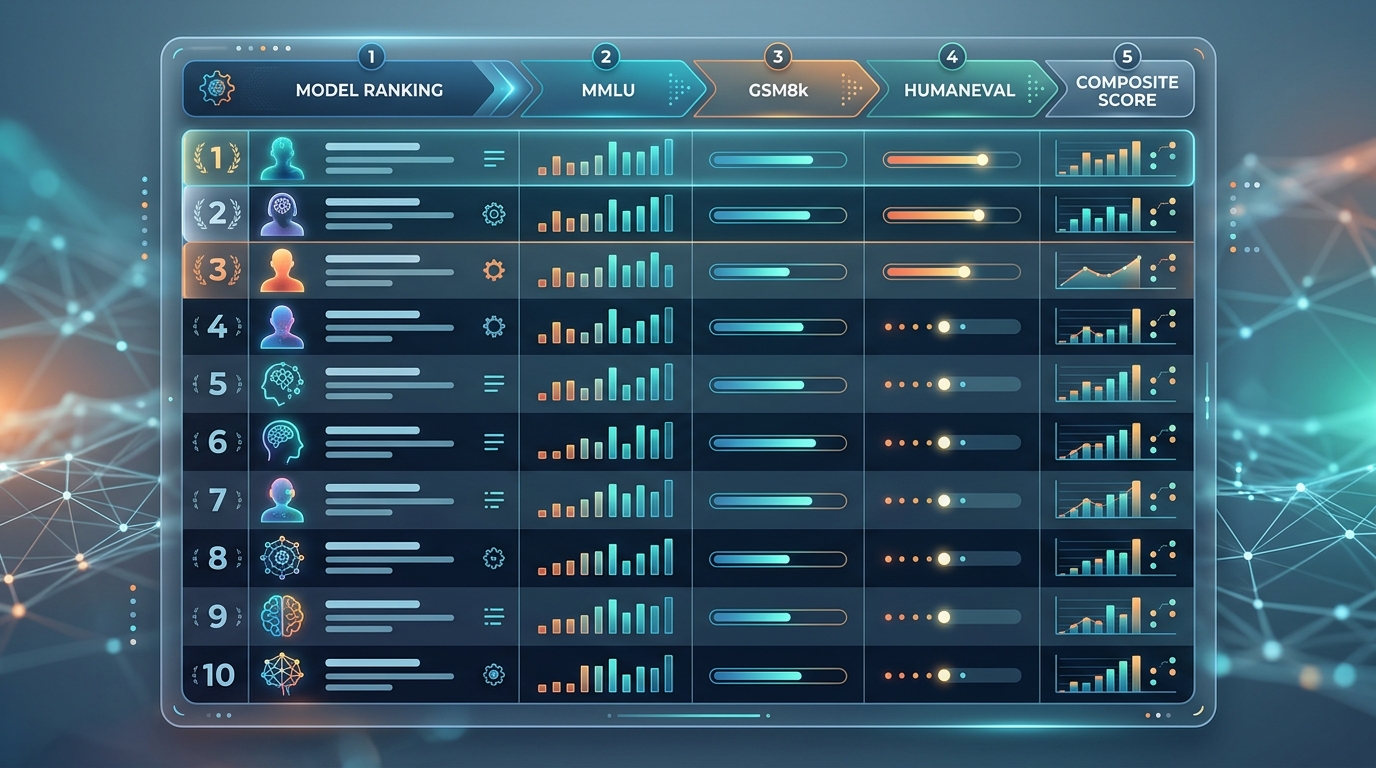
The HuggingFace Open LLM Leaderboard provides a comprehensive overview of open-source model performance across key benchmarks, aiding in pre-download evaluation.
Understanding HuggingFace Leaderboards
The HuggingFace Open LLM Leaderboard evaluates open-weight models across standardized benchmark suites: (HuggingFace Open LLM Leaderboard)
- MMLU (Massive Multitask Language Understanding): Tests multi-disciplinary knowledge across humanities, STEM, and social sciences.
- GSM8k: Evaluates multi-step grade school math and logical arithmetic reasoning.
- HumanEval: Evaluates Python code generation and functional correctness.
- MATH / IFEval: Evaluates strict instruction following (e.g., following precise formatting constraints).
Look for independent community evaluations and benchmarking charts before initiating large downloads. Once downloaded, properly configuring your system prompts and inference settings will ensure optimal local LLM output quality.
FAQs About Model Selection
What is the best all-around local model for an Nvidia RTX 4090 (24GB VRAM)?
For a 24GB GPU, a 32B parameter model (such as Qwen 2.5 32B Instruct or Qwen 2.5 Coder 32B) at Q4_K_M quantization provides the ultimate sweet spot, utilizing ~20GB of VRAM while delivering exceptional speed and near-GPT-4 reasoning quality.
Should I choose a Base model or an Instruct model?
Always select an Instruct or Chat model variant (e.g., llama-3.1-8b-instruct) for daily tasks. Base models are unaligned raw text predictors meant for custom fine-tuning and will not respond cleanly to chat prompts.
What is the difference between GGUF and EXL2 model formats?
GGUF is the universal model format used by llama.cpp, Ollama, and LM Studio; it supports flexible offloading across CPU and GPU. (llama.cpp) EXL2 (ExLlamaV2 format) is optimized exclusively for Nvidia GPUs, delivering faster inference speeds at low bit-rates but lacking CPU offload capabilities.
Can I run a 70B model on 16GB of VRAM?
To fit a 70B model inside 16GB VRAM, you would need extreme 2-bit quantization (Q2_K), which significantly degrades output quality. Alternatively, you can offload layers to system RAM, but generation speed will slow down considerably. It is generally better to run a high-precision 14B or 32B model than a heavily degraded 70B model.