
Enterprise-Grade Windows Automation Software for IT
Managing modern Windows enterprise environments requires handling complex, multi-layered administrative responsibilities. IT engineers and system administrators balance active user provisioning, patch deployment, Active Directory maintenance, software deployment, and log analysis every single day.
To keep pace with organizational demands without increasing headcount, IT departments rely heavily on automation. However, enterprise Windows management presents unique challenges that generic, web-focused automation platforms cannot resolve. Windows environments require deep operating system access, granular permission handling, and robust local execution.
Enterprise-grade Windows automation software gives sysadmins the power to orchestrate complex operating system tasks locally, efficiently, and securely. In this guide, we break down what distinguishes enterprise Windows automation, explore how combining visual workflows with native scripts elevates operational agility, and detail the security advantages of on-premise execution.
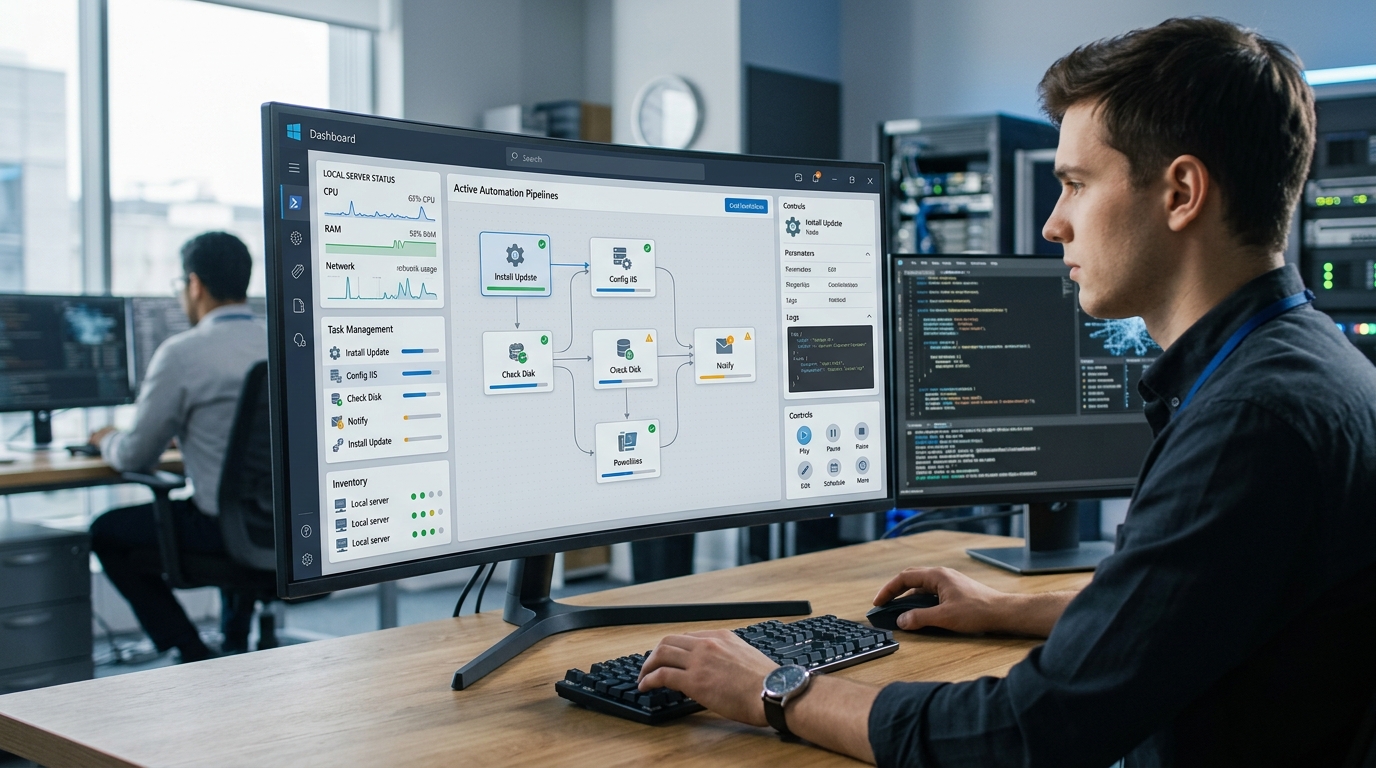
Dashboard interface of Windows automation software designed for IT administrators managing enterprise environments.
What Makes Windows Automation for IT Different?
Automating IT processes in a Microsoft Windows environment requires capabilities far beyond simple web API calls. Enterprise Windows automation for IT demands deep interaction with underlying OS subsystems, local management instrumentation, and security frameworks:
- Active Directory and Entra ID Integration: Administrative tasks frequently involve querying organizational units, updating group memberships, and managing user access credentials across hybrid Windows domains.
- WMI and CIM Instrumentation: System diagnostics require querying Windows Management Instrumentation (WMI) and Common Information Model (CIM) interfaces to monitor service states, hardware telemetry, and event logs.
- Windows Registry and File System Access: Automating software deployments or system hardening requires precise manipulation of Windows Registry hives and system configuration files.
- Privileged Execution Contexts: IT tasks often run under specific service accounts, local administrator privileges, or elevated User Account Control (UAC) contexts—security nuances that cloud-based web tools cannot handle.
Generic automation tools lack native handles for these core Windows components. Purpose-built Windows automation software bridges this gap, giving IT teams direct access to OS interfaces.
Combining Visual Workflow Windows with Script Automation
For decades, sysadmins relied on custom PowerShell scripts and Batch files stored in shared network folders. While raw scripts provide immense flexibility, managing hundreds of standalone .ps1 files across an IT organization creates significant operational overhead:
- Scripts lack centralized visual tracking and real-time execution status monitoring.
- Chaining output variables from one script to another requires writing custom file parser wrappers.
- Handling conditional retry logic and visual error reporting across multiple scripts is notoriously difficult.
Bringing Python and PowerShell into the Mix
The solution lies in pairing a visual workflow Windows interface with deep native script execution. By embedding script automation Windows tools into a structured visual canvas, sysadmins gain the visibility of an enterprise management dashboard alongside the raw execution power of native languages.
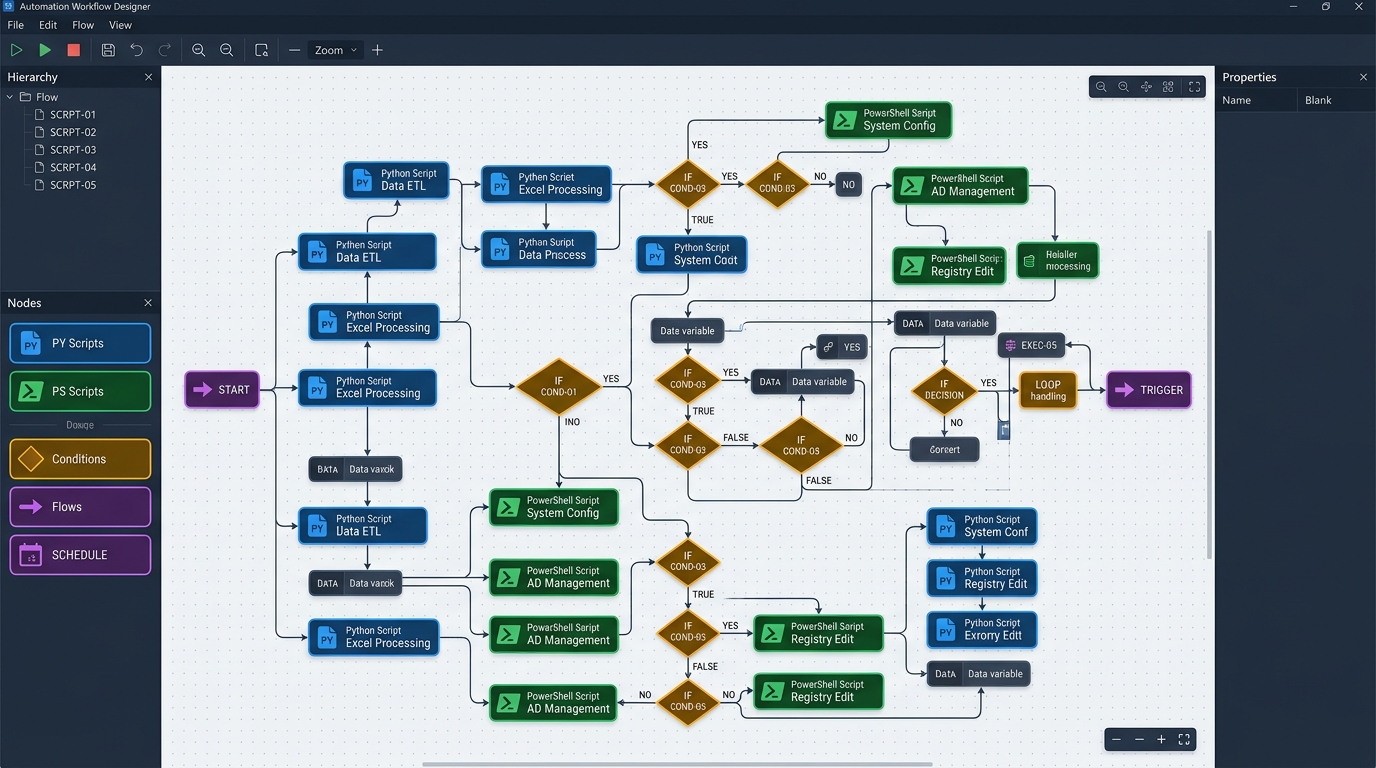
Visual workflow interface for Windows automation combining Python and PowerShell scripts within a structured canvas.
- Native PowerShell Integration: Execute complex PowerShell cmdlets, import custom modules, and pass structured object streams directly into workflow nodes without converting data into lossy string formats.
- Cross-Language Python Flexibility: Incorporate Python scripts into Windows workflows to leverage advanced data parsing libraries, machine learning modules, or REST integrations alongside native PowerShell commands.
- Structured Flow Control: Connect scripts visually using conditional logic branching, loop iterations, parallel thread execution, and automatic retry policies upon failure.
By unifying custom scripts within a visual orchestrator, IT departments maintain full transparency while eliminating fragile wrapper scripts.
Benefits of On-Premise Automation for Windows
For enterprise security leads, the architectural placement of automation engines is non-negotiable. Deploying on-premise automation Windows solutions provides essential security and operational safeguards:
- 100% Data Sovereignty: On-premise execution guarantees that corporate active directory paths, domain administrator tokens, and internal network IP topologies remain strictly on local servers.
- Air-Gapped Network Compatibility: Critical infrastructure—such as industrial control networks, financial transaction processors, and defense systems—must operate without internet access. Local Windows automation engines run seamlessly in air-gapped environments.
- Immediate Latency and Speed: Running workflows directly on local host hardware removes network transmission overhead, processing administrative operations in milliseconds.
- Elimination of SaaS Licensing Taxes: On-premise solutions eliminate recurring per-run or per-user cloud fees, enabling unlimited automation scaling at a predictable fixed cost.
To explore how local execution models compare across leading software platforms, read our evaluation of the best desktop automation tool options.
Try Our Windows Automation Software Today
If your IT team is ready to replace fragile scheduled tasks and unmanaged script folders with an enterprise-ready automation engine, Nora provides the ultimate desktop-first solution.
Nora is built specifically to handle complex Windows environments:
- Visual Canvas + Full Script Control: Design intuitive visual workflows while executing native Python and PowerShell code with absolute precision. Learn more in our technical guide to script automation Windows.
- Zero Cloud Dependencies: Keep all automation logic, credentials, and logs localized securely within your corporate perimeter.
- Enterprise Reliability: Built-in error logging, variable passing, and offline execution ensure your administrative workflows run dependably every time.
Upgrade your IT infrastructure management today with the premier local workflow engine. Learn more and get started with the Nora workflow orchestrator.
Frequently Asked Questions
What is Windows automation software?
Windows automation software refers to desktop or server-based applications designed to execute, schedule, and orchestrate administrative operating system tasks, PowerShell scripts, Python utilities, and system commands on Microsoft Windows environments.
Why is local on-premise automation better for Windows IT environments?
On-premise Windows automation executes directly on target hosts without sending credentials or system configuration telemetry to external cloud servers. This ensures maximum security, zero network latency, compliance with regulatory standards, and full offline functionality.
Can I run both PowerShell and Python scripts within the same workflow?
Yes. Advanced orchestrators like Nora allow you to combine PowerShell cmdlets and Python scripts inside a single visual workflow pipeline, passing structured variables and output data seamlessly between different scripting engines.
Does Windows automation software require constant internet access?
No. Purpose-built local desktop automation software like Nora runs entirely on local host hardware, requiring zero internet access or external API connections to execute scheduled or manual IT workflows.