
Ollama on 16GB RAM: Best Models and Quantization Tips
Ollama has quickly become the preferred local inference CLI tool for running open-weight artificial intelligence models directly on developer workstations. Its simple terminal-first interface, automatic memory allocation, and lightweight background daemon make executing large language models as straightforward as running a standard docker container.
However, when operating on mid-range hardware—specifically machines with 16GB of system memory—selecting the right model tags and understanding quantization is essential. Running ollama 16gb ram configurations requires selecting models that balance prompt context, reasoning power, and RAM usage.
In this guide, we break down how Ollama manages hardware memory on 16GB systems, evaluate popular models like Llama, Mistral, Gemma, and Phi-3, and explain how quantized GGUF formats make local inference smooth and efficient.
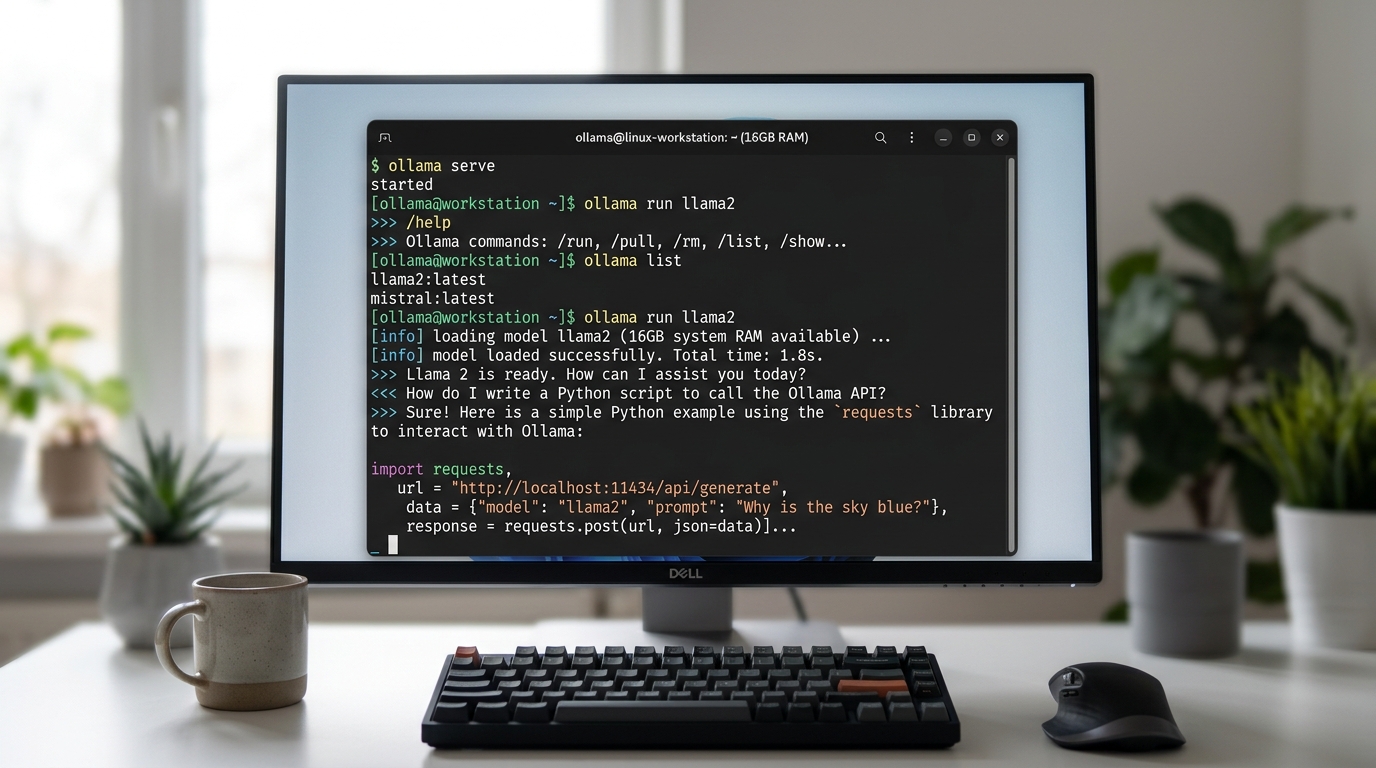
Running Ollama models directly from the terminal on a 16GB RAM system.
Can I Run Ollama on 16GB RAM?
Yes, running Ollama on a system with 16GB RAM is an effective and performant setup for most daily developer tasks.
Ollama operates by running a lightweight background server that dynamically loads models into available system RAM or VRAM upon receiving an API or CLI request. When a model request completes and stays idle for a configurable timeout period (defaulting to 5 minutes), Ollama offloads the model tensors from RAM to keep system resources free.
On a typical 16GB laptop running macOS, Windows, or Linux:
* Available Headroom: Your operating system and essential background tools use around 4GB to 5GB of memory. This leaves 11GB to 12GB of contiguous memory available for Ollama’s runtime engine.
* Optimal Model Sizing: Models up to 8B parameters quantized at 4-bit (Q4_K_M) load seamlessly, requiring only 4.5GB to 5.5GB of memory space.
* Maximum Workable Sizing: Models up to 14B parameters in 3-bit or 4-bit quantization can be executed, taking 8.5GB to 10GB of RAM, though background applications must be minimized.
If you are comparing local inference managers to decide whether Ollama fits your workflow, explore our guide detailing the key differences between Ollama and LM Studio.
Which Ollama Models Fit in 16GB RAM?
Ollama offers a curated registry of ollama models 16gb hardware can run without exceeding system boundaries. Below is an overview of popular architectures and their performance profile on 16GB hardware.
Llama 16GB RAM Performance
Meta’s Llama family—including Llama 3, Llama 3.1, and Llama 3.2—is fully supported in Ollama. (Meta’s Llama family)
* llama3.1:8b (Default Q4_0): Requires approximately 4.7 GB of RAM.
* Performance: On Apple Silicon M-series chips with unified memory, llama3.1:8b delivers 25 to 40+ tokens per second. On Intel/AMD CPUs with system RAM, token generation remains practical for interactive terminal usage (10 to 18 tokens per second).
* llama3.2:3b: Requires roughly 2.0 GB of RAM. Runs almost instantly, leaving massive memory headroom for long codebases and large document context buffers.
Mistral 16GB RAM Performance
Mistral AI’s models are optimized for high throughput and rapid instruction adherence.
* mistral:7b (Default Q4_0): Requires ~4.1 GB of RAM.
* Performance: Mistral 16gb ram executions feature low initial latency (time to first token) and reliable code output. It is particularly effective for automated scripts and local RAG pipelines integrated via Ollama’s REST API (localhost:11434).
Gemma and Phi-3 for 16GB RAM
Google’s Gemma and Microsoft’s Phi series offer high efficiency for specialized tasks: (Microsoft’s Phi series) (Google’s Gemma)
* gemma2:9b: Takes ~5.4 GB of RAM. Delivers strong performance on logical reasoning, math, and detailed text synthesis tasks.
* phi3:mini or phi3.5:3.8b: Takes ~2.3 GB of RAM. Phi-3 16gb ram setups run with negligible impact on system performance, allowing developers to execute background LLM routines while concurrently compiling software projects.
Understanding Quantized Models for 16GB RAM
To fit multi-billion parameter neural networks into a 16GB RAM envelope, models undergo a compression process called quantization.

Quantization techniques are crucial for running powerful LLMs on systems with limited RAM.
What Are the Best Quantized Models for 16GB?
Quantization reduces the precision of a model’s weights from high-precision floating-point representations (such as 16-bit FP16 or 32-bit FP32) down to lower bit representations (such as 8-bit, 4-bit, or 2-bit integers).
For 16GB RAM systems, the standard recommendations are:
1. Q4_K_M (4-bit Medium): The optimal balance. Shrinks the raw file size by over 70% compared to FP16 with negligible loss in benchmark performance or language comprehension.
2. Q5_K_M (5-bit Medium): Slightly larger memory footprint (+1GB over Q4), providing slightly tighter code generation precision for edge-case programming tasks.
3. Q8_0 (8-bit): Ideal for smaller 3B models (like llama3.2:3b or phi3:mini), granting near-original precision without exceeding memory limits.
GGUF Formats Explained
Ollama builds upon llama.cpp and utilizes the GGUF (GPT-Generated Unified Format) binary container format. GGUF provides critical features for modern quantized models 16gb ram hardware relies upon:
* Single File Distribution: All model hyper-parameters, metadata, vocabulary, and quantized tensor weights reside in a unified binary file.
* Layer Offloading Flexibility: If your system includes a discrete GPU with limited VRAM (e.g., 4GB or 6GB VRAM on Windows), Ollama automatically splits GGUF layers between GPU VRAM and main system RAM.
* Fast Memory Mapping (mmap): Allows Ollama to instantly map model files into system RAM without tedious deserialization overhead upon invocation.
If you are running Windows without a dedicated GPU, learn how to configure CPU thread execution by reading our guide on running Ollama on Windows with no GPU.
FAQs About Ollama on Limited Hardware
Is 16GB RAM enough for running LLMs locally?
Yes, 16GB of RAM is fully sufficient for running 3B to 9B parameter LLMs locally using tools like Ollama. Models such as Llama 3.1 8B, Mistral 7B, Gemma 2 9B, and Phi-3.5 require between 2.3GB and 5.8GB of RAM when formatted in standard 4-bit quantization. This leaves ample memory available for your operating system and active desktop software.
To compare how Ollama models fit into broader laptop buying strategies and performance targets, check out our guide on finding the best local LLM for 16GB RAM laptops. You can also follow our detailed walkthrough on optimizing your LLM setup for 16GB RAM to get maximum speed out of your operating system.