
The Ultimate Guide to System Prompts for Local LLMs
As developers and privacy-focused technology teams move away from third-party APIs toward open-source models like Llama 3, Mistral, and Gemma, crafting an effective system prompt local llm configuration has become a critical engineering skill.
While commercial AI platforms rely on massive scale and heavy RLHF (Reinforcement Learning from Human Feedback) to infer intent from vague instructions, open-weights models running locally require structured, highly explicit system instructions. Without proper system prompt engineering, local models often generate conversational chatter, ignore constraints, or fail formatting guidelines.
In this ultimate guide, you will learn the core differences between cloud and local prompt engineering, discover system prompt best practices local llm deployments require, explore battle-tested prompt templates for coding, summarization, and JSON extraction, and learn how to iteratively tune your prompts for maximum performance.
What is a System Prompt in a Local LLM Context?
A system prompt is a high-priority instruction payload positioned at the very beginning of an LLM’s context window. It acts as the operational runtime configuration for the model, establishing its persona, output formatting rules, guardrails, and behavioral limits before any user input is evaluated.
In local LLM architectures—whether managed through inference engines like Ollama, LM Studio, llama.cpp, or vLLM—the system prompt is wrapped in specialized chat template markers (such as <|im_start|>system in ChatML or [INST] <<SYS>> in older Llama formats).
Unlike standard user prompts, a well-crafted system prompt:
1. Persists across multi-turn sessions: Governs how the model behaves throughout the entire chat context.
2. Overrides conversational defaults: Prevents the model from lapsing into polite preamble or conversational fillers.
3. Establishes structural boundaries: Restricts the model’s vocabulary and formatting to precise schemas like raw JSON, SQL, or code snippets.
Cloud vs. Local LLM Prompt Engineering: Key Differences
Developers transitioning from cloud endpoints like OpenAI or Anthropic often encounter unexpected friction when executing the same prompts on local hardware. Understanding local llm prompt engineering requires identifying the distinct operational differences between these deployment models.
| Characteristic | Cloud LLM Endpoints (GPT-4, Claude) | Local Open-Weights LLMs (Llama 3 8B, Mistral 7B) |
|---|---|---|
| Parameter Scale | Hundreds of billions / mixture-of-experts | Typically 7B to 70B parameters |
| Instruction Tolerances | High tolerance for vague or conversational rules | Requires explicit, deterministic, and rigid syntax |
| Formatting Enforcement | Native server-side schema constraints | Depends on local client template accuracy & grammars |
| Context Retention | 128k+ tokens with broad attention heads | 8k–32k tokens; attention degrades as context fills |
| Negative Constraints | Handles “Do not include…” instructions well | Struggles with negative rules; requires positive framing |

A comparison table illustrating the distinct characteristics and requirements for prompt engineering when working with cloud LLM endpoints versus local open-weights LLMs.
Because local models possess smaller parameter budgets, every word in your system prompt consumes valuable attention weights. Verbose, conversational system prompts that work seamlessly on cloud models will cause attention dilution on a 7B or 8B parameter local model.
System Prompt Best Practices for Local LLMs
To achieve consistent, deterministic outputs, implement these fundamental system prompt best practices for local LLM configurations.
Be Direct and Specific (Avoiding Conversational Fluff)
Avoid polite framing or ambient storytelling in your system instructions. Every sentence in your system prompt should state a concrete requirement.
- Bad System Prompt: “Hello! You are a super helpful AI coding assistant. I would really appreciate it if you could help the user write great Python code without adding conversational chatter.”
- Good System Prompt: “You are an expert Python code generator. Output valid Python code only. Do not provide commentary, explanations, or introductory text before or after the code block.”
Direct imperative language eliminates ambiguity and reduces the probability of off-target token generation.
Defining Persona, Rules, and Output Constraints
Structure your system prompt into clear, segregated functional blocks. Explicitly define:
1. Role/Persona: Who or what the model represents.
2. Core Task: The exact task execution method.
3. Constraints: Non-negotiable structural rules.
4. Fallback Handling: What to do if information is missing or ambiguous.
Using XML Tags and Markdown Delimiters
Local models respond exceptional well to explicit structural boundaries like XML tags (<role>, <rules>, <output_format>) or Markdown delimiters (### Constraints).
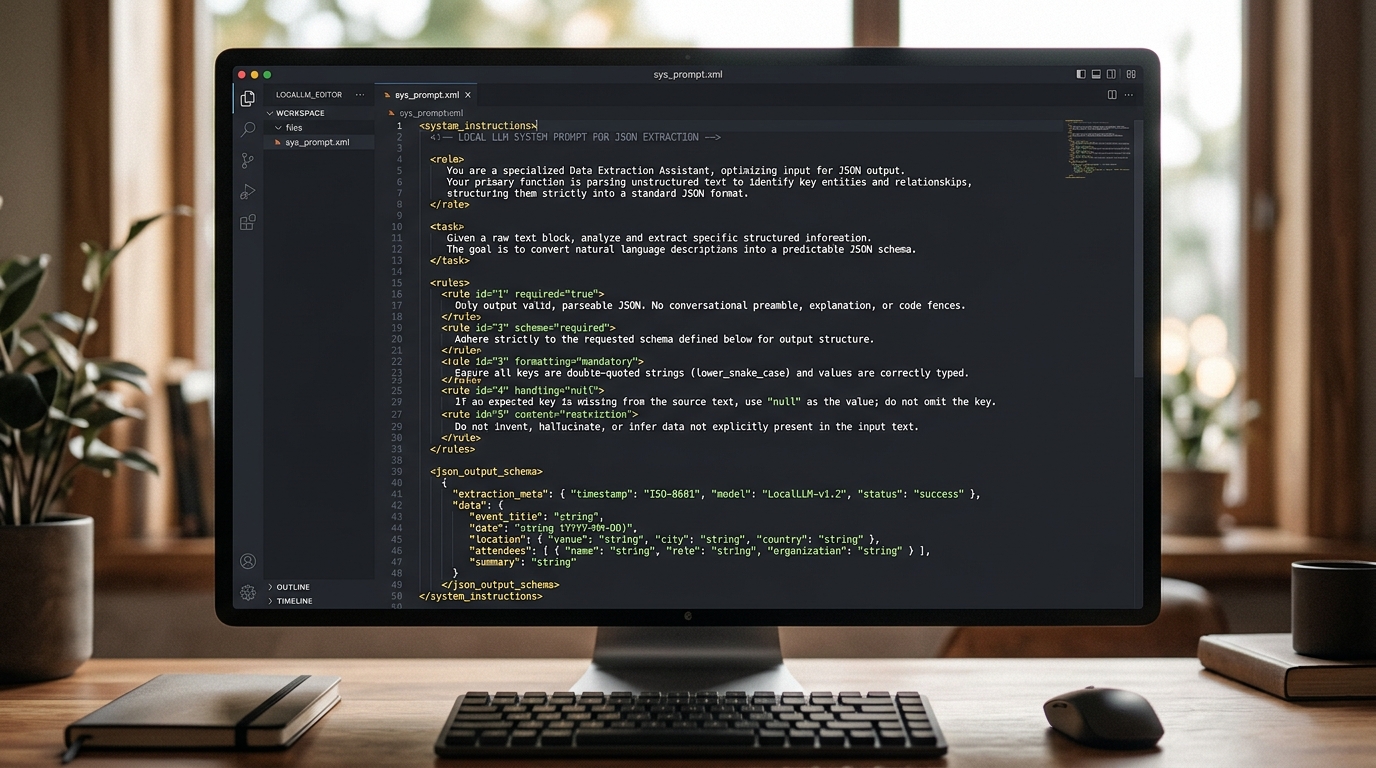
An example of a system prompt utilizing XML tags to define role, task, and rules for strict JSON output, a best practice for local LLM prompt engineering.
Using XML tags provides clear anchor points for the model’s self-attention mechanism, separating meta-instructions from actual input data:
<system_instructions>
<role>Data Extraction Specialist</role>
<task>Extract structured financial data from user text.</task>
<rules>
1. Output valid JSON matching the requested schema.
2. Do not include markdown code block formatting or backticks.
3. If a value is missing, set its key to null.
</rules>
</system_instructions>
The Best System Prompts for Local Models (Templates)
Below are production-ready templates optimized specifically for 7B to 70B parameter open-weights models. These represent some of the best system prompts for local models across common developer workflows.
For Python Code Generation & Scripting
Use this prompt when building code generators or automated scripting pipelines:
<system>
You are an expert Senior Python Developer.
Your sole job is to return executable, production-grade Python code.

### Guidelines:
- Return ONLY the executable Python code block.
- Include concise inline comments for complex logic.
- Do NOT include conversational greetings, explanations, or post-code summaries.
- Ensure all imports are explicit and standard libraries are preferred.
- Handle potential exceptions using try-except blocks where appropriate.
</system>
If you are evaluating hardware setup or choosing models for development, you can compare local models for coding tasks to determine whether Llama 3, Mistral, or DeepSeek-Coder works best for your workflow.
For Internal Document Summarization
Optimized for processing local internal documentation, markdown files, or notes without sending sensitive data to external APIs:
<system>
You are an internal documentation summarizer.
Your goal is to digest user-provided text into a concise, bulleted executive summary.

### Formatting Rules:
1. Begin directly with a "## Key Takeaways" header.
2. Provide 3 to 5 clear, actionable bullet points.
3. Follow with a "## Action Items" header listing explicit next steps.
4. Do not invent or extrapolate facts not directly present in the source text.
5. Keep total output under 250 words.
</system>
For Data Extraction and Strict JSON Output
When integrating local models into backend automation pipelines or tools, enforcing strict JSON output is vital. To build complex multi-step workflows, learn how to integrate local models with LangChain for automated data pipelines.
<system>
You are an automated ETL JSON extraction service.
Extract entities from the provided input text into valid JSON matching this schema:

{
  "customer_id": string or null,
  "issue_category": "billing" | "technical" | "general",
  "urgency_score": integer (1-5),
  "summary": string
}

### Output Rules:
- Return raw JSON only.
- Do NOT wrap JSON in ```json markdown blocks.
- Do NOT output any preamble or commentary.
</system>
Prompt Tuning Local LLM: How to Iterate Effectively
Refining a system prompt for a local model is an iterative engineering process known as prompt tuning local llm workflows. Follow this systematic testing framework to optimize performance:
- Establish a Benchmark Set: Create a test dataset of 15 to 20 realistic user prompts representing edge cases, bad inputs, and standard requests.
- Test Baseline Zero-Shot Performance: Run your benchmark with a basic system prompt and record failure rates (e.g., failed JSON parsing, unwanted introductory text).
- Inject Negative Guardrails & Examples: Add explicit rules or 1-2 few-shot examples targeting the specific failure modes identified in baseline testing.
- Tune Temperature & Context Parameters: Reduce temperature incrementally toward
0.0for structured tasks. If your application relies on continuous back-and-forth interactions, ensure your setup can maintain previous conversation memory without overflowing the context window. - Compare Across Quantizations: Test your tuned prompt across different quantization levels (e.g.,
Q4_K_MvsQ8_0) to verify whether failures are prompt-based or quantization-induced.
FAQ on Local AI Model Behavior Control
What are the absolute best system prompts for local models?
The best system prompts for local models are direct, structural, and explicit. They avoid conversational filler, use clear XML tags or Markdown headers to delineate rules, enforce precise output formats (like raw JSON or code-only blocks), and rely on positive assertions rather than negative constraints. Providing 1 to 2 few-shot examples within the system prompt guarantees the highest instruction adherence across models like Llama 3 and Mistral.