
How to Fix Local LLM Context Window Limits and Overflow Errors
Running open-source Large Language Models (LLMs) locally on your own hardware gives you total privacy, zero API cost per token, and fine-grained control over your AI stack. However, local developers and engineers frequently encounter a brick wall: the local llm context window limit.
When your prompt, system instructions, and chat history exceed the maximum token capacity allocated to the model, performance rapidly degrades. You might face runtime crashes, silent text truncation, hallucinated answers, or explicit out-of-memory (OOM) exceptions in your terminal.
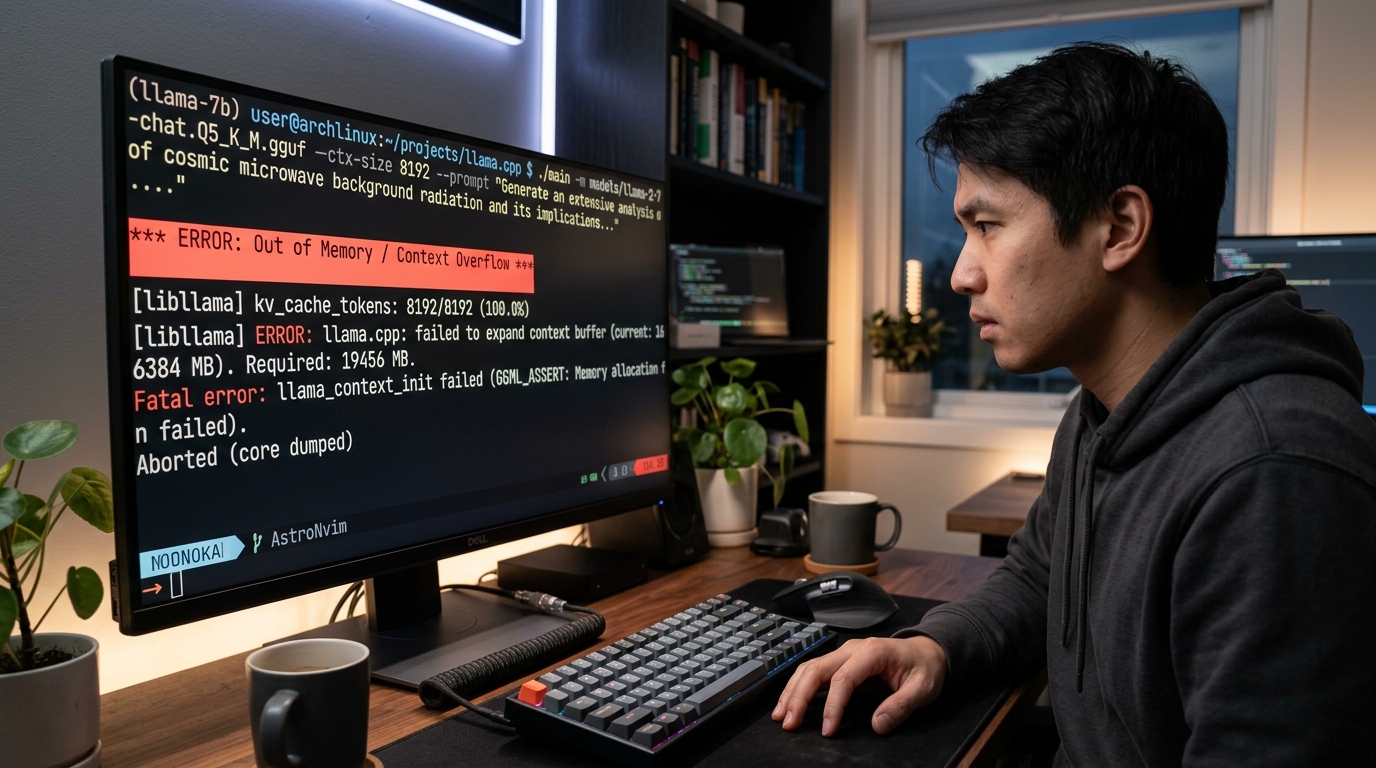
Terminal screenshot showing a local LLM context overflow error during model execution.
If you need to fix local llm context errors, extend local llm memory, or optimize model configurations in 2026, this practical troubleshooting guide walks you through the technical causes, diagnostics, hardware constraints, and direct fixes.
What is the Local LLM Context Window Limit?
The context window represents the maximum number of tokens—individual words, characters, or sub-word fragments—that an LLM can process in a single inference operation. This window encompasses everything: system instructions, user prompts, retrieved documents, and the model’s generated output tokens.
In local deployments (using runtime tools like Ollama, llama.cpp, LM Studio, or vLLM), the local llm context size is governed by two boundaries:
1. The Native Context Window Architecture: The hard ceiling defined by the model architecture during pre-training (e.g., 4,096 tokens for base Llama models, 8,192 tokens, or up to 128,000 tokens for long-context architectures).
2. The Runtime Context Allocation: The actual context length configured in your local execution engine (often defaulted to 2,048 tokens in platforms like Ollama to protect host VRAM).
Why Local LLMs Run Out of Context
Understanding why local llm runs out of context comes down to transformer self-attention mechanisms and memory scaling:
- Attention Memory Scaling ($O(N^2)$): Standard self-attention matrices scale quadratically with context length ($N$). Doubling your context window requires four times as much memory allocation for the key-value (KV) cache.
- VRAM Bottlenecks: Unlike cloud providers running multi-GPU clusters, your local GPU (e.g., NVIDIA RTX 3090/4090 or Apple Silicon unified memory) has a rigid VRAM limit. If the KV cache exceeds available GPU memory, the runtime must either throw an error or crash.
- Default Configuration Caps: Many local inference runners cap the default context at a conservative token count (such as 2,048 tokens) to ensure out-of-the-box compatibility across low-end laptops, regardless of native model capability.
Common Symptoms: Local LLM Context Overflow and Errors
Recognizing local llm context overflow early prevents wasted development hours. Look out for these common failure modes:
- CUDA Out of Memory (OOM) Exceptions: The process crashes during matrix multiplication or KV cache allocation (
CUDA out of memory. Tried to allocate...). - Silent Truncation: Older parts of your prompt or system prompt are dropped without notice, leading the model to ignore formatting rules or key facts.
- Context Overflow Runtime Errors: Tools display explicit warnings like
error: context length exceededorinput exceeds maximum sequence length. - Severe Response Degradation: The model repeats sentences, outputs gibberish, or completely loses track of conversational state in long sessions.
How to Troubleshoot Local LLM Context Errors
Before applying fixes, you must troubleshoot local llm context settings to pinpoint whether the bottleneck is software-configured or hardware-restricted.
Checking Your Current Local LLM Context Size
First, identify the exact context length your runtime engine is serving:
- Ollama: Check the active context size during execution or inspect model parameters with
ollama show <model-name> --parameters. The default setting is often set tonum_ctx 2048. - llama.cpp / llama-cli: Look at the terminal initialization logs for the parameter
-cor--ctx-size. If omitted, llama.cpp defaults to512or2048depending on the build version. - LM Studio / Text-Generation-WebUI: Check the inference settings tab under “Model Parameters” or “Context Length Slider”.
If your application requires sustained conversations across long sessions, failing to monitor token usage will lead to performance drops. To prevent conversational memory drops, tracking token allocation in real time is essential.
Identifying Hardware Bottlenecks (RAM/VRAM)
To determine if your system hardware can handle an expanded context window, calculate your VRAM budget:
$$\text{KV Cache Memory (Bytes)} \approx 2 \times \text{Layers} \times \text{Heads} \times \text{Head Dim} \times \text{Sequence Length} \times \text{Precision Bytes}$$
For example, running a 7B parameter model at 16-bit precision with an 8,192 token sequence requires several gigabytes of dedicated VRAM solely for the KV cache—in addition to the weights of the quantized model itself.
- On Linux/Windows NVIDIA setups: Run
nvidia-smiin your terminal while sending a maximum-length prompt. Watch GPU VRAM usage. If usage hits 98%–100% right before an error, your local GPU is VRAM-constrained. - On Apple Silicon (M1/M2/M3/M4): Monitor Activity Monitor under the “Memory” tab. Unified memory allocates space dynamically, but hitting swap memory dramatically slows down token generation rates (tokens per second).
How to Fix Local LLM Context Issues and Extend Memory
Once you know your current baseline and VRAM limits, you can implement concrete solutions to increase local model context and resolve runtime errors.

Diagram illustrating how to increase local model context window settings in different local LLM runtimes.
Increase Local Model Context Settings in Your Runner
If your model natively supports a larger context (e.g., 8K or 32K) but your runner caps it, manually increase the parameters in your environment:
1. Ollama Configuration
To adjust Ollama context settings, modify the num_ctx value in a Modelfile or pass it via API parameter:
# Modelfile example
FROM llama3.2:8b
PARAMETER num_ctx 8192
Build and run the updated model:
ollama create llama3-8k -f ./Modelfile
ollama run llama3-8k
2. llama.cpp / GGUF Command Line
Specify the -c flag when launching the binary:
./llama-cli -m models/llama-3.2-8b-instruct.Q4_K_M.gguf -c 8192 -p "Your long prompt..."
3. Python Implementations (Transformers / vLLM)
In vLLM, pass the max_model_len parameter upon initialization:
from vllm import LLM

llm = LLM(
    model="meta-llama/Llama-3.2-8B-Instruct",
    max_model_len=8192,
    gpu_memory_utilization=0.90
)
Choosing Models with Larger Native Context Sizes
If your primary task involves processing hundreds of pages of documentation, simply stretching a 2,048-token base model will yield poor results. Instead, select architecture variants natively trained on long contexts:
| Model Family | Native Context Window | Target Use Case |
|---|---|---|
| Llama 3.2 (1B / 3B / 8B) | 128,000 tokens | Long-document processing, multi-file code review |
| Qwen 2.5 (7B / 14B / 32B) | 32,000–128,000 tokens | Technical docs, deep reasoning, structured extraction |
| Mistral / Mixtral Series | 32,000 tokens | High-speed multi-turn agent execution |
| Phi-3 / Phi-3.5 Mini | 128,000 tokens | Lightweight, edge-device long-context inference |
Note: While these architectures natively support huge windows, running 128k tokens locally requires substantial hardware reserves or aggressive quantization techniques.
Quantization: Trade-offs for Context Window Space
To extend local llm memory without buying new hardware, apply quantization to both model weights and the KV cache:
- Weight Quantization (GGUF / AWQ): Downscaling a model from FP16 (16-bit) to
Q4_K_M(4-bit) frees up to 60–70% of your VRAM. This saved VRAM can then be reallocated directly to expanding your context length buffer. - KV Cache Quantization (FlashAttention & FP8/INT8 KV): Standard runners store the key-value cache in FP16 precision. Enabling INT8 or FP8 KV cache quantization cuts context memory consumption by half with virtually zero loss in answer precision:
bash

   # Enabling FP8 KV cache in vLLM

   python3 -m vllm.entrypoints.openai.api_server \

       --model meta-llama/Llama-3.2-8B-Instruct \

       --kv-cache-dtype fp8
When to Improve Local LLM Context vs. Change Strategy
Expanding local context windows isn’t always the optimal solution. Understanding when to increase hardware limits versus when to optimize your context window strategies through architectural design is key to building fast, reliable local applications.
                     Is your context > 32k tokens?
                                 │
                   ┌─────────────┴─────────────┐
                  YES                          NO
                   │                           │
         Do you have > 24GB VRAM?     Are you experiencing OOM?
           ┌───────┴───────┐             ┌─────┴─────┐
          YES              NO           YES          NO
           │               │             │           │
     Increase Context  Use RAG /   Quantize KV   Use Native
      Settings         Chunking     Cache / Q4     Context
Strategy Comparison Matrix
- Option A: Increasing Native Context Window
- Best for: Multi-file code generation, legal contract analysis, single-shot deep analysis.
- Drawbacks: High VRAM usage, slower time-to-first-token (TTFT), quadratic attention overhead.
- Option B: Retrieval-Augmented Generation (RAG)
- Best for: Searching vast knowledge bases, enterprise search, technical documentation repositories.
- Benefits: Operates efficiently within small (2K–4K) context windows, saves massive GPU memory, eliminates unnecessary attention computation.
- Option C: Context Compaction & Summarization
- Best for: Conversational chat agents, long-running terminal assistants.
- Benefits: Retains system prompts and user goals while dropping redundant conversation history tokens.
FAQs about Local LLM Context
Why does my local LLM throw an Out of Memory error even when my prompt is short?
Even if your input prompt is short, local runtimes pre-allocate buffer space based on your configured context size (num_ctx). If the runtime attempts to allocate space for 8,192 or 16,384 tokens in VRAM and your GPU lacks free memory, it will crash immediately before generating a single token.
How do I fix a local LLM context window error in Ollama?
You can fix local llm context errors in Ollama by creating a custom Modelfile with PARAMETER num_ctx <size> (e.g., 4096 or 8192), building the model using ollama create, or passing "num_ctx": 4096 in the JSON body of API calls to http://localhost:11434/api/generate.
Does increasing context size slow down generation speed?
Yes. Larger context windows require processing more tokens through attention layers. Processing long prompt sequences increases prefill time (time-to-first-token), and a larger KV cache slows overall evaluation speed, especially if your GPU hits memory bandwidth bottlenecks.
What is the difference between model context size and runtime context size?
Model context size is the maximum token capacity the neural network was pre-trained to handle (e.g., Llama 3.2’s 128K limit). Runtime context size is the specific buffer size allocated by your execution engine (such as llama.cpp or Ollama), which can be set lower to preserve GPU VRAM.