
Ollama Context Window Settings: How to Increase and Optimize Memory
Ollama has become the standard execution engine for running open-source Large Language Models locally across Linux, macOS, and Windows. However, developers quickly run into a common roadblock when feeding large documents or long chat histories into their models: the default ollama context window limit.
By default, Ollama configures active model instances with a conservative context buffer of 2,048 tokens. Even if you pull a modern model (like Llama 3.2 or Qwen 2.5) that natively supports up to 128,000 tokens, Ollama caps input sequence lengths unless you explicitly tell it to allocate more VRAM memory.
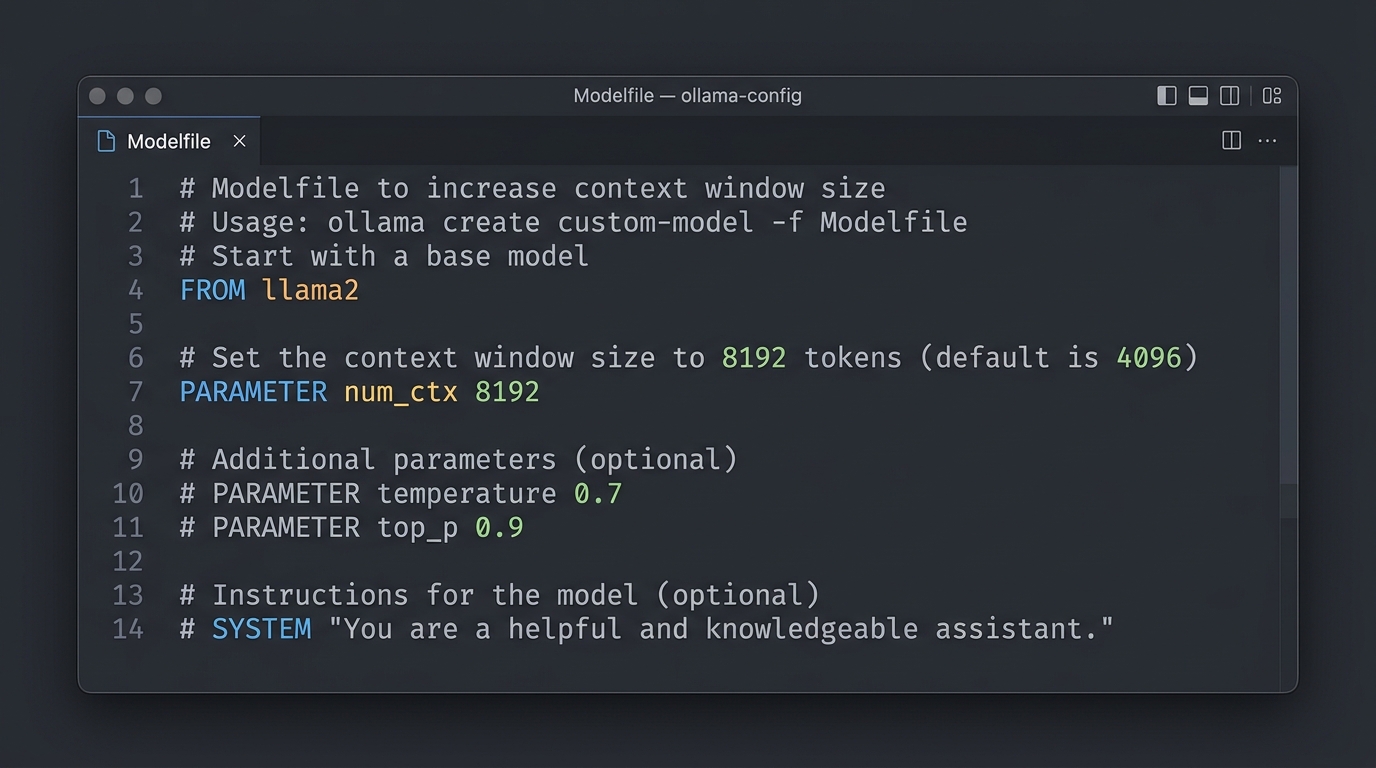
Code snippet demonstrating how to increase the Ollama context window size in a Modelfile
In this step-by-step technical guide, you will learn how to check, increase, and troubleshoot the ollama context window using CLI options, custom Modelfile syntax, and REST API calls.
Understanding the Default Ollama Context Window
Before changing configurations, it helps to understand why Ollama sets its default context window to 2,048 tokens ($2\text{K}$).
When allocating GPU memory, the Key-Value (KV) cache grows linearly with context sequence length. To prevent out-of-memory (OOM) crashes on standard desktop computers and integrated graphics setups, Ollama enforces a conservative baseline memory footprint.
Ollama Default State:
┌─────────────────────────────────────────────────────────────┐
│ Total Active Context Allocation = 2048 Tokens                │
├──────────────────────────────┬──────────────────────────────┤
│ Input Prompt Buffer          │ Output Generation Reserve    │
└──────────────────────────────┴──────────────────────────────┘
If your prompt exceeds this 2,048-token window without manual parameter adjustments, Ollama silently truncates the beginning of your prompt or drops earlier conversational turns. Understanding the fundamental concept of context window limits is crucial before attempting to push your hardware limits.
How to Change the Ollama Context Window Size
You can adjust the ollama context window using three different methods, depending on whether you interact with Ollama via the command line, custom model configurations, or direct API integration.
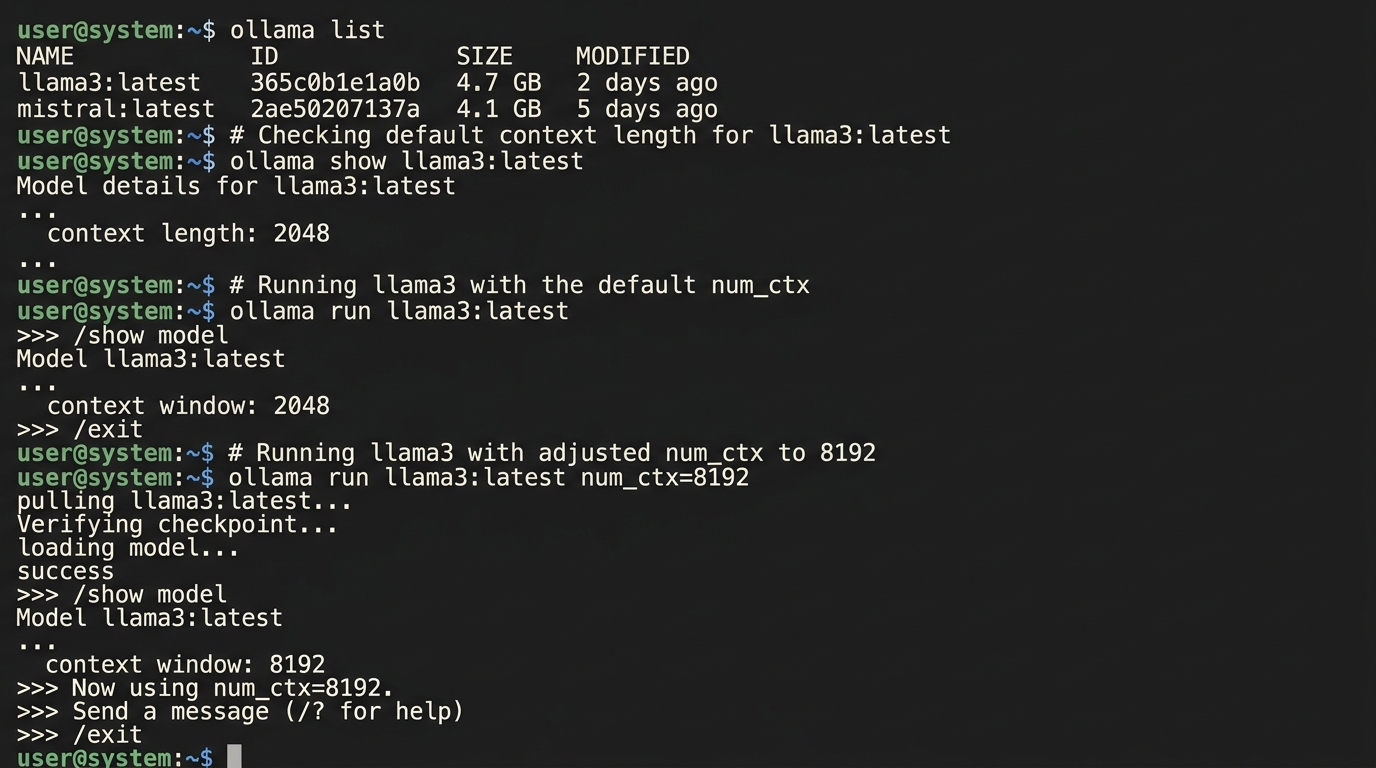
Terminal screenshot of adjusting the num_ctx parameter for the Ollama context window limit
Using the Command Line Flag (num_ctx)
If you are using tools like Open WebUI, Continue.dev, or interactive terminal sessions, pass the num_ctx parameter directly during execution or client initialization.
When executing queries via curl or raw terminal environments, specify parameter flags within the request payload.
Setting the Context Window in an Ollama Modelfile
The cleanest way to permanently increase the context size for a specific model is to create a custom Ollama Modelfile. This sets the default parameter whenever you launch the model.
Step 1: Create a Modelfile
Create a plain text file named Modelfile in your working directory:
# Start from an existing base model
FROM llama3.2:8b

# Set the context window to 8192 tokens (8K) or 16384 (16K)
PARAMETER num_ctx 8192

# Optional: Set GPU offload layers or temperature
PARAMETER temperature 0.7
Step 2: Build the New Model Variant
Run the ollama create command to compile your new model configuration:
ollama create llama3-8k -f ./Modelfile
Step 3: Run Your Custom Model
Launch your newly created model variant with the updated memory limits:
ollama run llama3-8k
Now, llama3-8k will automatically start with an 8,192 token context window every time it is loaded into memory.
Adjusting Context via the Ollama REST API
If you are building Python, TypeScript, or Go applications that communicate with Ollama’s local HTTP endpoint (http://localhost:11434), pass num_ctx inside the options object.
Example cURL Request:
curl http://localhost:11434/api/generate -d '{
  "model": "llama3.2:8b",
  "prompt": "Summarize the technical architecture described below...",
  "stream": false,
  "options": {
    "num_ctx": 16384
  }
}'
For Python developers implementing programmatic calls, explore our guide on making API changes to context size using the official Ollama Python library.
Troubleshooting Ollama Memory and Context Errors
Increasing the context window consumes significantly more VRAM. Monitoring hardware performance ensures your local system remains stable.
Balancing Context Size with VRAM Limitations
Every increase in num_ctx allocates additional space for the Key-Value (KV) cache in GPU VRAM:
| Model Size & Quantization | num_ctx 2048 VRAM |
num_ctx 8192 VRAM |
num_ctx 32768 VRAM |
|---|---|---|---|
| Llama 3.2 3B (Q4_K_M) | ~2.2 GB | ~2.9 GB | ~5.8 GB |
| Llama 3.2 8B (Q4_K_M) | ~5.2 GB | ~6.8 GB | ~12.1 GB |
| Qwen 2.5 14B (Q4_K_M) | ~9.1 GB | ~11.5 GB | ~18.4 GB |
Rule of Thumb: If your GPU has 12 GB of VRAM, running an 8B model with num_ctx 8192 is generally stable. Pushing to num_ctx 32768 on a 12 GB card may force Ollama to offload model layers to system RAM, drastically reducing token generation speeds.
What Happens When You Exceed the Context Limit in Ollama
If your input sequence exceeds the configured num_ctx value:
1. Silent Truncation: Ollama discards tokens from the beginning of the prompt (after system instructions) to fit within num_ctx.
2. CUDA Out of Memory Errors: If num_ctx is set higher than your physical VRAM capacity, the server log will output out of memory exceptions and fail to spawn the model process.
To manage large context sizes efficiently without overwhelming host hardware, explore broader context strategies like RAG or prompt compression.
Best Models to Run in Ollama for Large Contexts
Not all models perform equally well at extended context lengths. Here are the top open-source models supported in Ollama optimized for large context performance in 2026:
- Llama 3.2 (3B / 8B): Supports native context limits up to 128K tokens. Excellent instruction retention and speed.
- Qwen 2.5 (7B / 14B / 32B): Native support for 32K–128K tokens. Industry-leading multilingual and code understanding across long prompts.
- Mistral / Mixtral 8x7B: Native 32K context window. High inference throughput for agentic workflows.
FAQs about Ollama Context Settings
What is the maximum value I can set for num_ctx in Ollama?
The maximum num_ctx value depends on the native architecture of the model you are running (e.g., 128,000 for Llama 3.2) and your hardware VRAM capacity. However, setting num_ctx beyond what your physical GPU memory can hold will result in severe slowdowns or runtime OOM errors.
Why does Ollama default to 2048 tokens instead of the model’s max limit?
Ollama defaults to 2,048 tokens to ensure out-of-the-box performance across low-spec hardware, such as laptops without dedicated GPUs. Setting a huge default context like 128,000 tokens would cause instant out-of-memory crashes for average users.
Does changing num_ctx permanently affect the model?
Creating a custom Modelfile and running ollama create creates a new tagged model variant on your disk. Passing "num_ctx" in API calls changes the context limit only for that specific request session without altering the saved model file.