How to Force Local LLM to Use GPU Acceleration
Whether you rely on Ollama, LM Studio, Jan.ai, or llama.cpp, local AI frameworks sometimes fail to auto-detect hardware or default conservatively to CPU mode.

Whether you rely on Ollama, LM Studio, Jan.ai, or llama.cpp, local AI frameworks sometimes fail to auto-detect hardware or default conservatively to CPU mode.
In an era where artificial intelligence accelerates business processes across every industry, corporate security teams face a glaring operational paradox: how can organizations leverage modern Large L
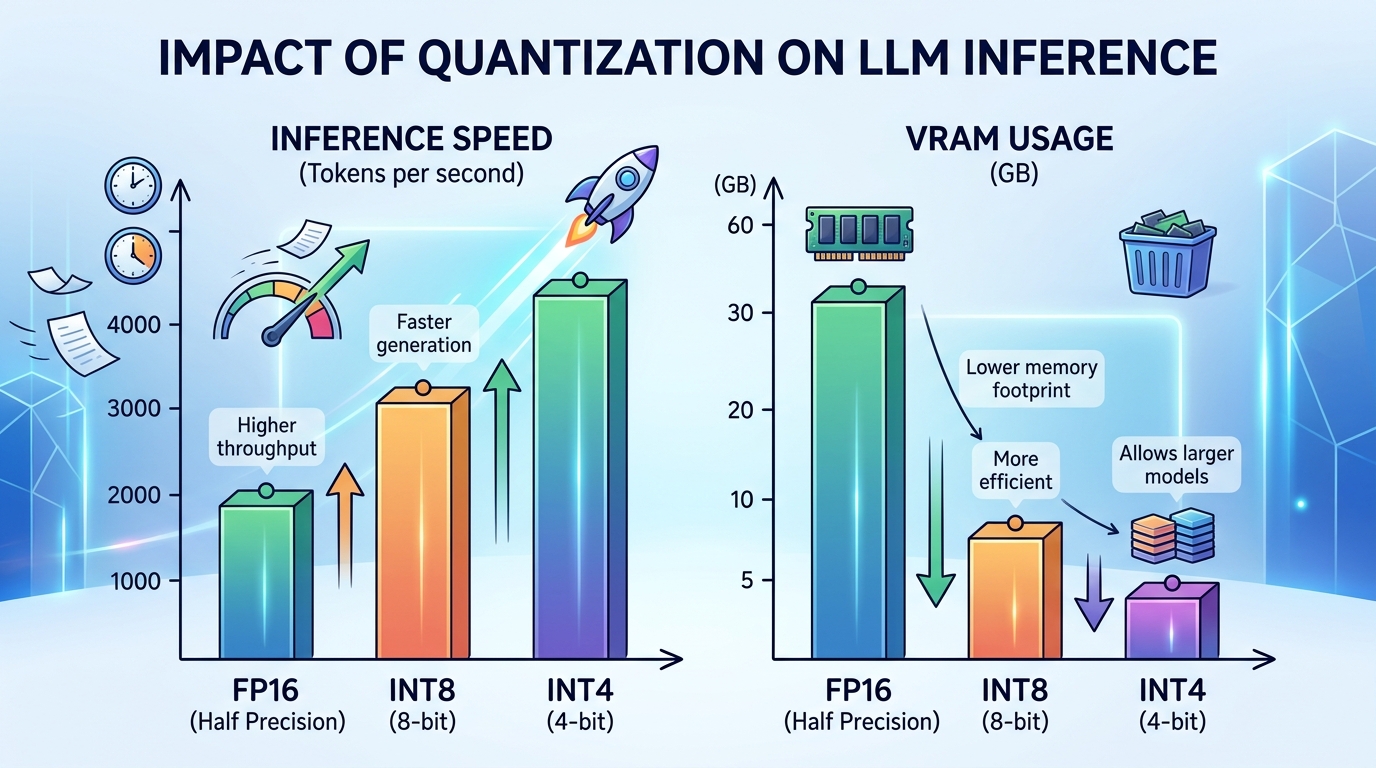
When configuring local large language models, performance depends on three core parameters: total parameter size, quantization level, and context window allocation. Tuning these settings determines wh
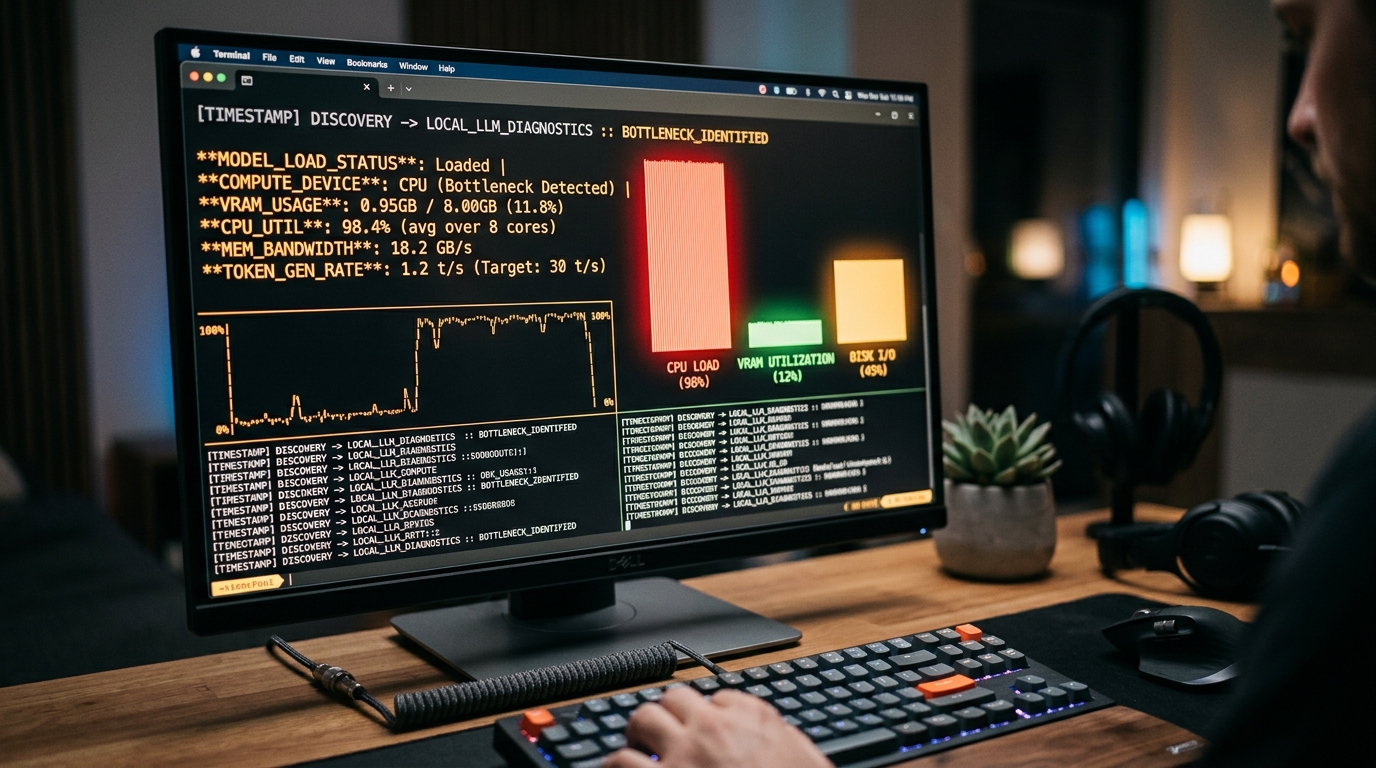
Understanding why your graphics hardware remains idle or why your system reverts to slow processing modes is the first step toward reclaiming high-speed local AI performance.
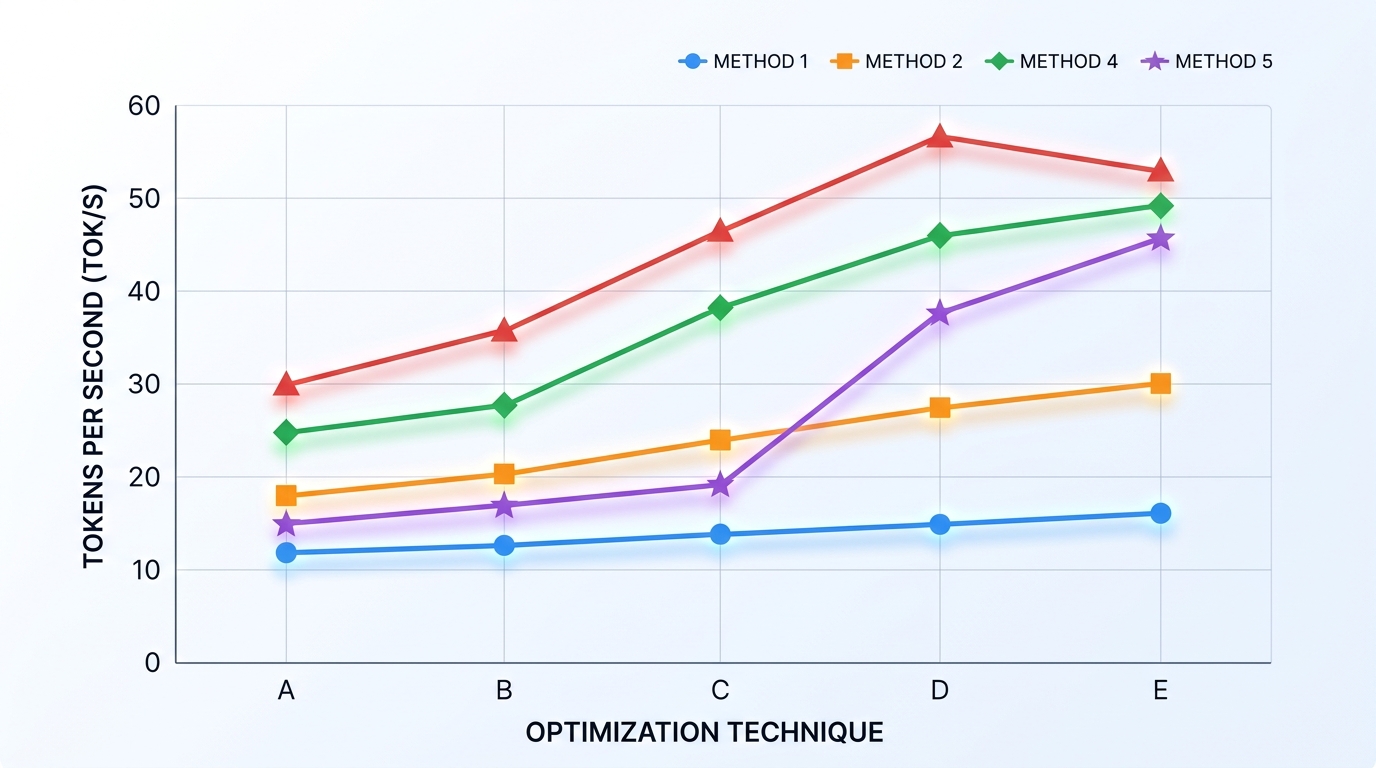
[IMAGE: Chart comparing tokens per second to show how to make local LLM faster]
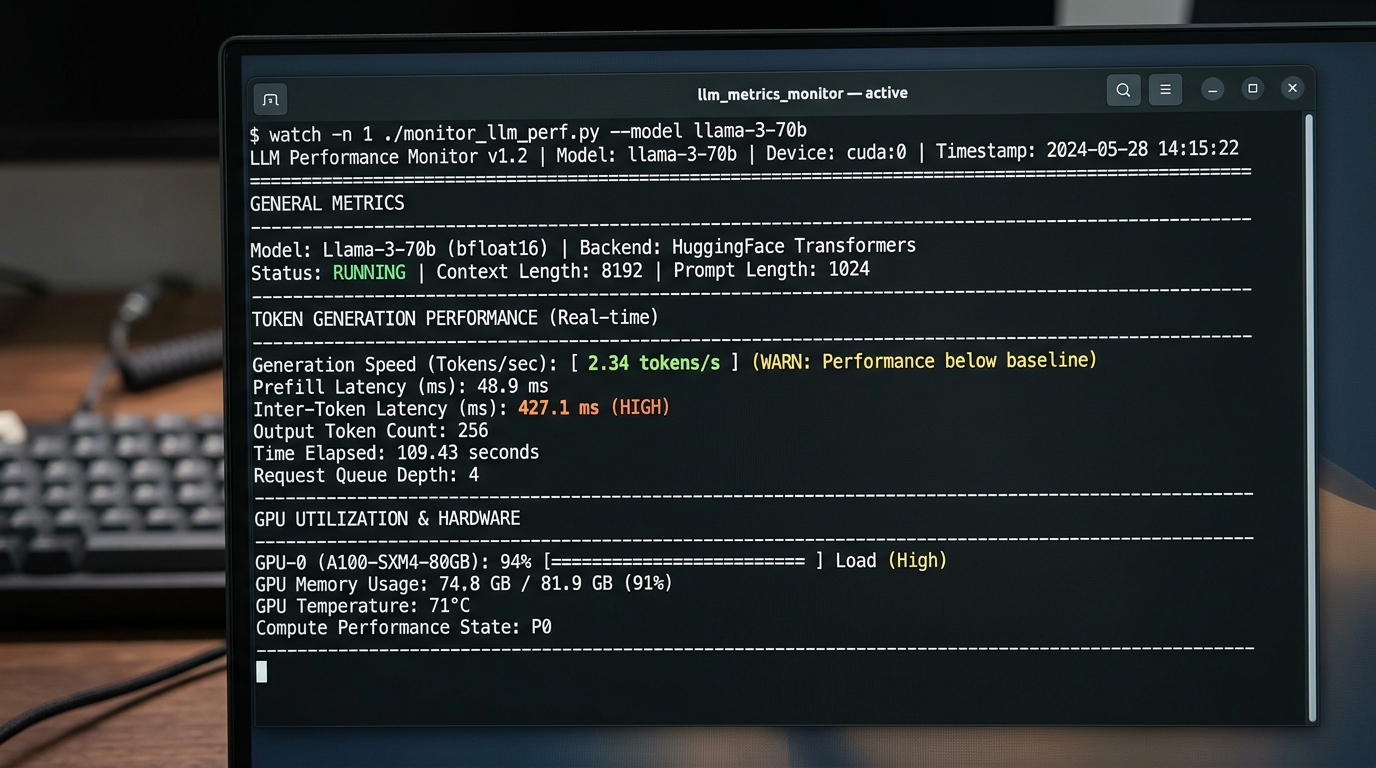
If you are experiencing severe performance degradation or high latency with local AI models, this comprehensive troubleshooting guide will help you isolate the root cause, verify system utilization, a
Workflow automation has transformed modern business operations, enabling organizations to connect disparate systems, automate repetitive administrative tasks, and build intelligent routing engines. As
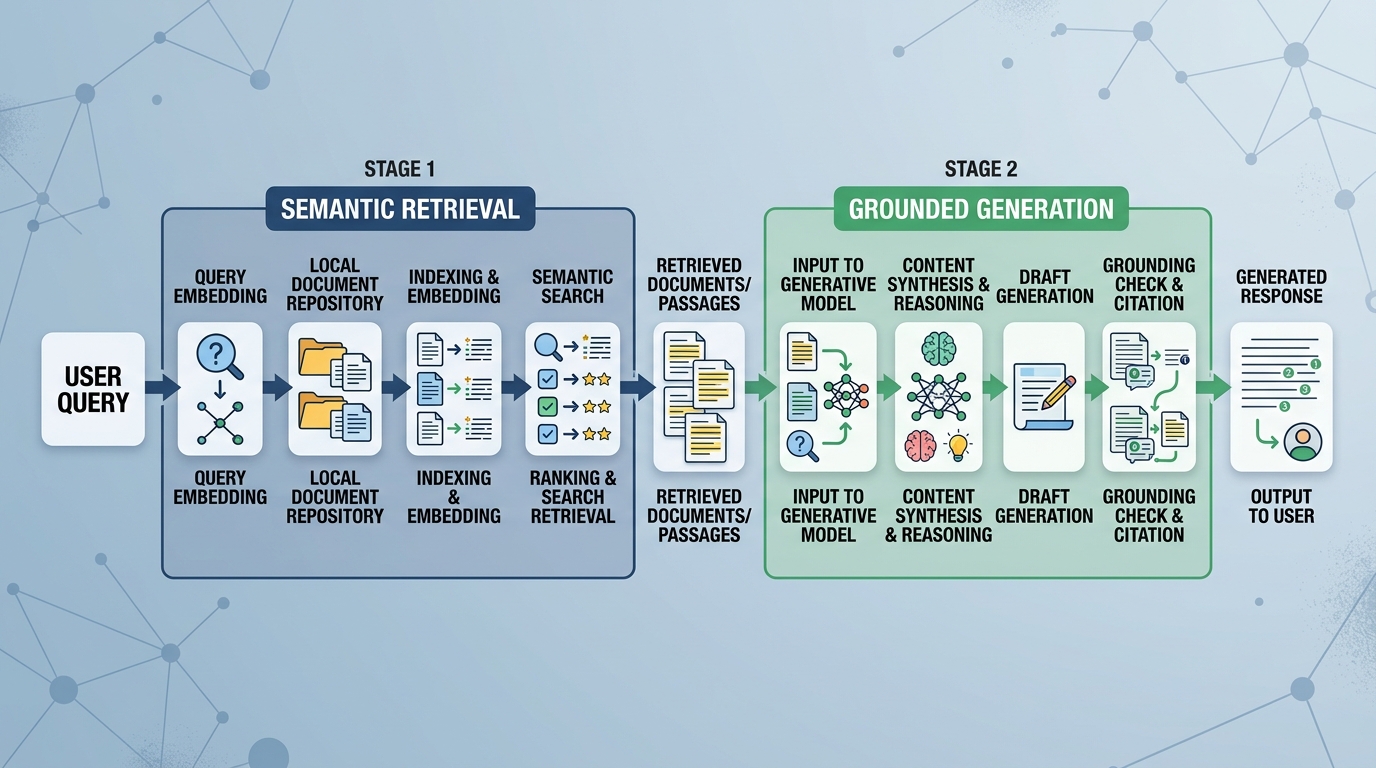
Modern organizations generate vast volumes of unorganized text—PDF manuals, standard operating procedures, technical specifications, meeting transcripts, and internal project docs. Finding exact infor
[IMAGE: List of the best LLM GitHub projects for software developers]
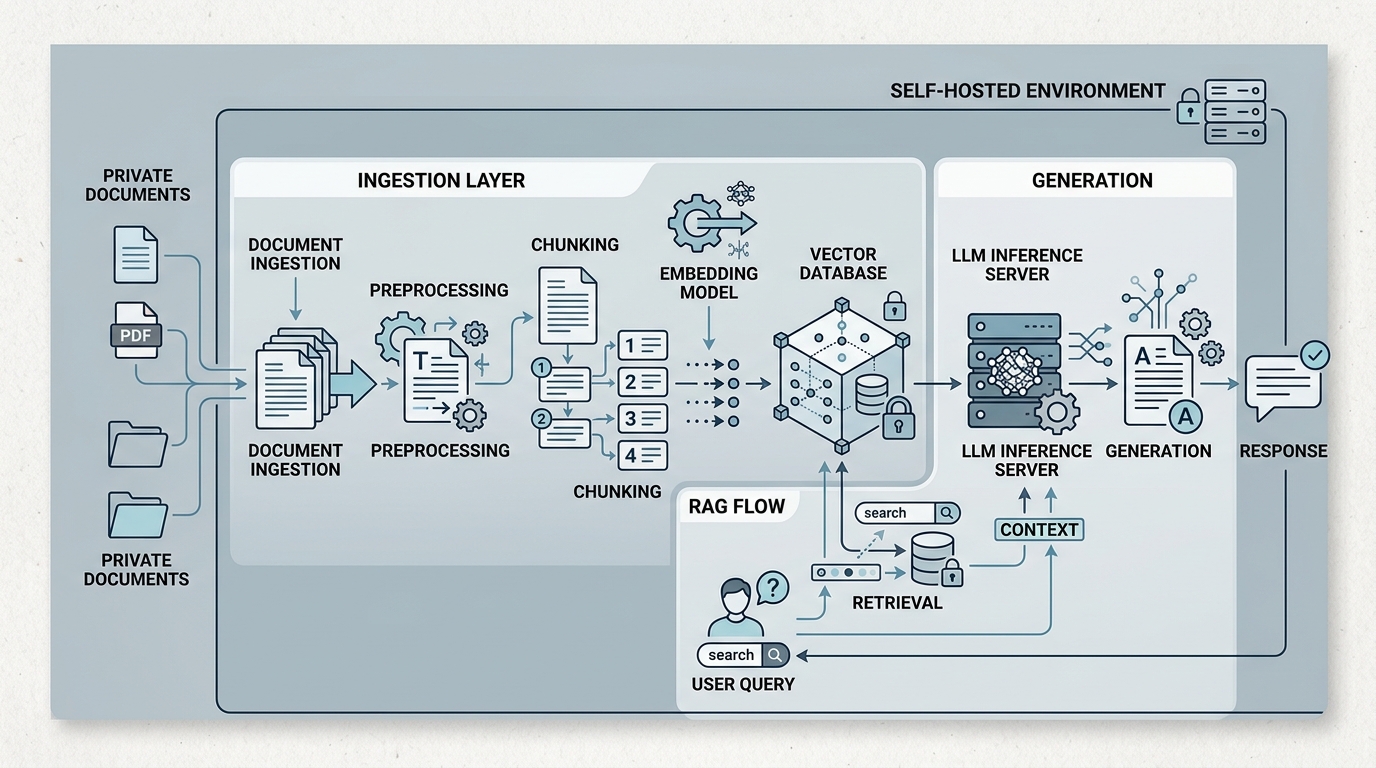
[IMAGE: Architecture diagram of a self-hosted RAG system for private documents]